Depot Charges
Introduction/Purpose
Depot Charges represent the costs incurred during product handling at depots or terminals in the oil and white products trade. These can include loading, pumping, WAC (Weighted Average Cost) adjustments, and other terminal services.
In the Trade Module, the Depot Charges function allows users to:
- Define different depot-related cost categories.
- Standardize charges applicable during stock movement (loading/off-loading).
- Track expenses for accurate reconciliation and cost allocation.
- Ensure transparency in terminal-level costs for procurement and sales analysis.
How To Navigate
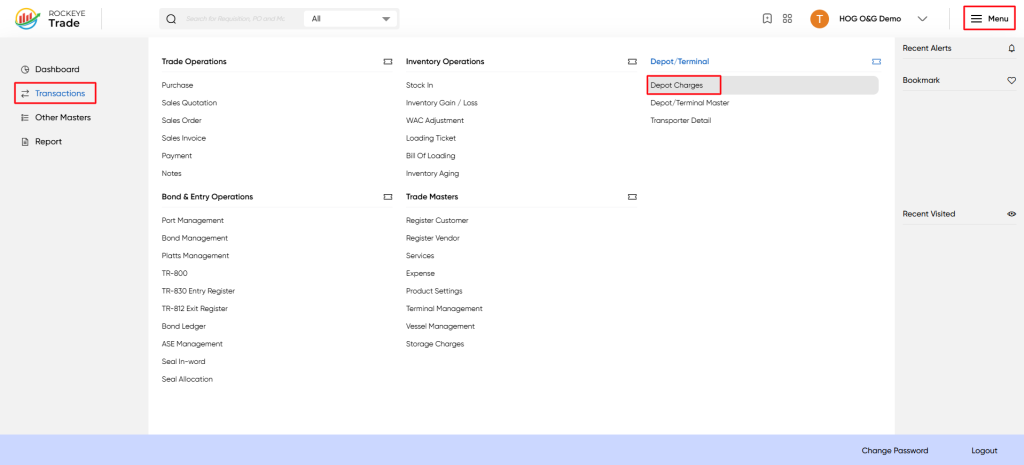
Menu > Depot/Terminal > Depot Charges
Listing
- A list view with columns: Code, Name, Default, Added By, Added Date, Approval Status, Action
- “Add New” button to create a new depot charge
- Each row has an Action menu (ellipsis) for Edit/Delete
- Approval status shown as a colored pill (e.g., Approved)
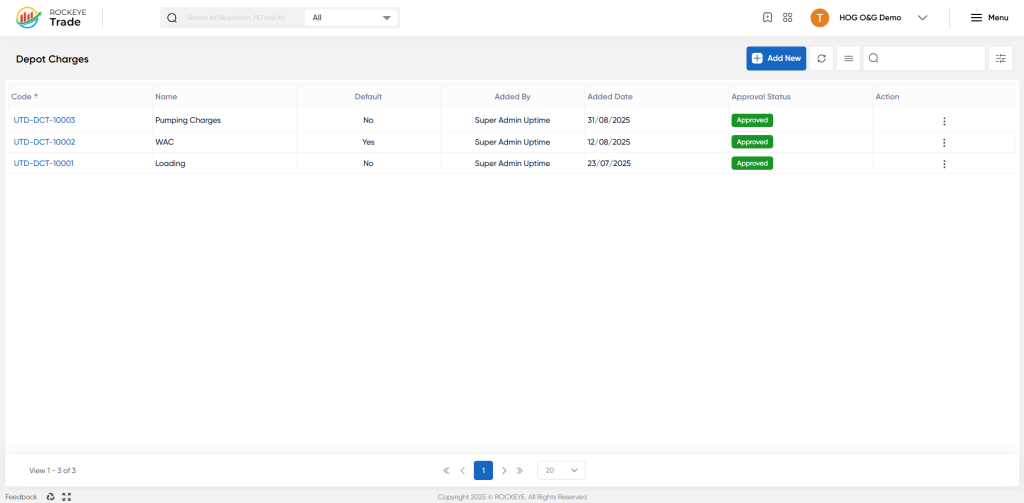
- Code → Auto-generated unique ID for each charge.
- Name → Label of the depot charge (e.g., Pumping Charges, Loading, WAC).
- Default → Indicates if the charge is set as the primary/default charge.
- Added By → User who created the charge.
- Added Date → When the charge was registered.
- Approval Status → Shows whether the charge is pending/approved.
- Action → Edit/update options.
How To Add Depot charges
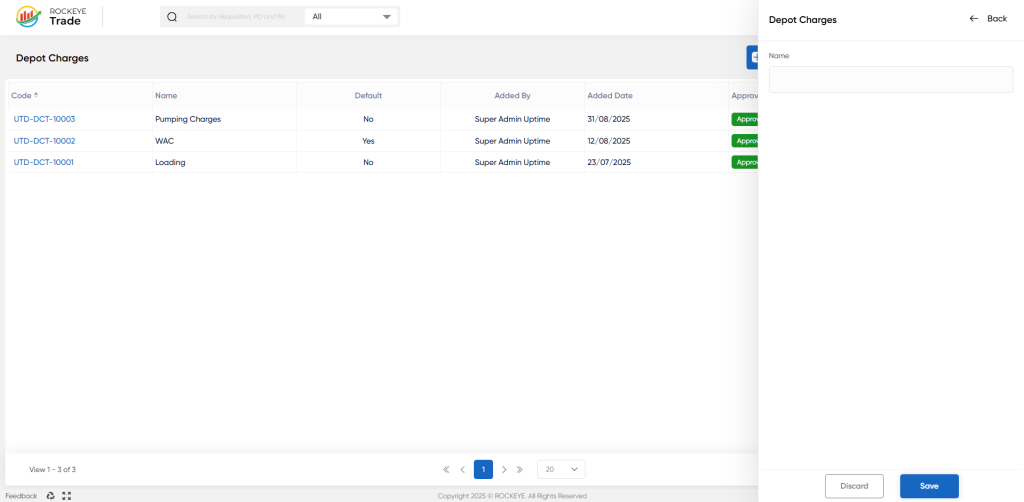
- Click on “+ Add New” (top-right).
- A side panel opens → Fill in details:
- Name → Enter the charge category (e.g., “Pumping Charges”, “Loading Fees”, “Depot Surcharge”).
- Save → The new depot charge will appear in the list with a system-generated code.
- Approval Workflow
- Newly created depot charges require admin/manager approval before becoming active for transactions.
Refrence Video Link

