Bill of Loading
Introduction/Purpose
The Bill of Loading (BL) feature allows users to manage and record the shipment details of oil or white products. This document serves as a legal receipt between the shipper and carrier, detailing the products loaded, quantities, seals, and other shipment specifics, ensuring proper tracking and accountability.
How to Navigate
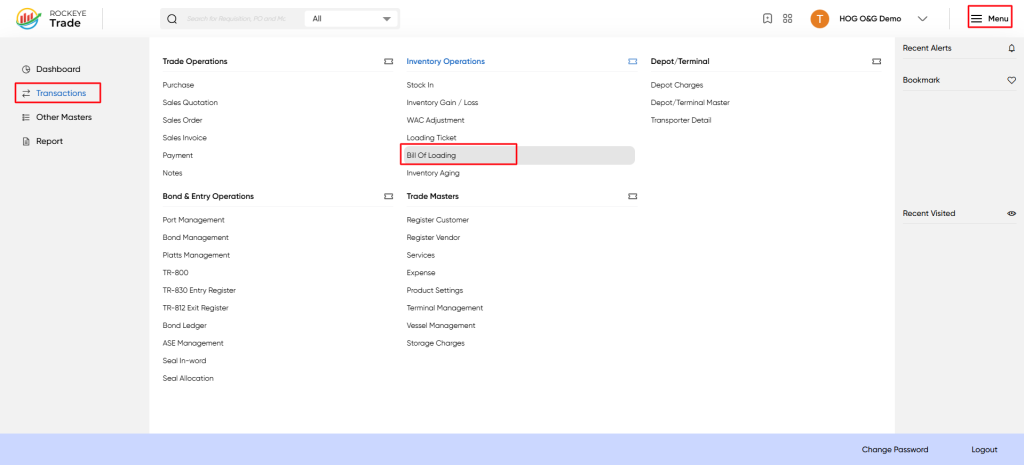
To access the Bill of Loading screen:
- Click the Menu icon at the top-right corner.
- Select Transactions from the left-hand menu.
- Under Inventory Operations, click Bill of Loading.
Listing
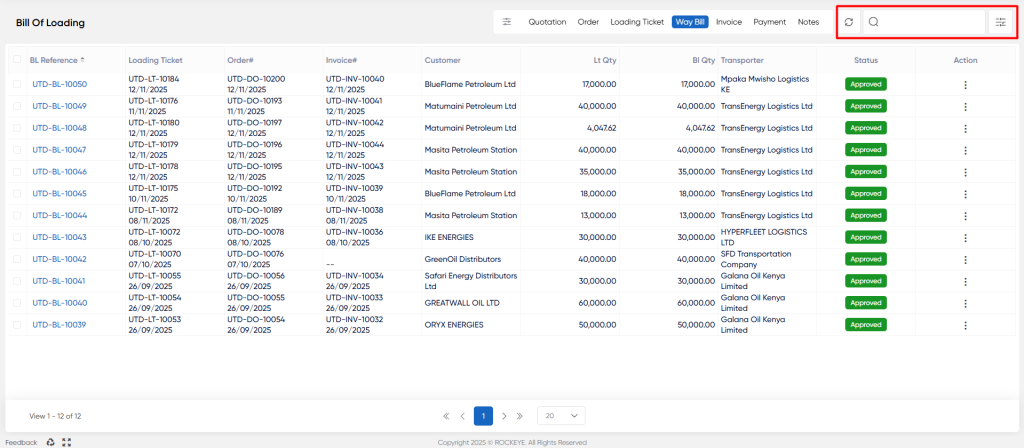
The list view displays all Bill of Loading records with the following columns:
- BL Reference: Unique reference number for the Bill of Loading.
- Loading Ticket: Associated loading ticket number and date.
- Order#: Related sales order number and date.
- Invoice#: Linked invoice number and date (if available).
- Customer: Customer receiving the shipment.
- LT Qty: Quantity loaded in liters (LT).
- BL Qty: Quantity recorded in the Bill of Loading.
- Transporter: Name of the transporter or logistics provider.
- Status: Approval status of the Bill of Loading (e.g., Approved).
- Action: Options to view, edit, or delete the record.
Additional Features:
- Refresh: Reload the list to see the latest entries.
- Search & Filter: Quickly find specific records using the search bar and filters.
Viewing and Editing a Bill of Loading
To view or edit a Bill of Loading:
- Click on the BL Reference link from the list.
- The Bill of Loading detail screen will open, displaying the following fields:
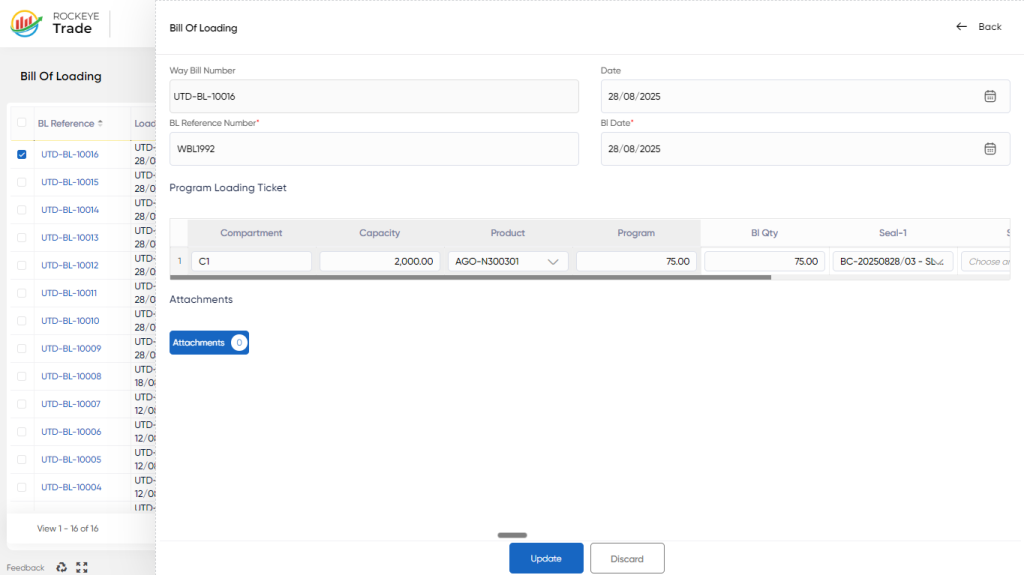
- Way Bill Number: Auto-generated unique waybill number (read-only).
- Date: Date of the Bill of Loading document.
- BL Reference Number: Enter or update the Bill of Loading reference number.
- BL Date: Date associated with the Bill of Loading.
Program Loading Ticket section:
- Displays compartments, capacity, product, program quantity, Bill of Loading quantity, and seal details.
- Users can update quantities and seal information as needed.
Attachments: Upload supporting documents related to the Bill of Loading.
- Click Update to save changes or Discard to cancel.
Refrence Video Link

