Bank Account
Introduction/Purpose
Bank Accounts to register and control all company bank accounts used in white‑product (oil) trading—payments to suppliers/ports, LC charges, and receipts from customers. Once approved, these accounts become selectable in vouchers and treasury actions across the Trade module.
The Bank Account Status feature in Rockeye Trade allows users to manage and maintain a record of their bank accounts, including account details and status.
How To Navigate
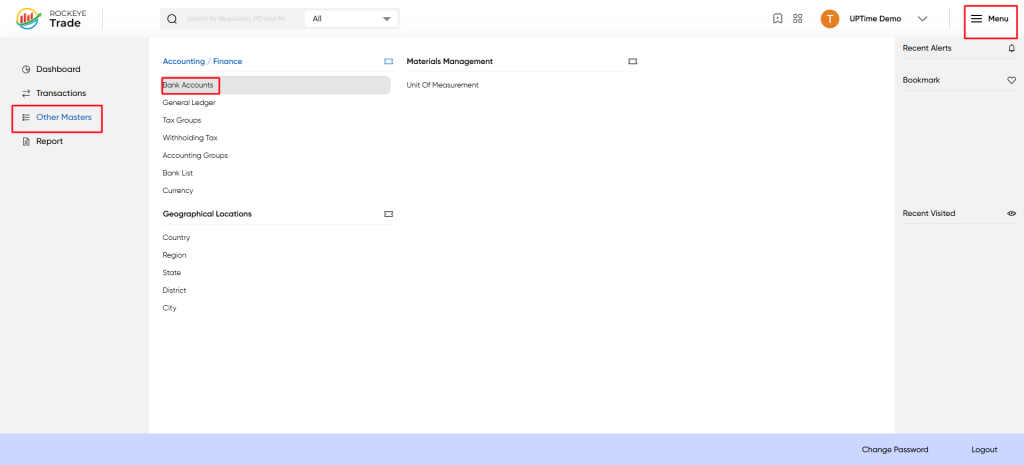
- Navigate to the "Other Masters" menu and select "Bank Accounts."
- View the list of bank accounts and click on a specific account to view its details.
How To Add Bank Accounting
To add a new bank account, click the "Add New" button and fill in the required details.
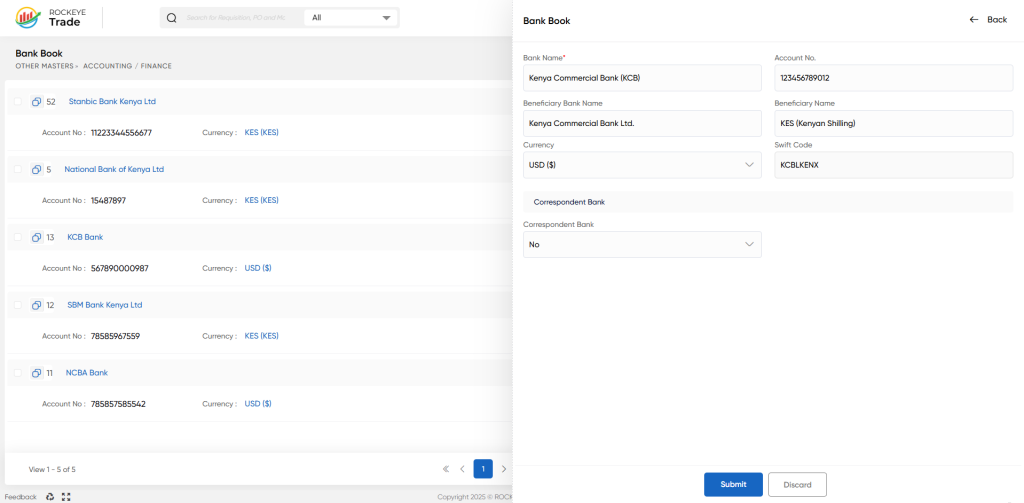
- Bank Name – Official bank name
- Account No. – exact number as per bank statement.
- Beneficiary Bank Name – legal bank/branch name shown on SWIFT/TT.
- Beneficiary Name – company name (account holder).
- Currency – select the transaction currency (e.g., KES, USD).
- Swift Code – bank/branch SWIFT/BIC.
- Correspondent Bank – choose Yes if cross‑border settlement requires a correspondent; fill related fields if prompted.
Listing
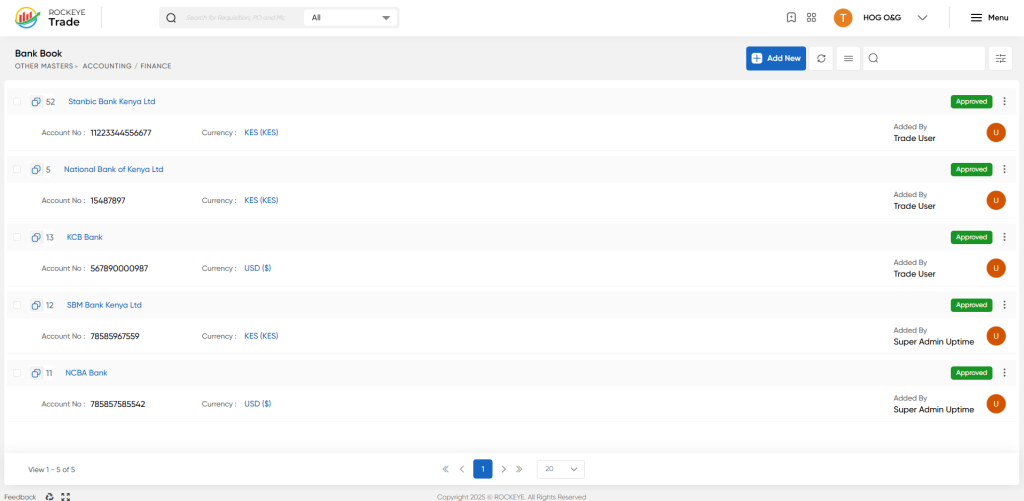
Bank Account List: A list of all bank accounts maintained by the user, including account number, bank name, and currency.
Refrence Video Link

