Seal Damage Lost
Introduction/Purpose
The "Seal Damage Lost" feature in Rockeye Trade allows you to record instances where seals on containers or vehicles have been damaged or lost during transit or storage. This is crucial for maintaining accurate inventory tracking, identifying potential security breaches, and complying with regulatory requirements. Properly documenting seal damage/loss ensures accountability and helps prevent discrepancies during reconciliation. This feature is specifically used when a seal is found to be compromised (broken, missing, or tampered with) and needs to be formally recorded within the system.
How To Navigate
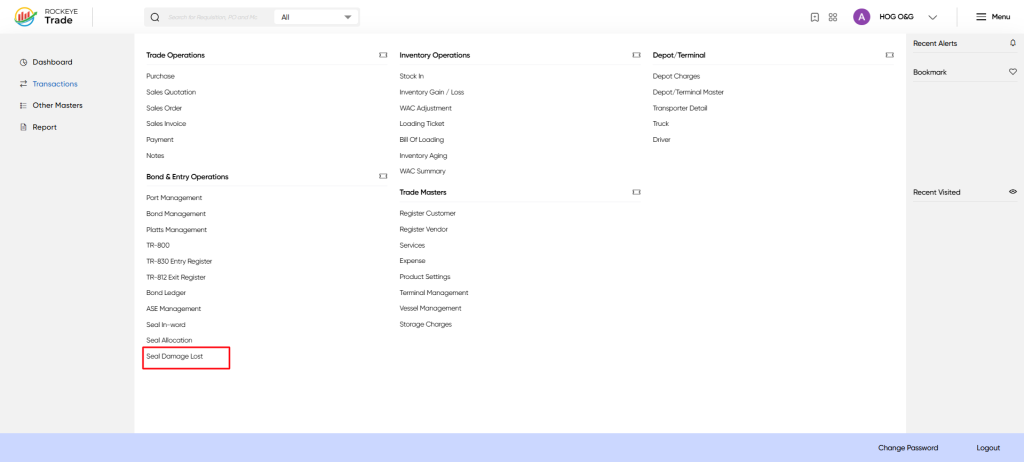
Navigate to Transactions > Bond & Entry Operations > Seal Damage Lost.
How To Add Seal Damage Lost
Click the + Add New button in the top right corner of the screen. This will open the "Seal Damage Lost" form
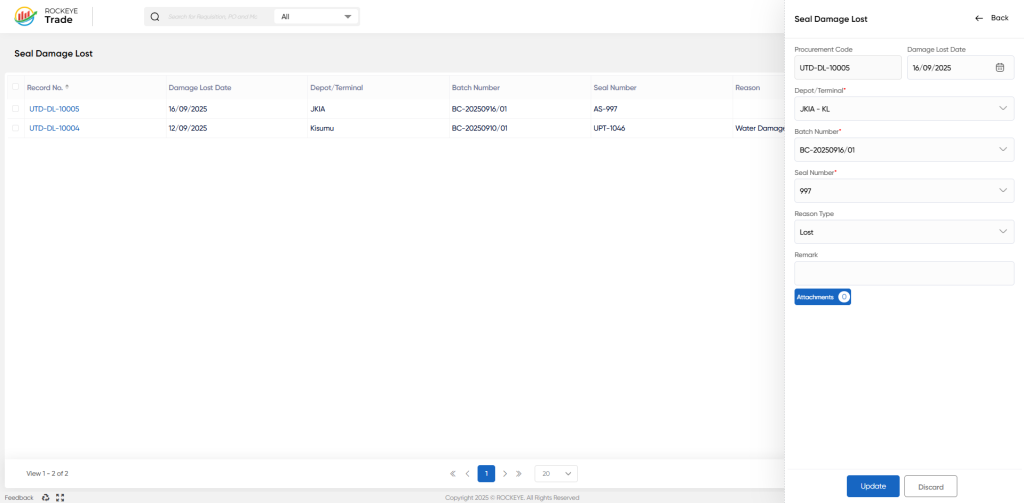
- Fill in the Required Fields:
- Procurement Code: (Auto-populated or select from dropdown) The procurement code associated with the shipment.
- Damage Lost Date: Select the date the damage or loss was discovered using the calendar picker.
- Depot/Terminal: Select the depot or terminal from the dropdown list where the damage/loss occurred.
- Batch Number: Select the relevant batch number from the dropdown list.
- Seal Number: Enter the original seal number.
- Reason Type: Select the reason for the damage/loss from the dropdown list (e.g., Lost, Broken, Tampered).
- Remark: (Optional) Add any additional notes or details about the damage or loss. Be as specific as possible.
- Attachments: (Optional) Upload any supporting documentation, such as photos of the damaged seal or a loss report.
- Review and Save: Carefully review all entered information.
- Click Update to save the record. Click Discard to cancel and return to the list view.
Listing
The "Seal Damage Lost" screen displays a list of all previously recorded seal damage/loss incidents. The table includes the following columns:
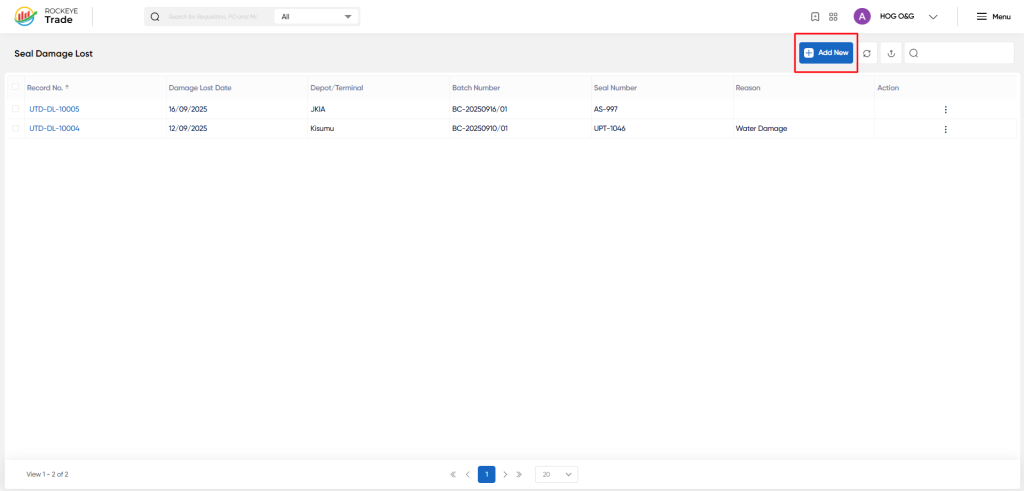
- Record No.: A unique identifier for each record.
- Damage Lost Date: The date the damage or loss was discovered.
- Depot/Terminal: The location where the damage or loss occurred.
- Batch Number: The batch number associated with the affected product.
- Seal Number: The original seal number.
- Reason: A brief description of the reason for the damage or loss.
- Action: Provides options to view or edit the record.
Refrence Video Link

