Bank List
Introduction/Purpose
The Bank List module under Other Masters in the Accounting/Finance section allows users to manage the list of banks used within the RockEye Trade system. This includes adding, editing, and approving banks for various financial transactions.
How To Navigate
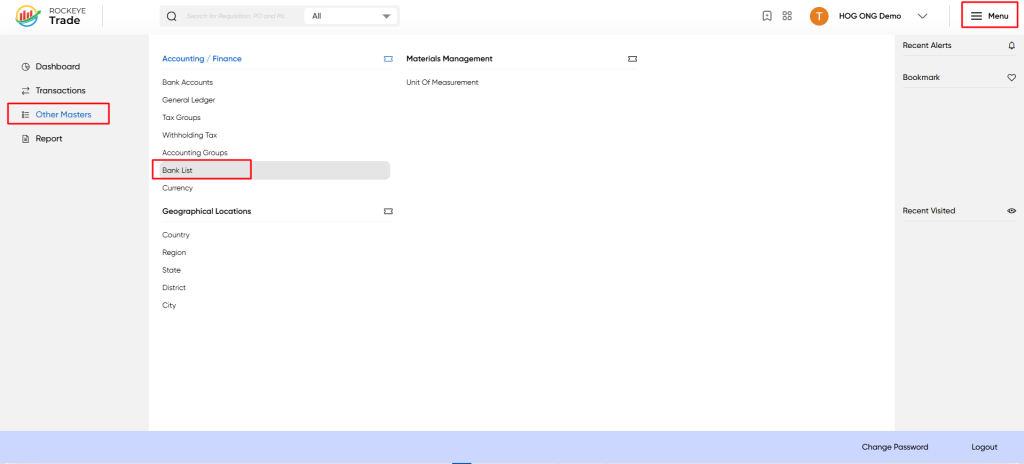
- Click on the Menu icon (☰) in the top-right corner.
- Navigate to Other Masters > Accounting/Finance > Bank List.
Listing
To edit an existing bank entry:
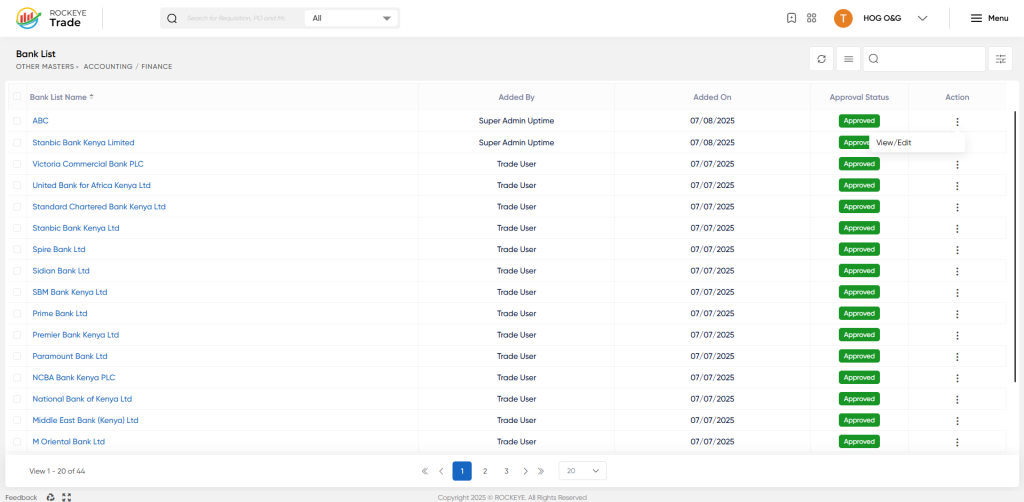
- Locate the bank in the Bank List.
- Click on the View/Edit option under the Action column.
- Modify the necessary details.
- Click Edit to save changes or Discard to cancel.
Refrence Video Link

