Product Stock Inward
11.1 Introduction / Purpose
Product Stock Inward records batches of stock received into the station — both liquid fuel intake and shop/retail item intake — capturing who recorded the entry, when, and the value and quantity received.
11.2 How to Navigate
- From Home, tap Stock Inward, or the relevant Menu entry.
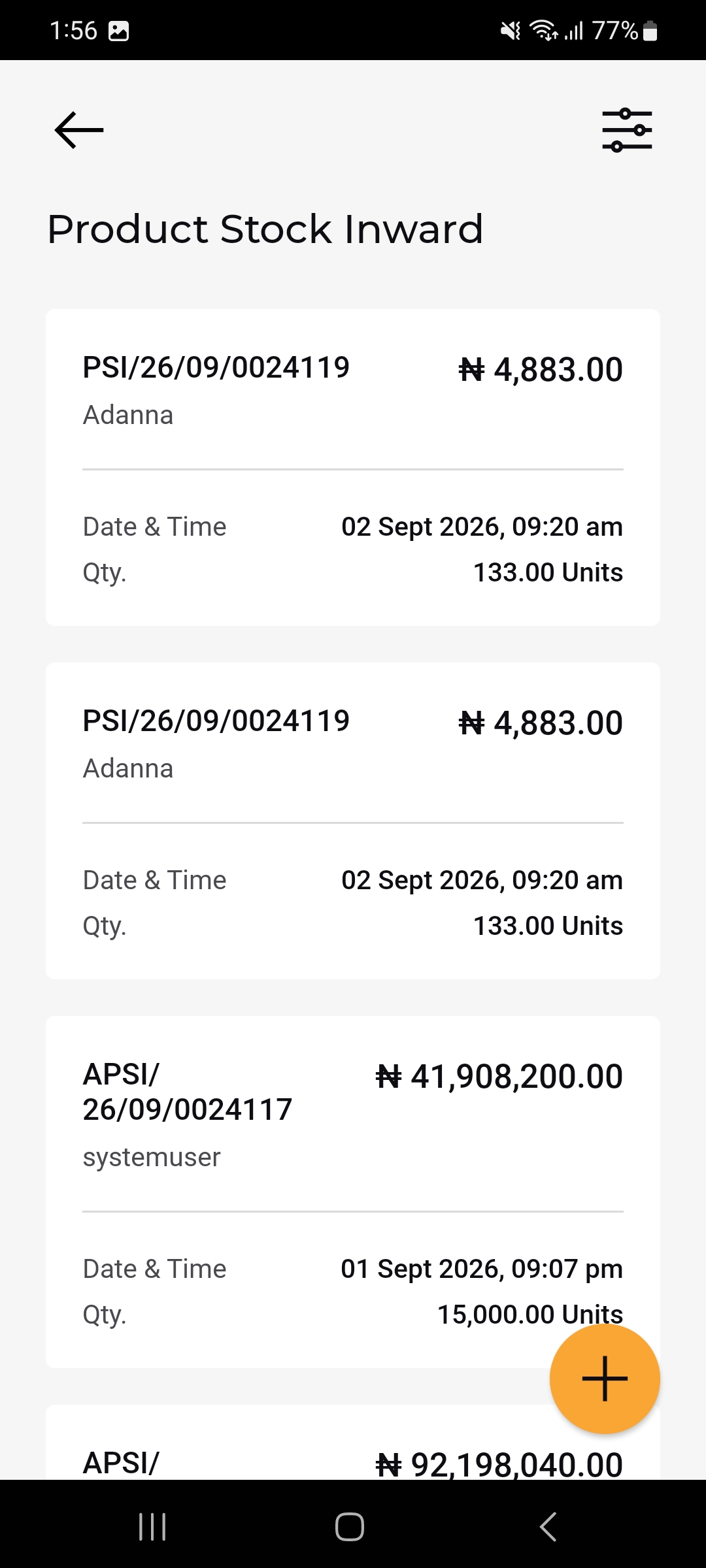
- The Product Stock Inward list opens, showing each inward entry as a card, most recent first.
- Tap the (+) button to record a new stock inward entry; use the filter icon to narrow the list.
- Tap a card to open its full detail view.
11.2.1 Product Stock Inward List
Each card shows:
- Stock Inward Code
- Total Value: The monetary value of the entry.
- Recorded by: Name of the person or system that logged the entry
- Date & Time: When the stock was recorded
- Qty.: Total quantity received.
11.2.2 Product Stock Inward Detail
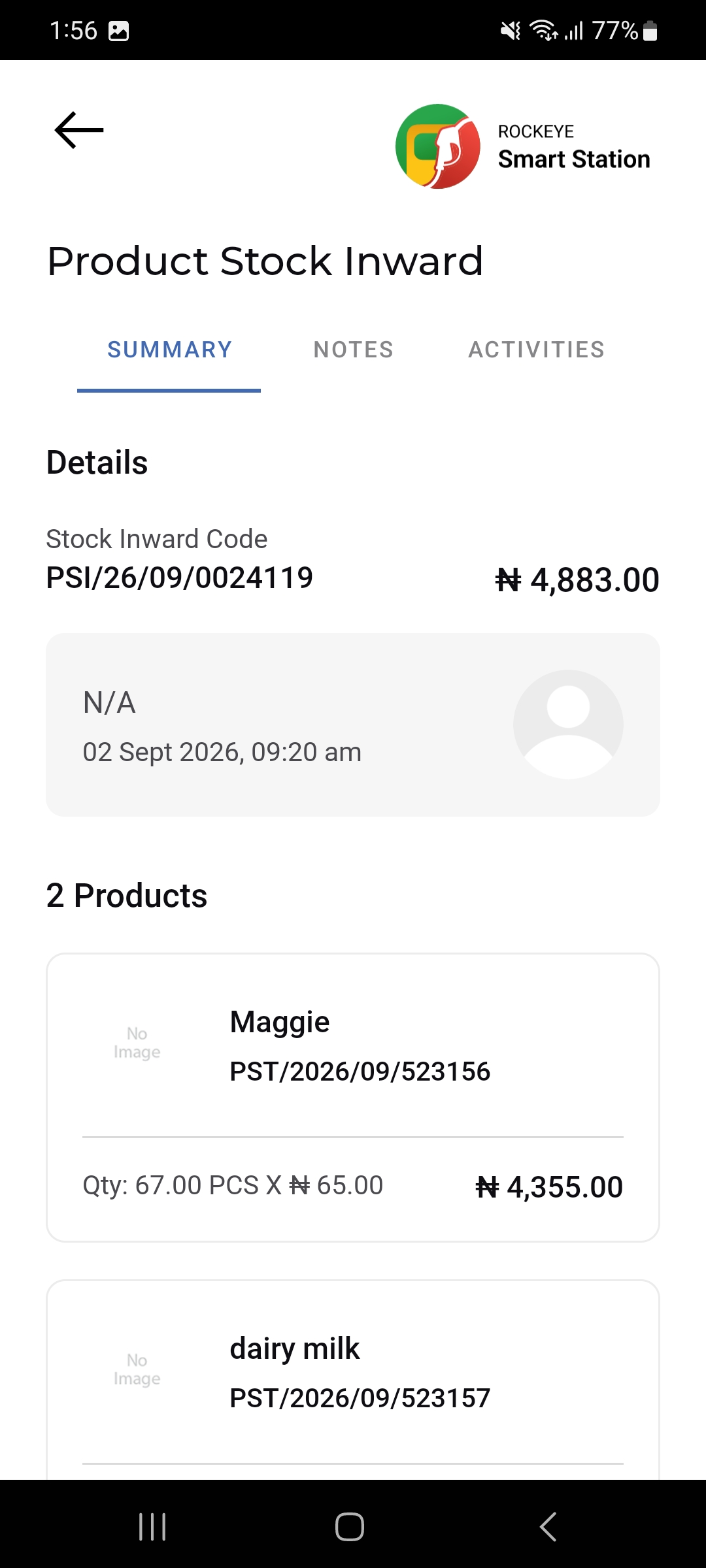
Tapping a card opens the detail view across three tabs — Summary, Notes, and Activities. Under Summary:
- Stock Inward Code & Value: The reference code and total value at the top of the Details card.
- Recorded-by info panel: Shows who recorded the entry (or N/A) with the date/time.
- Products list: A count of products in the entry followed by a card per product showing the product name, its stock code and the line calculation Qty × Unit Price = Total.
11.3 Other Applicable Actions
- Use the filter icon to narrow the Product Stock Inward list by date, product, or other criteria.

