Holiday
Introduction/Purpose
The Holiday Master is used to define official holidays for specific locations. It helps manage workforce planning, shift scheduling, and attendance tracking by identifying non-working days across different stations or branches.
This ensures accurate timekeeping and compliance with the company or regional holiday calendar.
How to Navigate
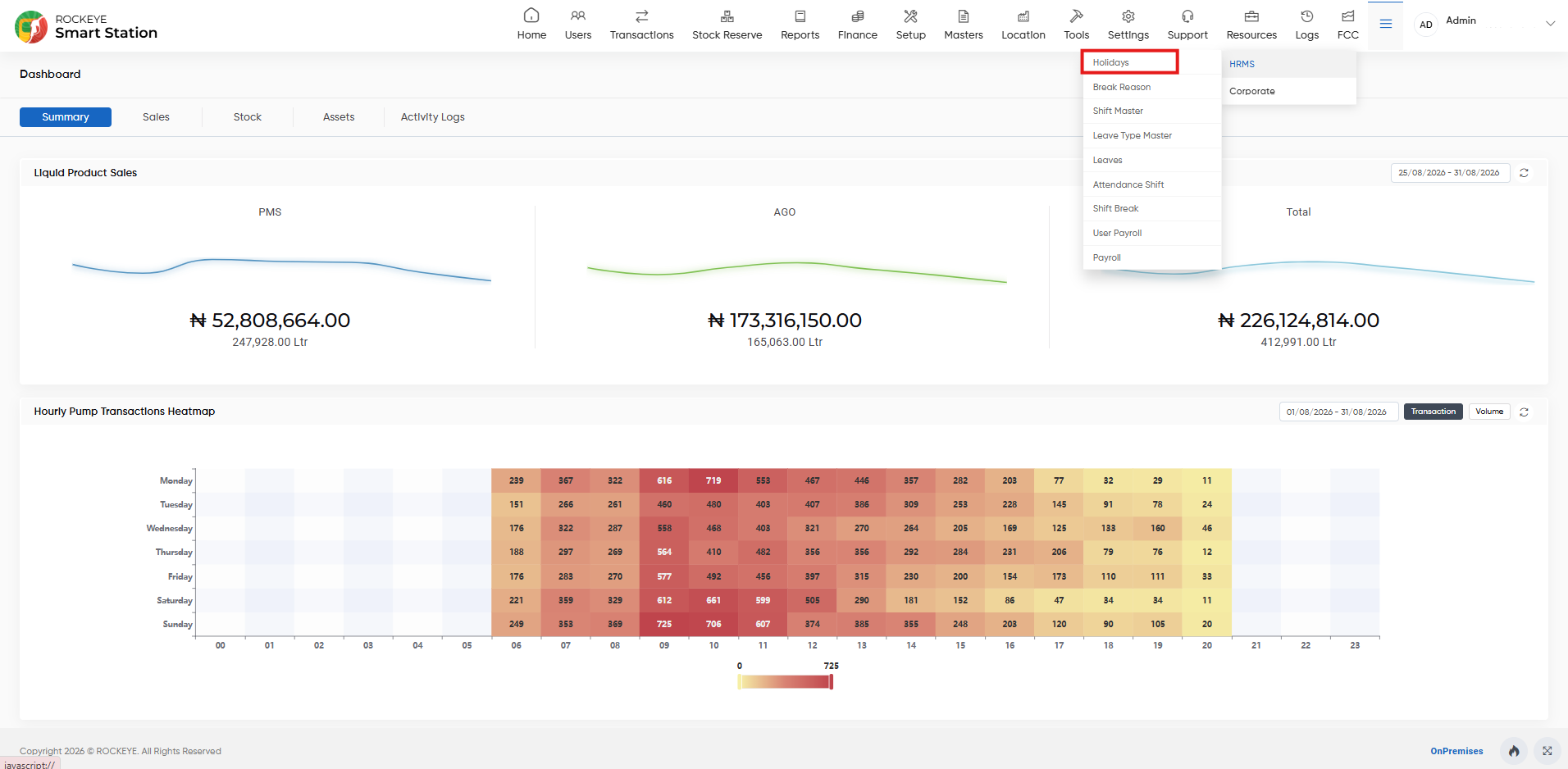
- Go to the HRMS module from the main dashboard.
- Select Holidays from the submenu.
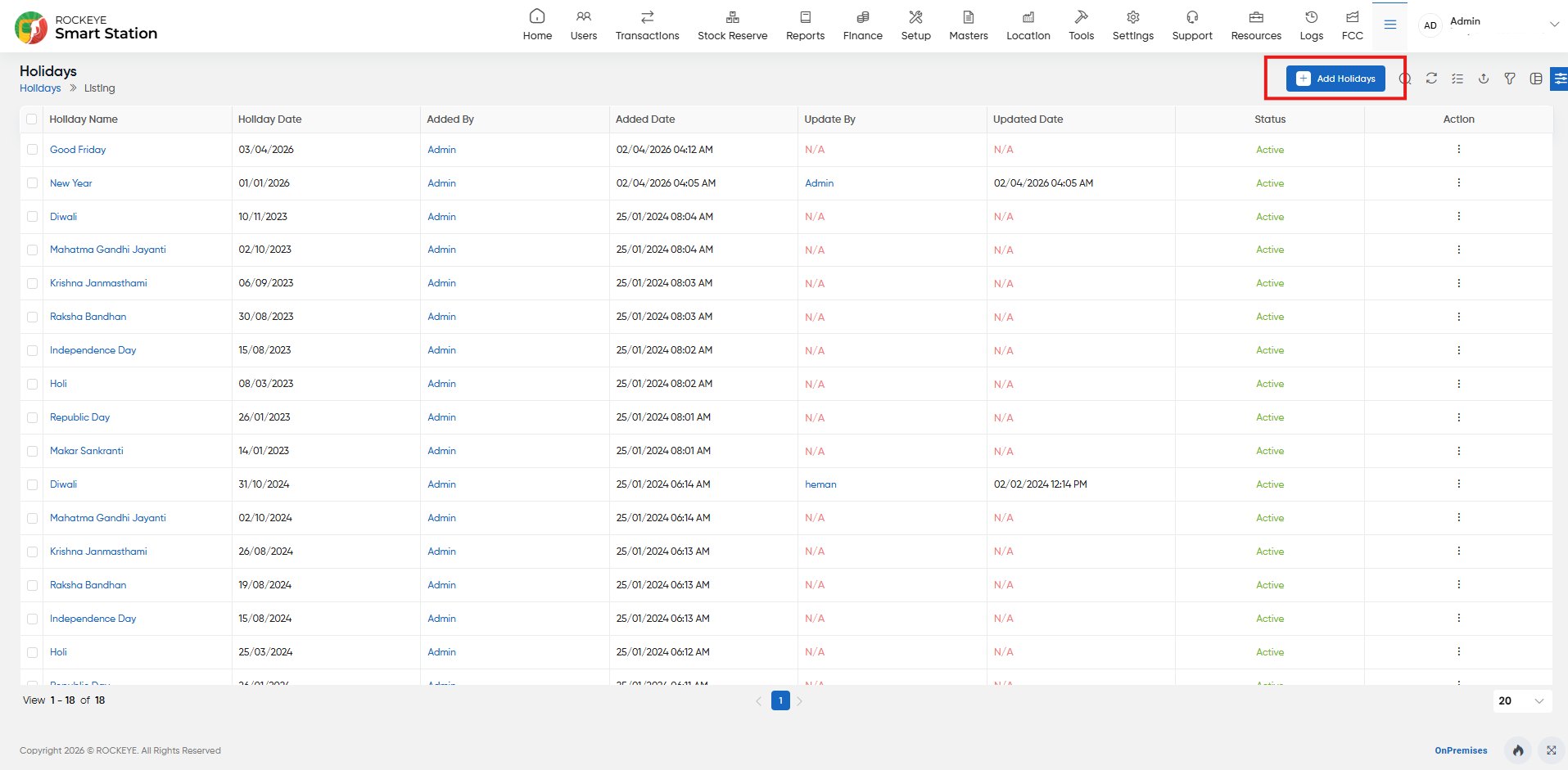
- You will be directed to the Holiday List View.
How to Add a Holiday
- Click the Add New button (top-right corner).
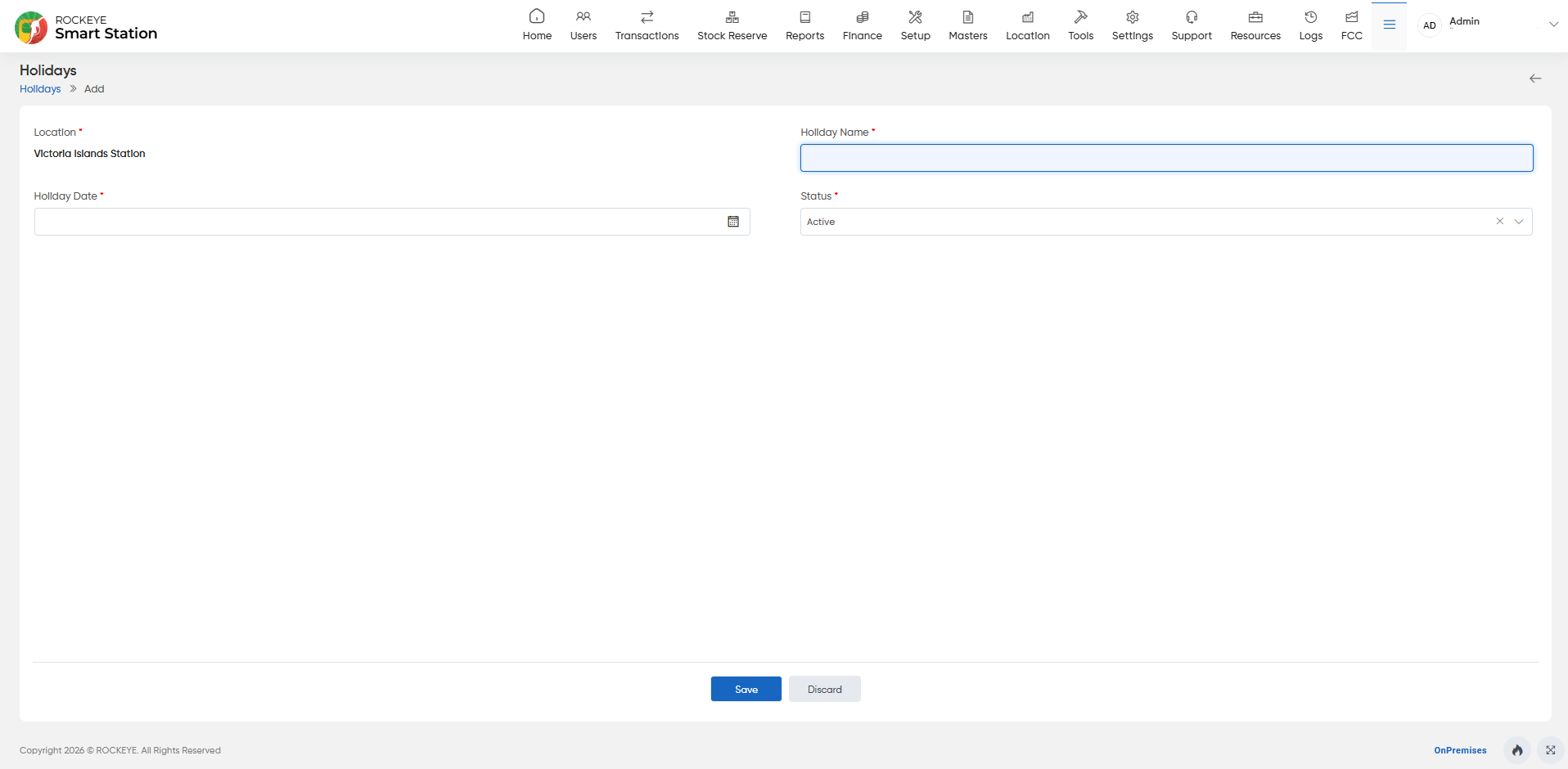
- Fill in the following details:
- Location: Station or branch where the holiday applies.
- Holiday Name: Name of the holiday (e.g., Independence Day).
- Holiday Date: Date of the holiday.
- Status: Active or Inactive.
- Click Save.