Corporate Customer
Introduction/Purpose
Corporate clients play a significant role in the business establishing and maintaining relationships with corporate clients is essential for businesses across various industries to drive growth and foster long-term partnerships. The Corporate Customer module serves as a centralized database within the business management system, dedicated to storing essential details and information about corporate clients.
How to Navigate:
The navigation to the corporate customer module in smart station are as follows:
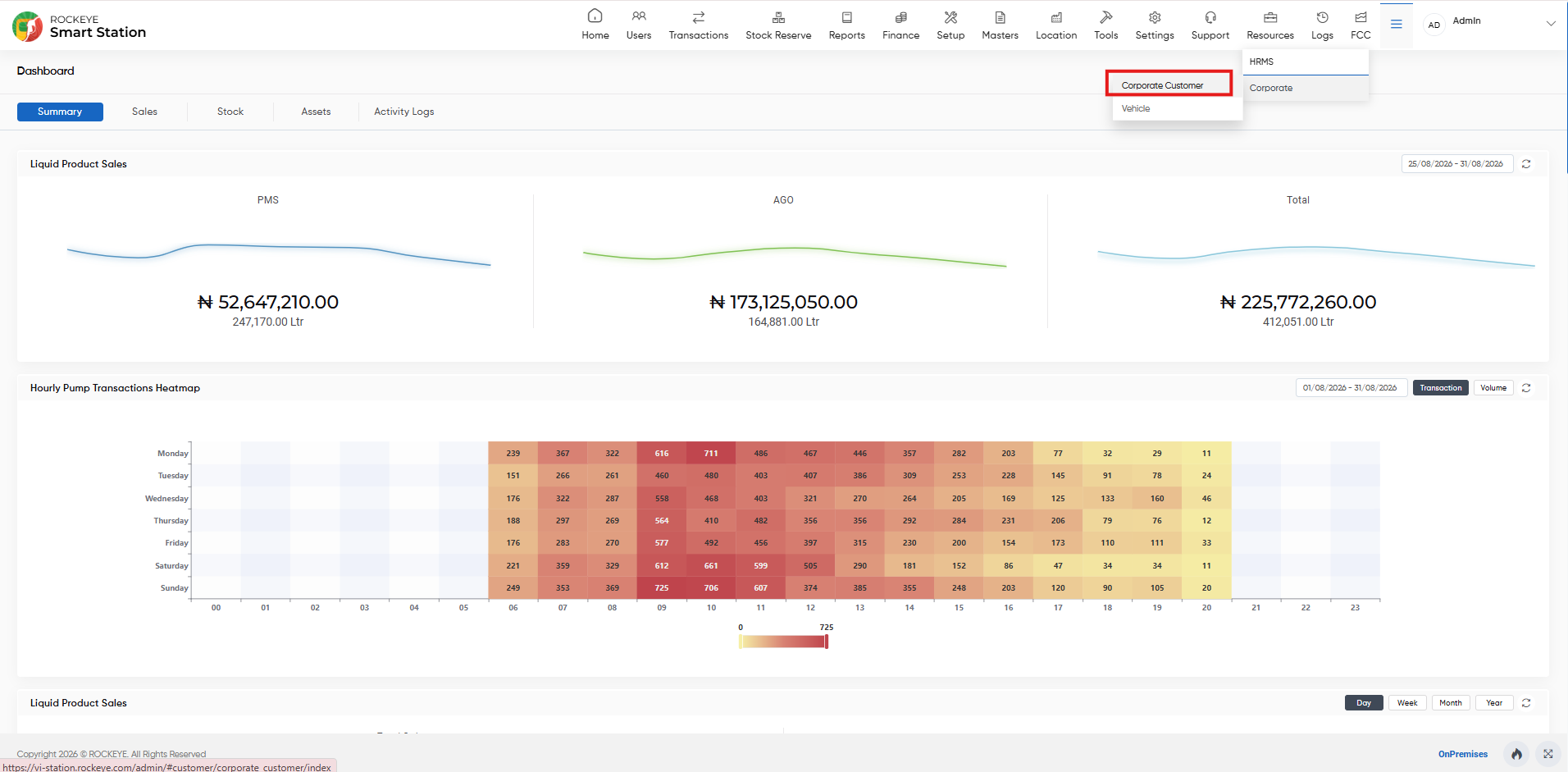
- Click the Menu icon on the top-right side of the screen. From the menu, select Corporate, and then click Corporate Customer. The user will be navigated to the Corporate Customer Listing page.
Listing:
The corporate customer module allows users to add and view corporate customer details in the system. The key feature of corporate customer module listing are as follows:
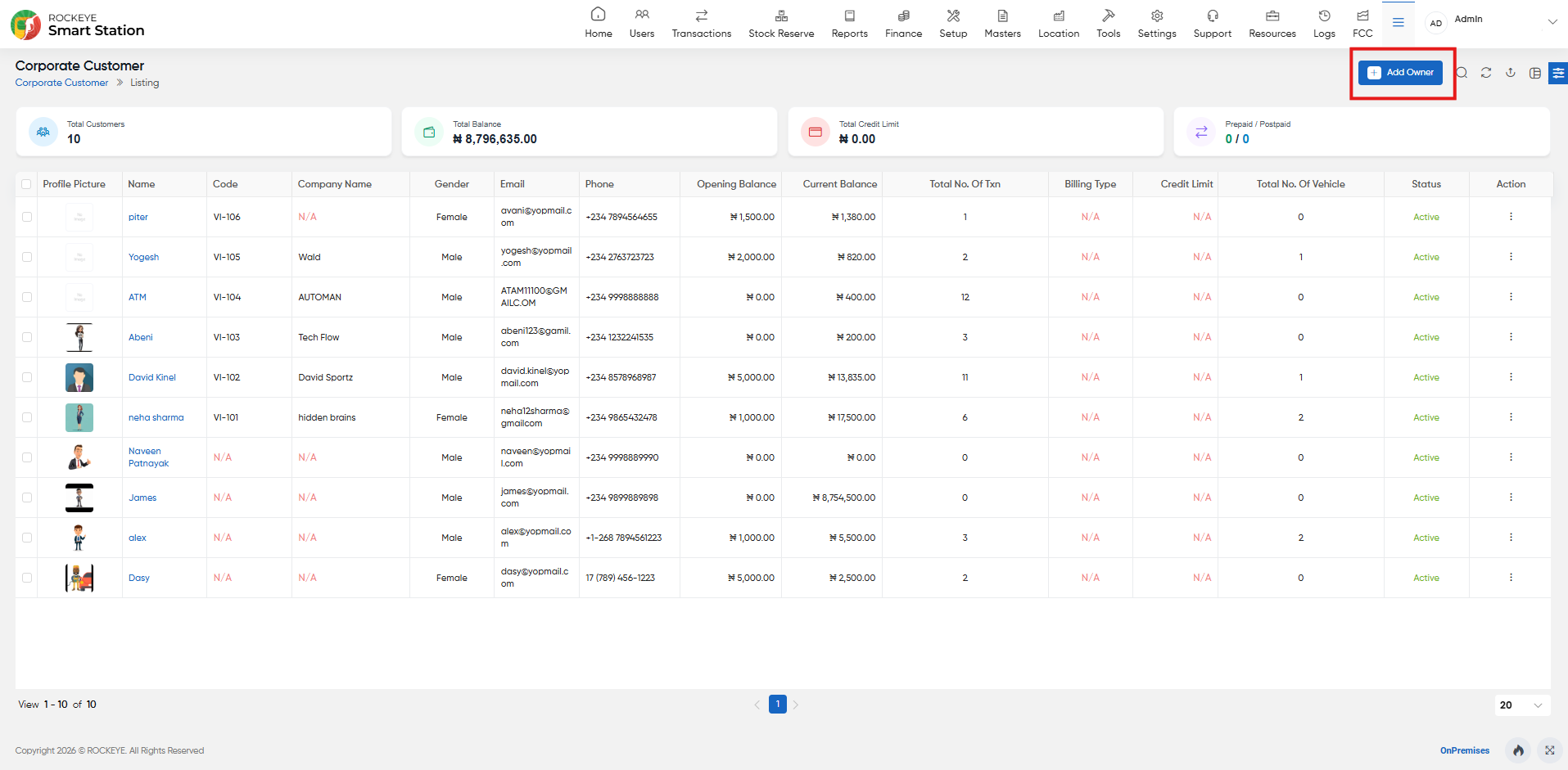
- Advance Search
This option allows user to filter data with single or Multiple criteria in Column Name with options like- Equal
- Not Equal
- Begins
- Does Not Begin with
- Ends With
- Does Not End with
- Contains
- Does Not Contain
- Show all listing records:-
This option allows the user to clear all Filters and display all records on the Listing page. - Export Data
Selected records, current page records, or all records can be exported by users with listed columns or all columns to a spreadsheet or other file format for further analysis or reporting. - Change View
The change view option allows users view corporate customer list as below:- Table View
- List View
Recording and Updates:
The user can add new corporate customer details record by clicking on the “Corporate Customer” button and by entering the below fields:
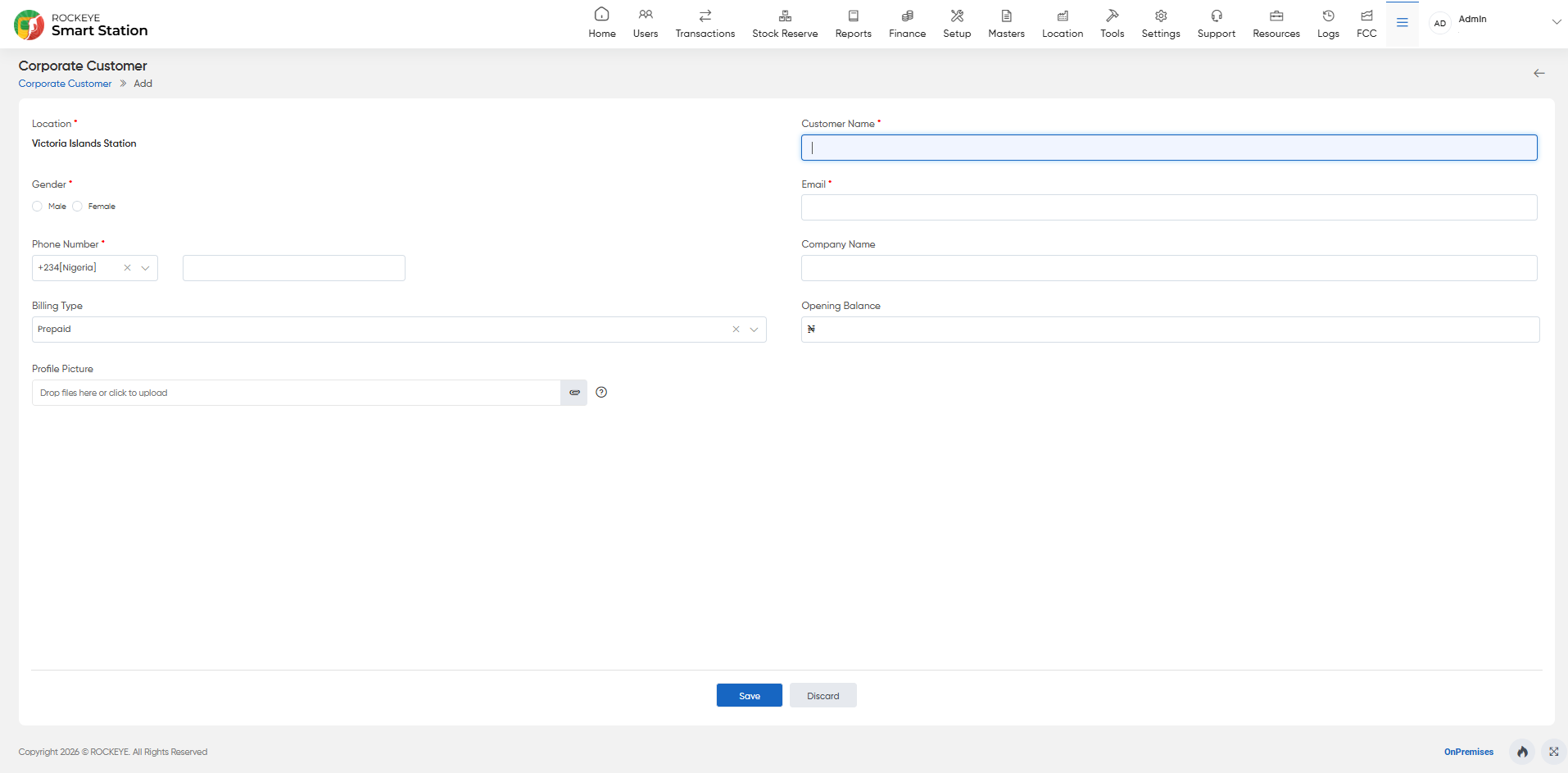
- Name: Enter the name of the corporate customer, which could be the company name or a designated business name.
- Gender: Select the gender of the corporate customer.
- Email: Provide the email address of the corporate customer.
- Customer Name: Enter the name of the contact person.
- Phone Number: Provide the phone number of the contact person.
- Profile Picture: Upload a profile picture of the corporate customer for identification purposes.
- Status: Indicate the current status of the corporate customer, such as "Active" or "Inactive".
- Opening Balance: Enter the opening balance or initial financial value associated with the corporate customer's account within the system.
This option allows the user to perform the following action in this section.
- Submit: Allows the user to submit the corporate customer record.
- Discard: Allows the user to discard the corporate customer record.

