Location Working Hours
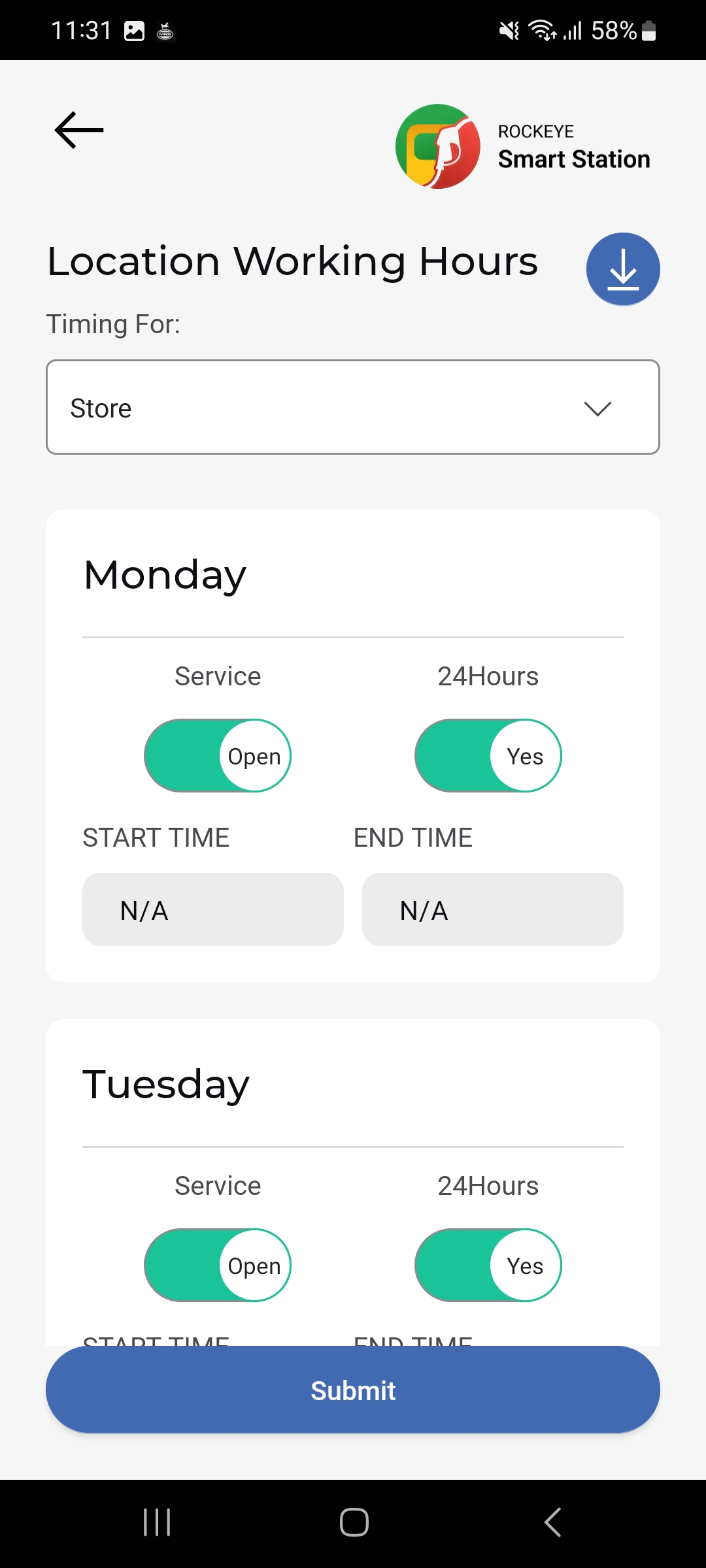
Location Working Hours defines the operating schedule for a station’s services (e.g. Store) across each day of the week, including 24-hour operation and specific opening/closing times.
How to Navigate
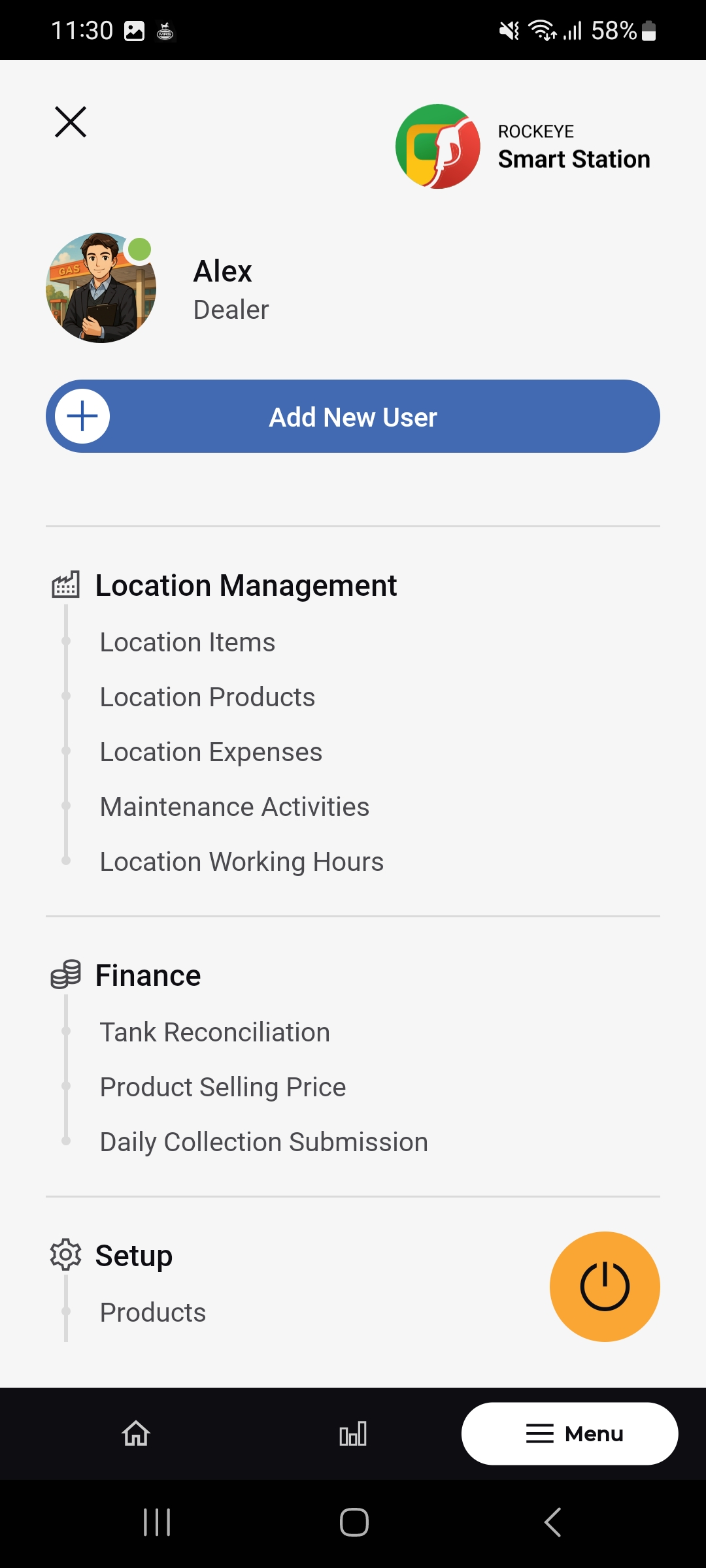
- Open Menu > Location Management > Location Working Hours.
- Select which service the timing applies to from the Timing For dropdown
- Review or adjust each day’s schedule, then tap Submit to save.
Location Working Hours Fields
For each day of the week (e.g. Monday, Tuesday):
- Service toggle: Open/Closed switch for that day.
- 24Hours toggle: Yes/No switch indicating whether the service runs 24 hours that day.
- Start Time / End Time: The operating window for that day, shown as N/A when 24 Hours is enabled or the day is closed.
- Download icon: Located at the top of the screen, used to export the working-hours schedule.
Other Applicable Actions
- Use the filter icon on any Location Management list to narrow records by location, type, or status.
- Use the (Edit) icon on any card to update that record.
- Use the download icon on Location Working Hours to export the current schedule.

