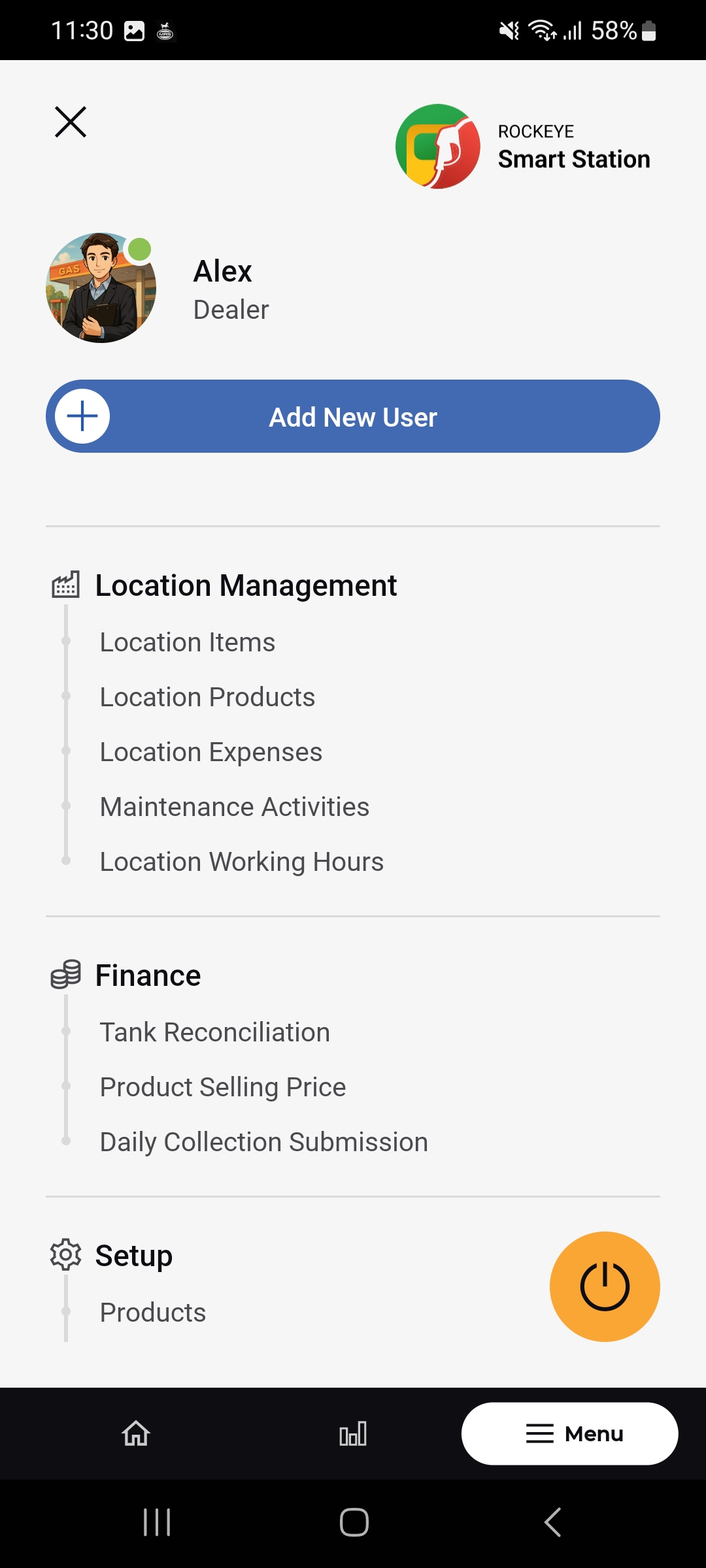
Location Management
Introduction / Purpose
Location Management groups the station-level administrative records that are not tied to fuel stock or sales — physical assets, non-fuel products, operating expenses, maintenance history, and working hours — all scoped to a specific location.
Location Items
Location Items tracks physical equipment and assets assigned to a station , including their condition and value.
How to Navigate
- Open Menu > Location Management > Location Items.
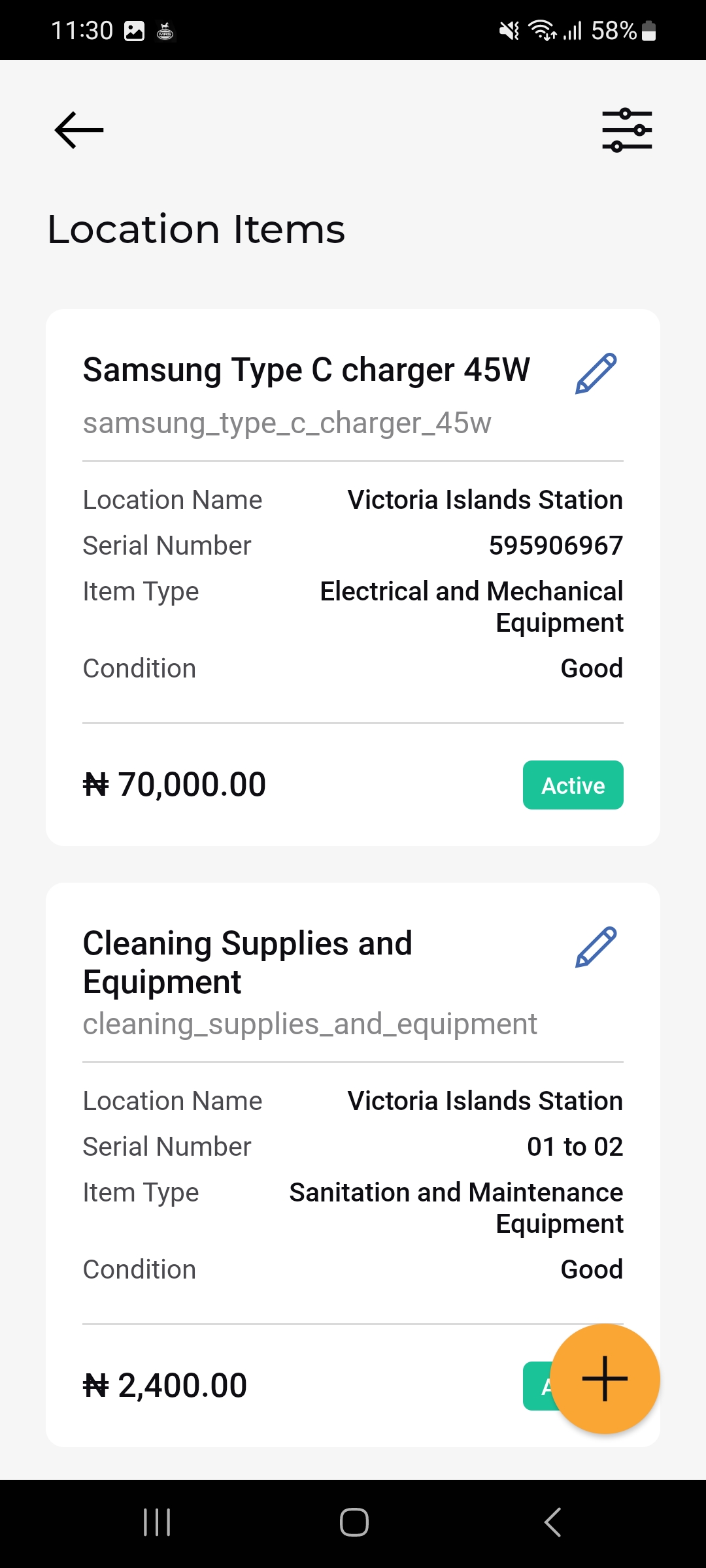
- The Location Items list opens, showing each item as a card.
- Tap the + button to add a new item, or the pencil icon on a card to edit it.
Location Items List
Each item card shows:
- Item Name & Code
- Location Name
- Serial Number
- Item Type
- Condition
- Value & Status: The item’s value with an Active status badge.
- Edit icon: Opens the item for editing.
Add a Location Item
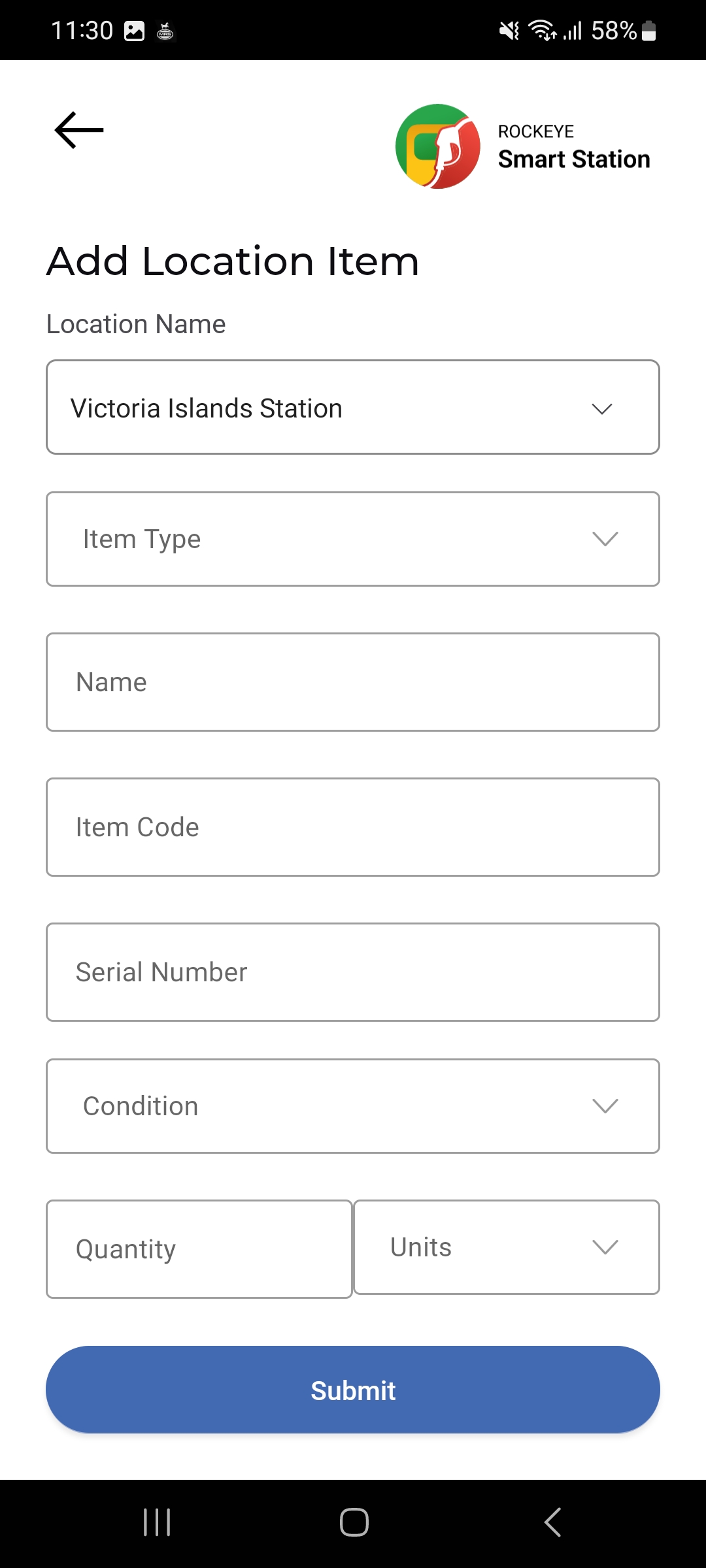
- Tap the floating (+) button on the Location Items list.
- Select the Location Name.
- Select the Item Type from the dropdown.
- Enter the item’s Name, Item Code, and Serial Number.
- Select the Condition.
- Enter the Quantity and select its Units.
- Tap Submit to save the item.