Shift Master
Introduction/Purpose:
The Shift Master defines and manages employee shift timings across different locations. It ensures standardized scheduling and assists in managing attendance, coverage, and payroll.
This is essential for efficient workforce management and operational planning.
How To navigate:
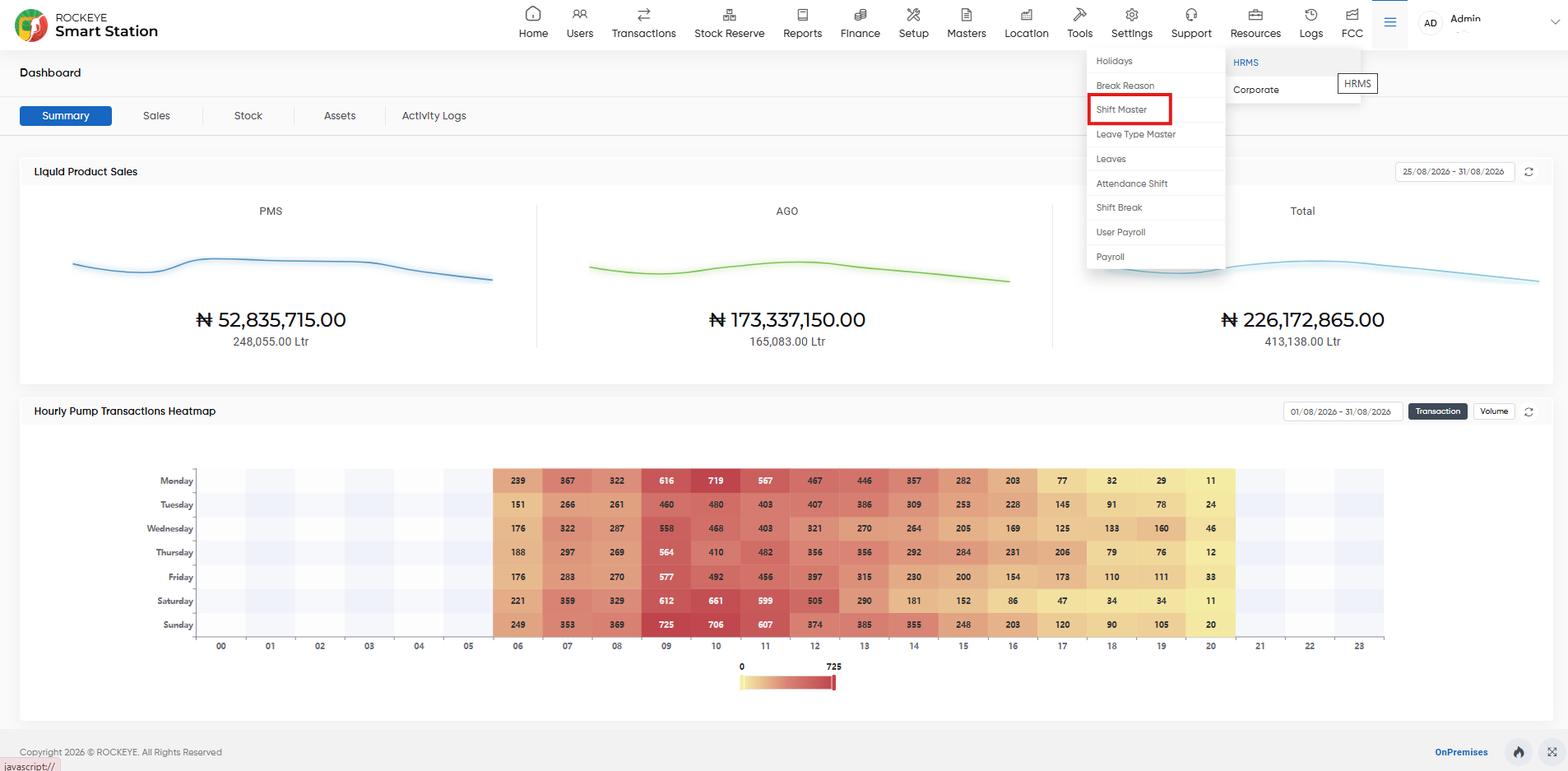
- Go to the HRMS Module from the main dashboard.
- Select Shift Master from the submenu.
- You will be directed to the Shift List View.
Listing:
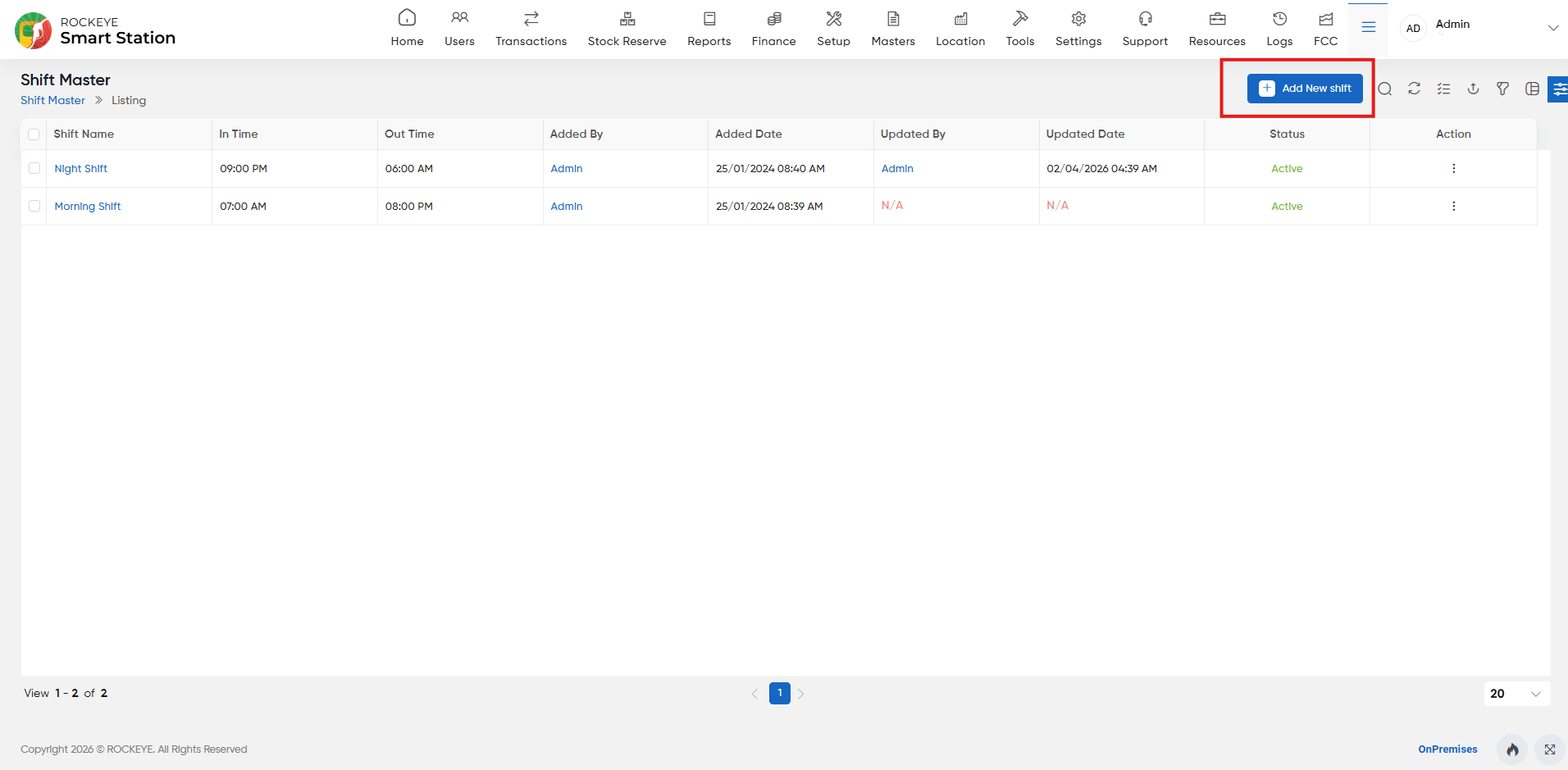
How To Add Shift Master:
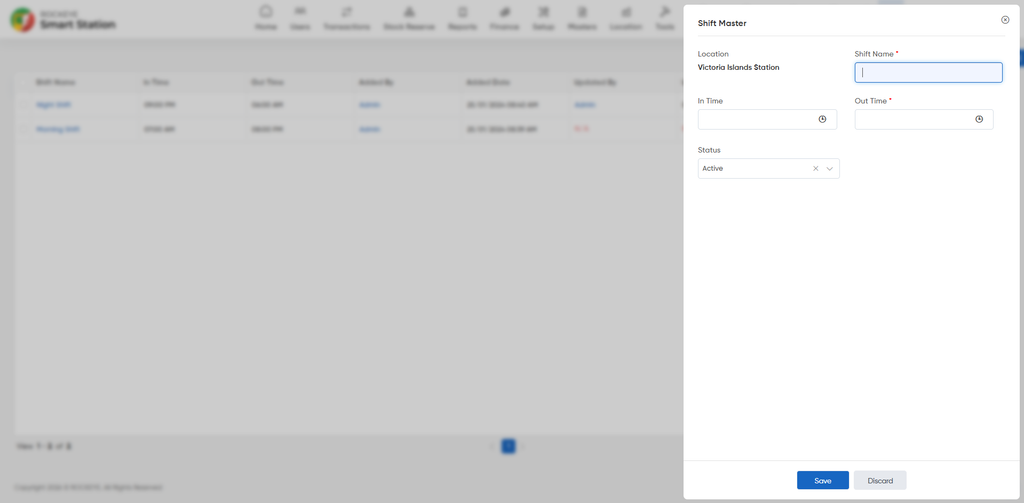
- Click the Add New button.
- Fill in the following details:
- Location: Specifies the location or workplace where the shift is applicable.
- Shift Name: Specifies the name of the shift, such as General Shift, Morning Shift, or Night Shift.
- In Time: Specifies the scheduled start time of the shift.
- Out Time: Specifies the scheduled end time of the shift.
- Click Save.

