Industry
Introduction
The Industry Master in ROCKEYE CRM is used to define and manage different industry categories such as Manufacturing, Healthcare, Finance, Education, and Technology.
It helps classify customers, leads, and organizations based on their business domain, enabling better segmentation, targeted communication, and industry-specific reporting. This module also supports managing sub-industry, providing deeper classification and more accurate data analysis.
How To Navigate Industies
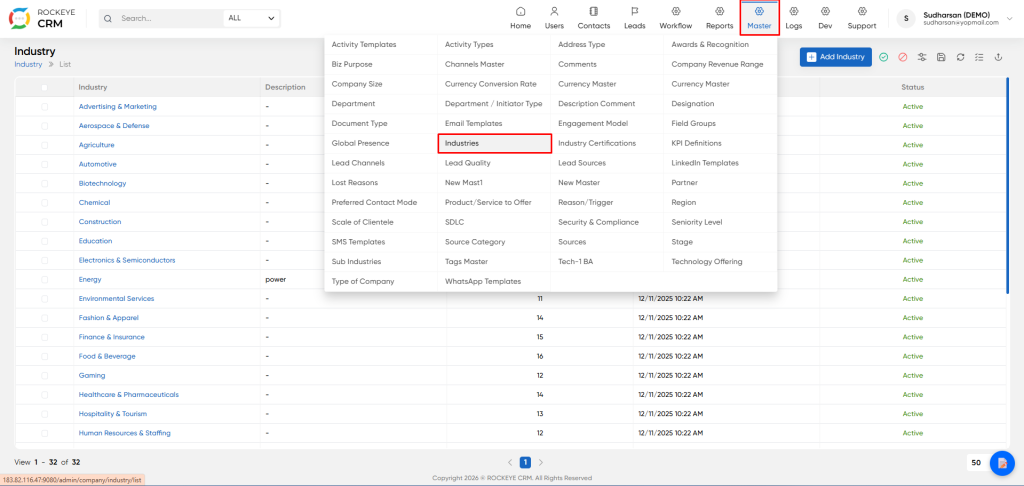
- Click on the Master icon in the top navigation bar.
- From the dropdown menu, select Industry.
How To Add Industies
Click the Add Industry button on the listing page.
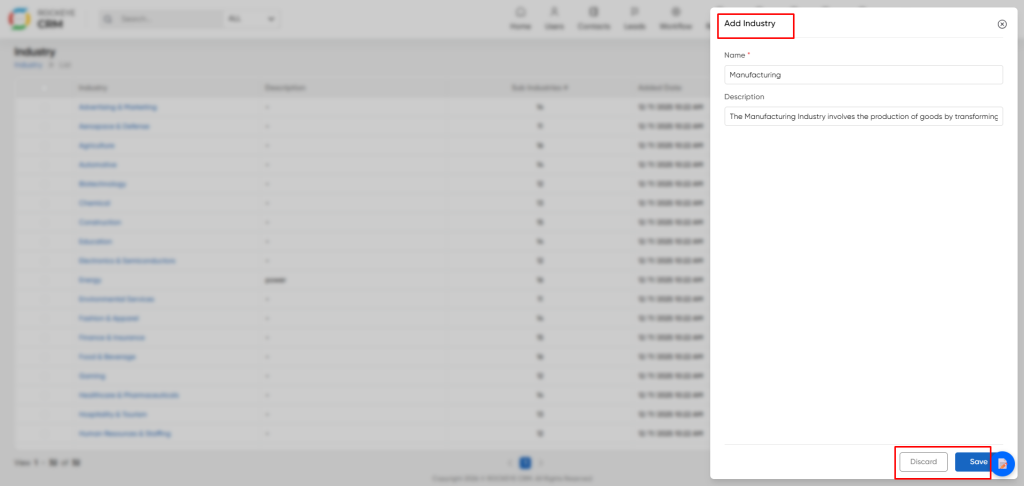
- Name : Enter the name of the new industry (e.g.,
Manufacturing,Renewable Energy). This field is mandatory. - Description: Provide an optional, detailed description of the industry. This can be useful for providing context to users (e.g., "The Manufacturing Industry involves the production of goods by transforming raw materials.").
- Action Buttons:
- Save: Creates the new industry and adds it to the list.
- Discard: Cancels the operation and closes the window without saving.
Editing an Existing Industry
- Click on the Industry name (e.g., "Manufacturing") in the list. A details panel will slide out from the right.
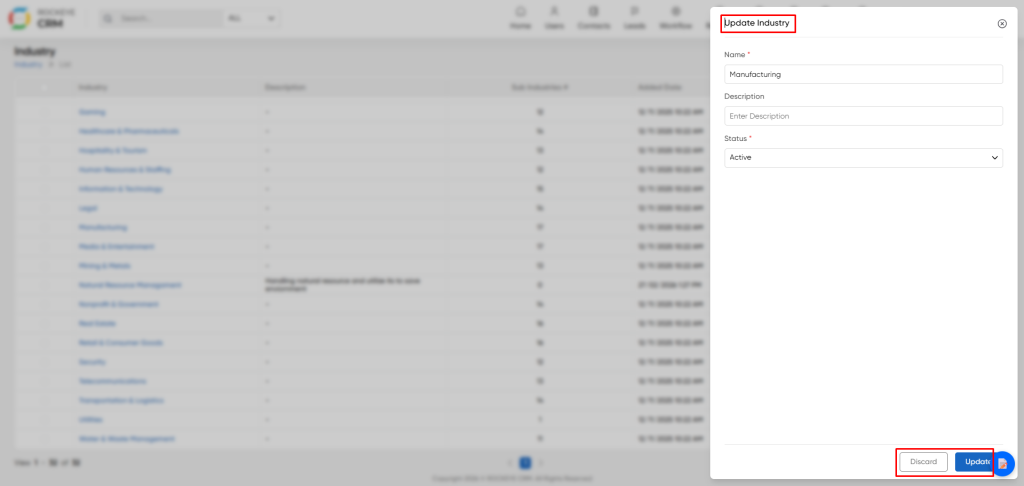
- Details Panel Information: This panel displays the core information for the selected industry:
- Name: The industry's name.
- Description: The associated description, if one has been added.
- Editing an Industry:
- Click the Edit button at the bottom of the details panel.
- This will open the "Update Industry" form, pre-filled with the current data.
- You can modify the
Name, add or change theDescription, and update theStatus(Active/Inactive). - Click the Update button to save your changes. Use the Discard button to cancel.
Listing
The listing page provides a comprehensive table of all configured industry.
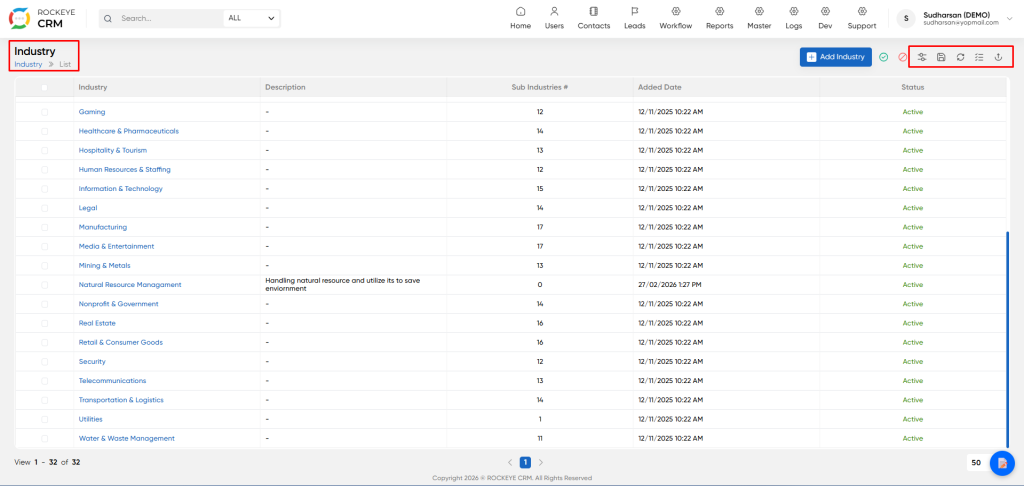
- View all available industry and their key details at a glance.
- Table Columns:
- Industry: The name of the industry sector (e.g., Advertising & Marketing, Automotive).
- Description: A brief explanation of the industry. If no description is added, it shows a dash (-).
- Sub Industry : Displays the count of sub-industry associated with this main industry. This helps understand the depth of categorization.
- Added Date: The timestamp for when the industry record was created.
- Status: Indicates if the industry is currently Active or Inactive.
- Other Icons: Provide functions like refresh, delete, download, filter, and view options.

