Currency Master
Introduction
The Currency Master in ROCKEYE CRM is used to define and manage all currencies within the system. It serves as a centralized setup that ensures consistent usage of currency names, codes, and symbols across all modules.
By configuring currencies in this master, businesses can support multi-currency operations, enabling accurate financial tracking, reporting, and global transactions. It also helps maintain data consistency and prevents errors in monetary values across the system.
How To Navigate
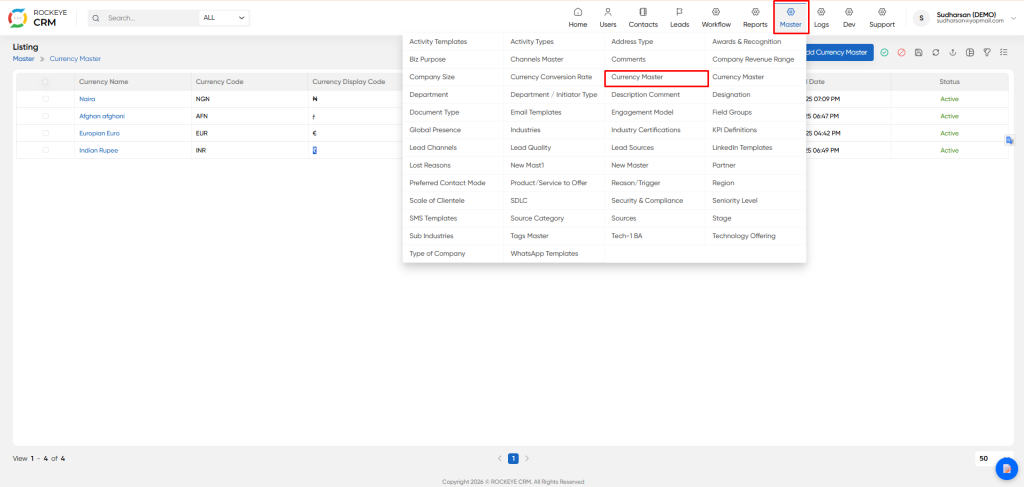
- Go to Master Module
- Select Currency Master
How To Add Currency Master
- Click on “Add Currency Master” to create a new currency
- Enter required details and click Save
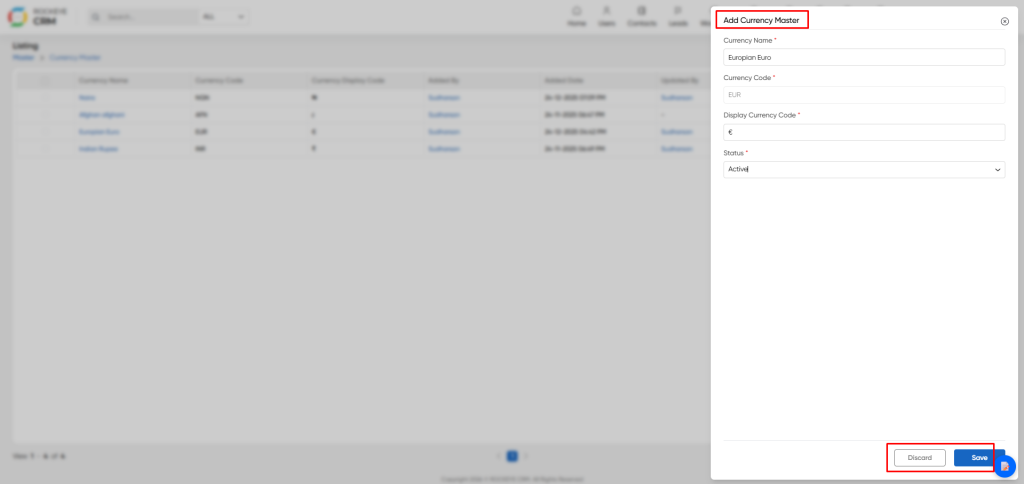
- Currency Name: Represents the full name of the currency
- Currency Code: Standard ISO currency code
- Display Currency Code: Symbol used to represent the currency
- Status: Defines whether the currency is Active or Inactive
Enter required details and click Save The currency will be reflected in the listing page
Listing
The listing page provides a quick overview of all configured currencies, including:
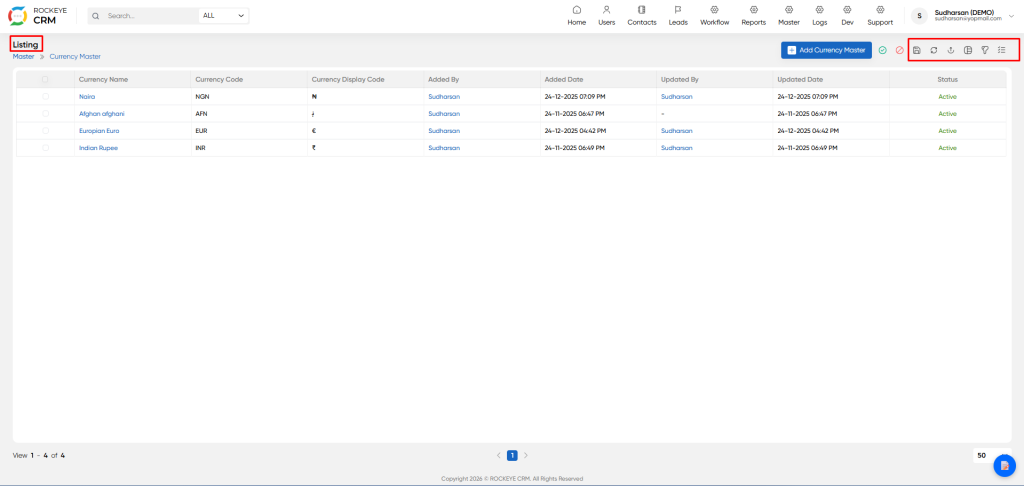
- Currency Name
- Currency Code
- Display Symbol
- Added By / Updated By
- Date & Time stamps
- Status (Active/Inactive)
- It also includes actions such as:
- Edit currency details
- Activate/Deactivate records
- Filter: Apply filters to quickly find specific currencies
- Save Filter: Save frequently used filter configurations for reuse
- Refresh: Reload the latest data in the listing
- Export: Export currency data (Excel/CSV) for reporting or analysis
- View Type: Switch between different listing views (e.g., table/grid)
- Custom Columns: Show or hide columns based on user preference

