Opportunity Management
Introduction
Opportunity Management defines the nature of the business deal, indicating whether the opportunity is generated directly by the organization or through external sources such as partners or referrals.
Opportunity Management helps track and manage potential sales deals from initial lead conversion to final closure. It enables users to monitor deal progress, assign ownership, and maintain all related information such as contact details, requirements, and deal value in one place.
This module improves sales visibility, enhances decision-making, and ensures better conversion rates by organizing and managing the entire sales pipeline efficiently.
This is the core daily working module for all sales, pre-sales and operations teams. It manages the complete end-to-end lifecycle of sales opportunities from initial creation through to final close won / close lost.
How To Navigate
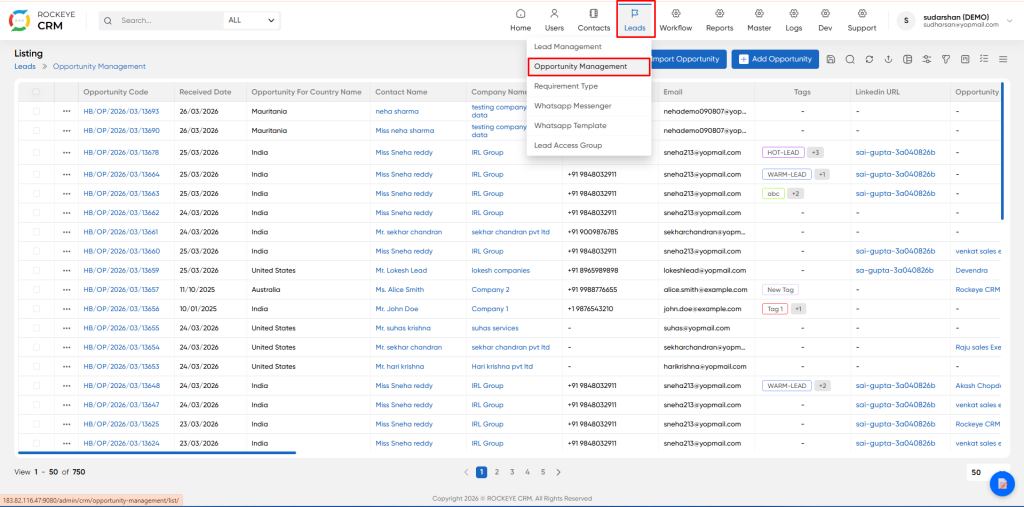
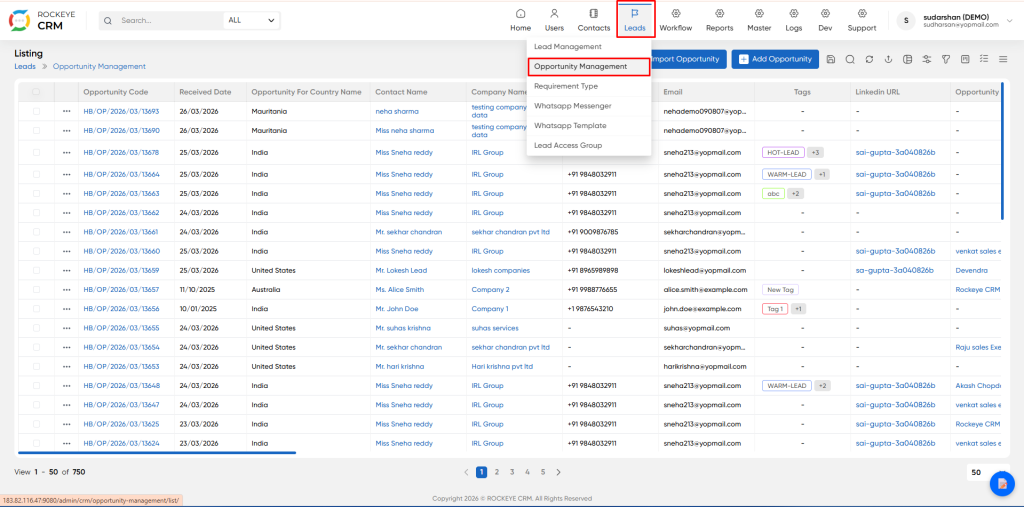
- From the left menu, go to Lead > Opportunities > Opportunity Management.
- You will land on the Opportunity List View by default.
How To add Opportunity
Click Add Opportunity to open this quick creation form.
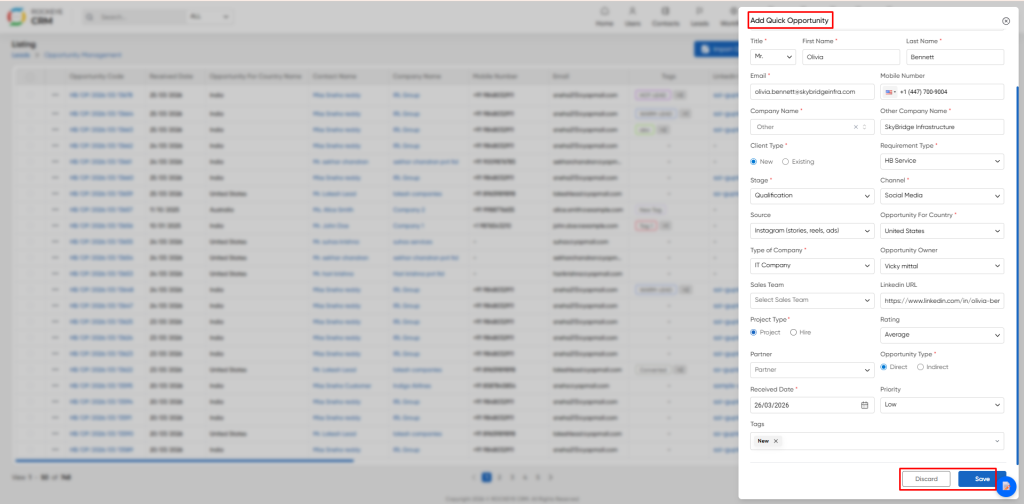
- Contact Details: Full name, email and mobile number of the primary client point of contact
- Company Name: Client organization name
- Client Type: New Client = No prior business relationship
- Existing Client: Active or former client
- Requirement Type: Primary engagement classification:
- HB Service: Services project, staff augmentation, dedicated team
- HB Product: Standard off-the-shelf product sale
- Stage: Initial pipeline stage assignment
- Channel: Original inbound channel the lead arrived via
- Source: Original marketing / lead source attribution
- Project Type Pricing model: Fixed Price Project / Time & Materials / Staff Augmentation
- Opportunity Type: Direct / Partner Referral / Indirect Reseller
- Priority: Low / Medium / High / Critical
- Opportunity: Owner Assign the internal sales user that will own and manage this opportunity
Summary Tab
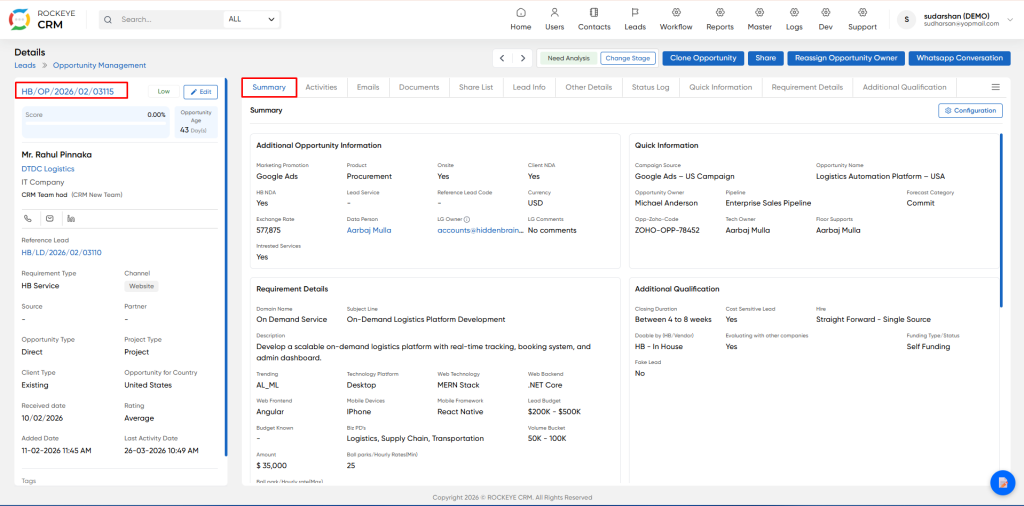
Default landing tab. Fully configurable at-a-glance 360° dashboard overview of the entire opportunity.
Activity Tab
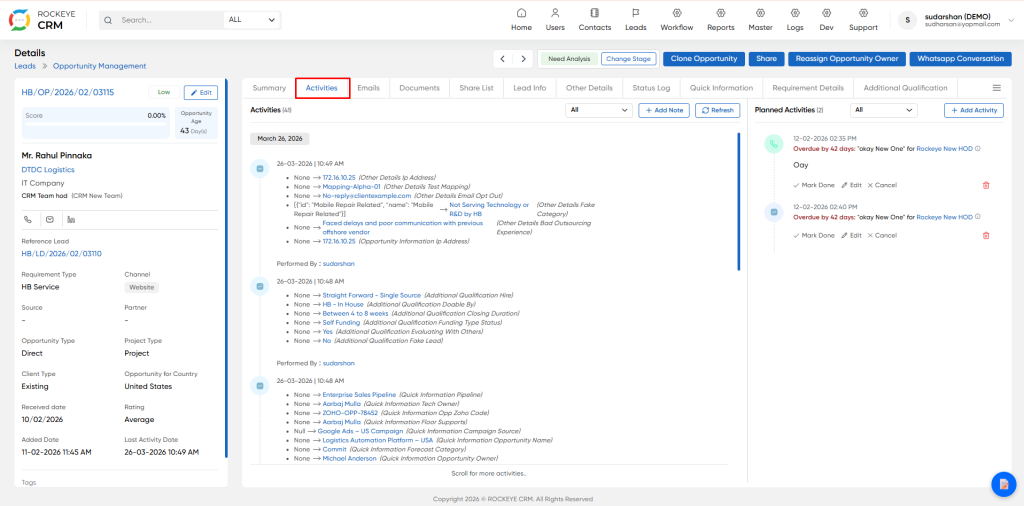
- Complete immutable audit trail. Split into two sections:
- Completed Log: permanent record of all edits, notes, calls and updates. Can never be deleted or modified
- Planned Activities: Scheduled future follow up tasks. Overdue tasks are automatically highlighted red
Email Tab
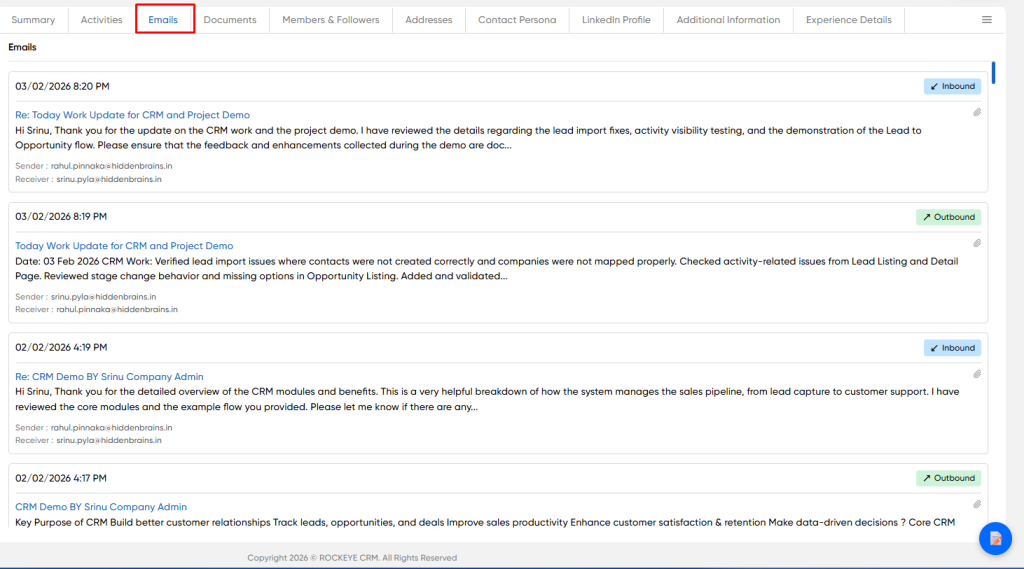
Full automatically synced history of all inbound and outbound email communication
Document Tab
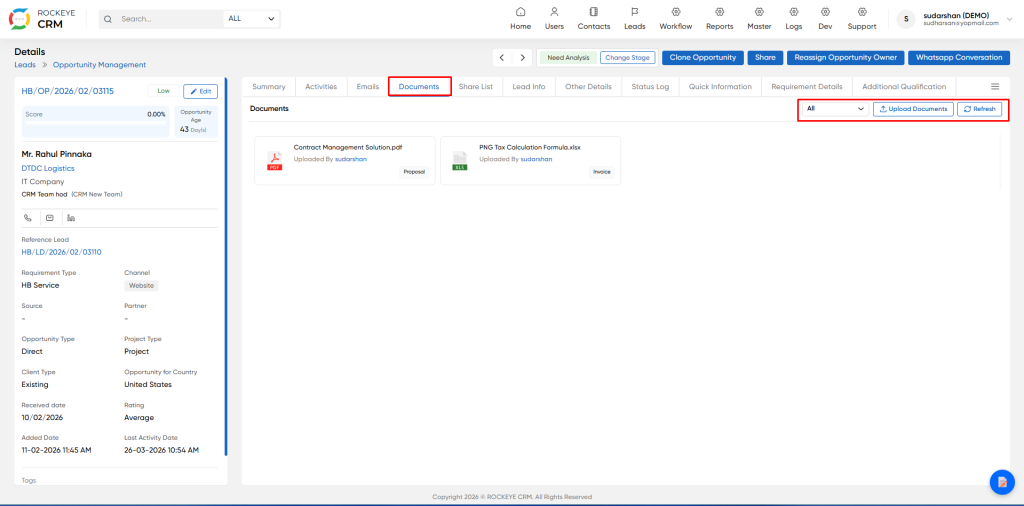
Central secure repository. Store proposals, SOWs, quotes and client attachments. Filter by document type, upload new files
Share Tab
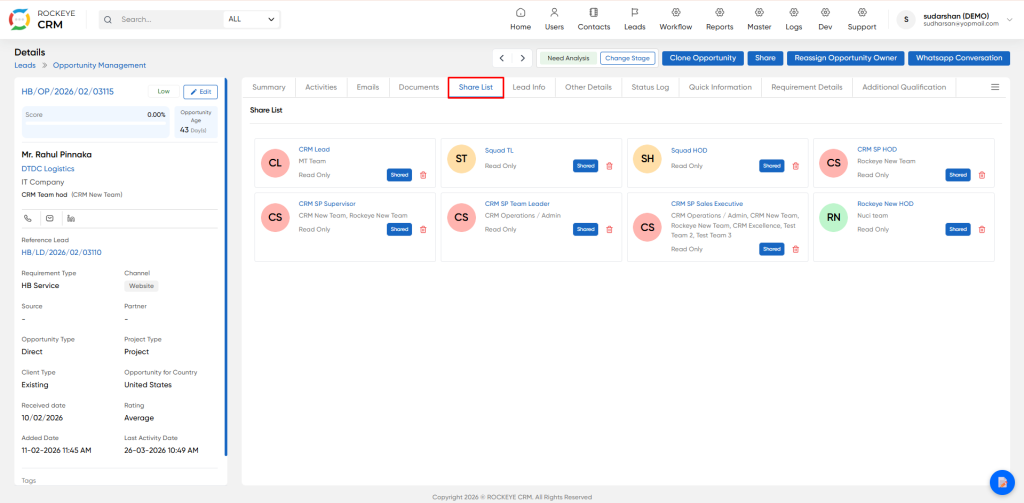
List Transparent view of all users and teams currently granted access to this record, and their permission level
Lead Tab
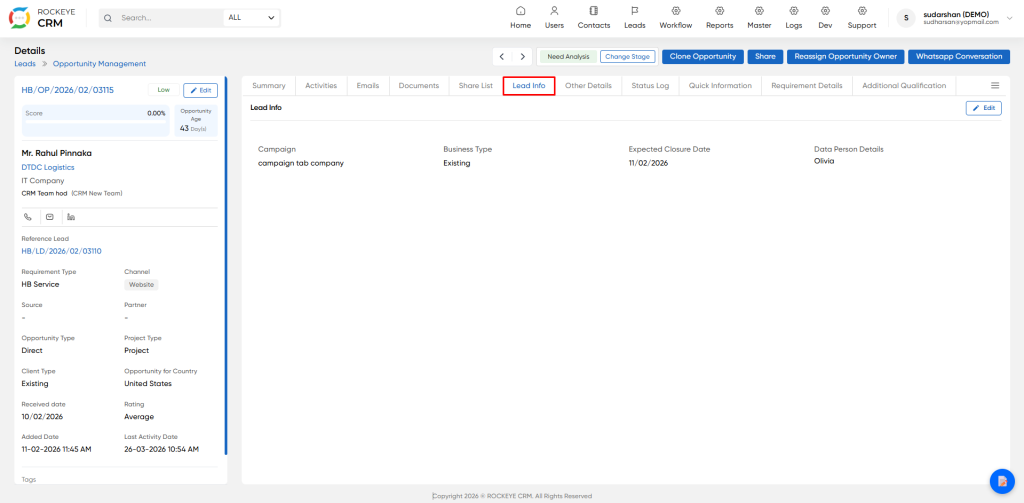
Info Additional metadata captured at the original lead stage, before conversion to opportunity
Other Details Tab
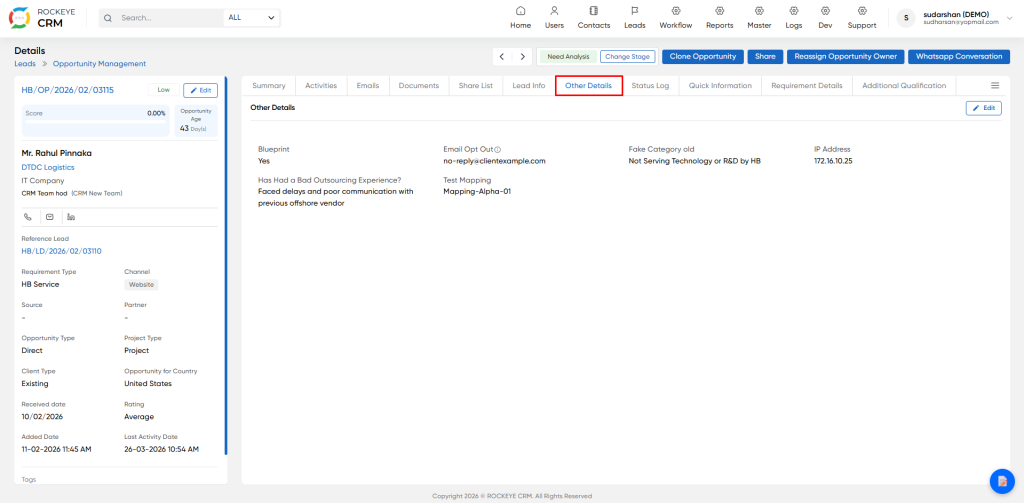
Internal only confidential fields, never visible to clients. Includes risk flags, blocklist status, opt out status, prior bad vendor experience and tracking data
Status Log Tab
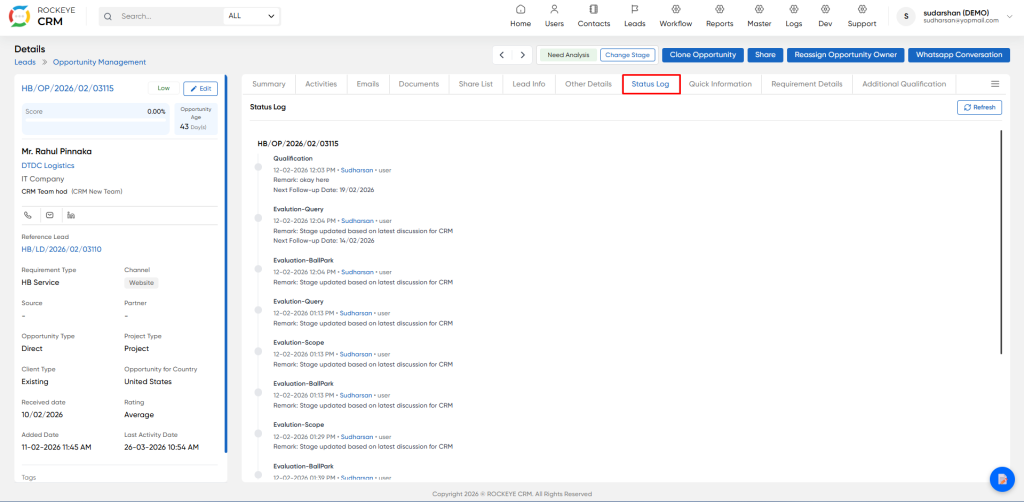
Complete immutable pipeline stage history. Full audit trail of every stage change, timestamp, user that made the change, and their official remark. This is the master source for forecast auditing.
Quick Information Tab
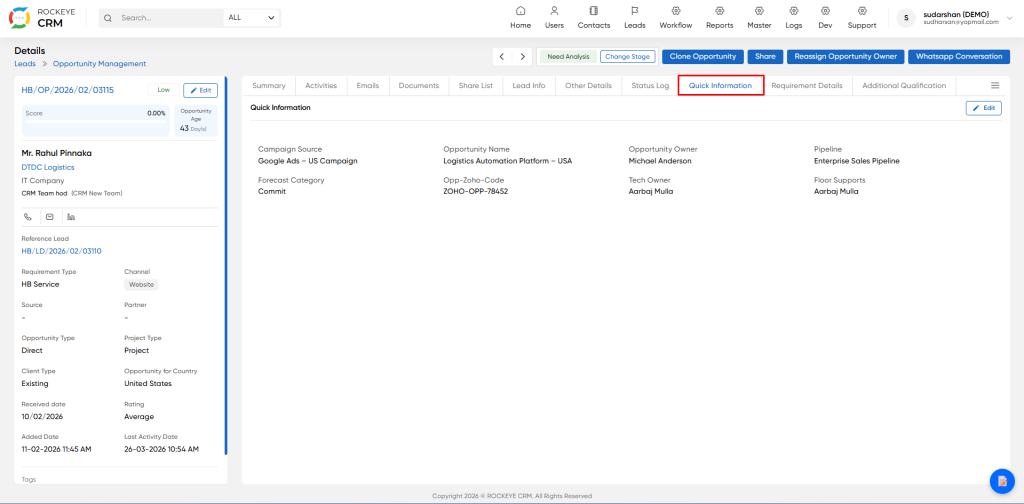
his tab stores operational assignment and forecasting fields. Data here is used exclusively for internal sales operations, pipeline reporting and executive forecasting.
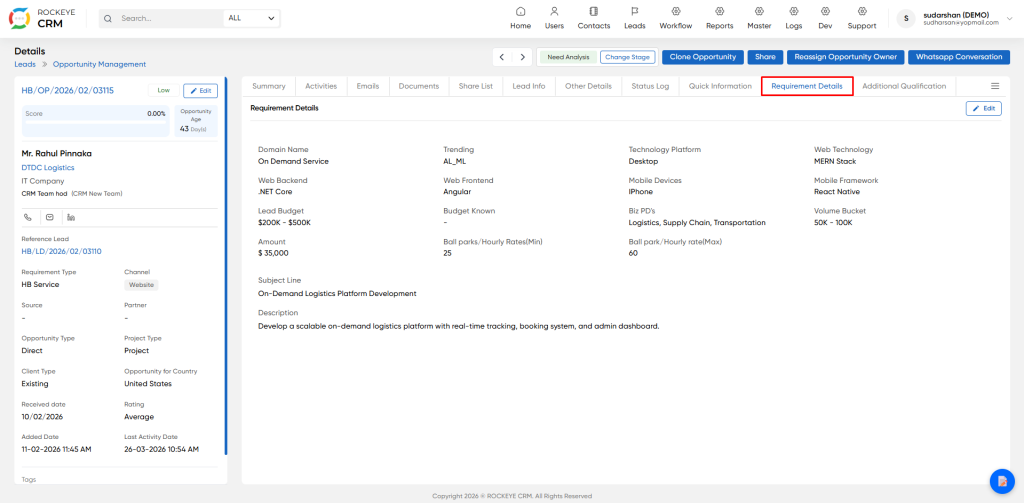
Requirement Details Tab
This is the primary reference tab for pre-sales, solution engineering and delivery teams. Stores the full scope of work and technical requirement information.
Additional Qualification Tab
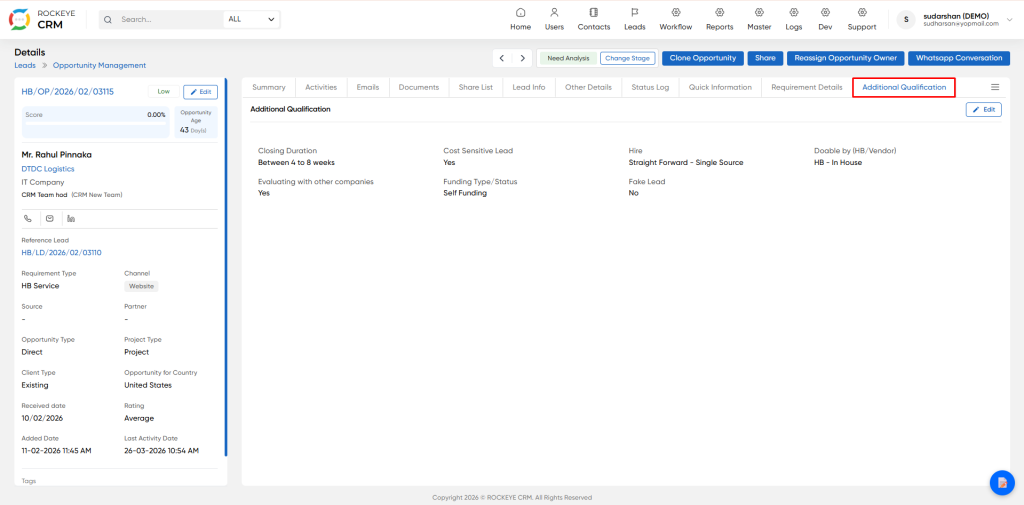
Internal management and risk scoring tab. All fields here are strictly internal only, they are never visible or disclosed to clients. This data is used to automatically calculate win probability and deal risk score.
Global Action Button
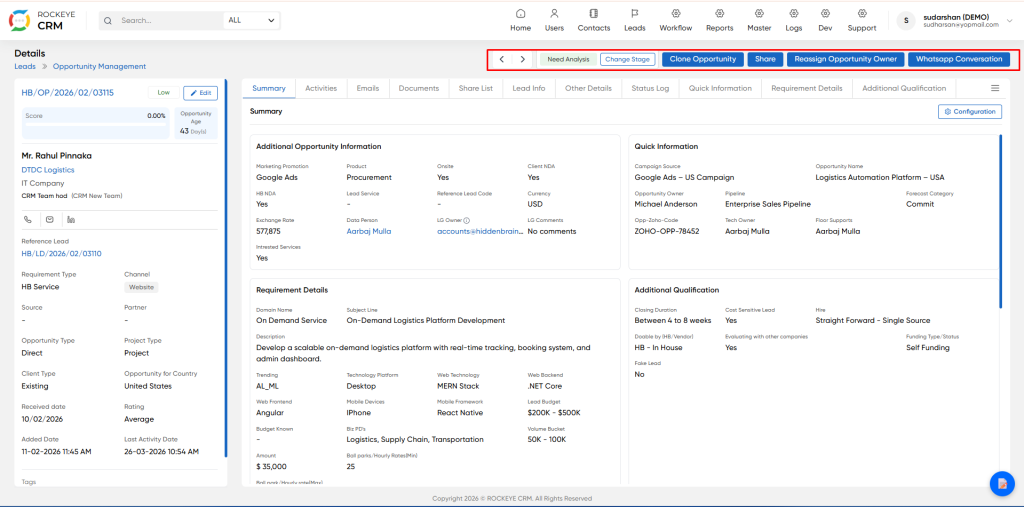
- Arrows Quickly navigate to previous / next opportunity in the list view
- Stage Indicator Shows the current live pipeline stage of this deal
- Change Stage Advance or rollback the opportunity to another pipeline stage
- Clone Opportunity Create an full identical duplicate copy of this record
- Share Grant additional view/edit access to other users and teams
- Reassign Owner Permanently transfer full ownership of the opportunity
- WhatsApp Conversation Launch native integrated WhatsApp chat directly with the contact

