PaySlip
Introduction/Purpose
The Payslip feature in Employee Self-Service (ESS) enables employees to securely view and download their salary details, including earnings, deductions, benefits, and applicable taxes. It provides a transparent and organized view of payroll information for each pay cycle.
This feature supports self-service access to official salary documentation, facilitating payroll clarity and enabling employees to verify salary components independently.
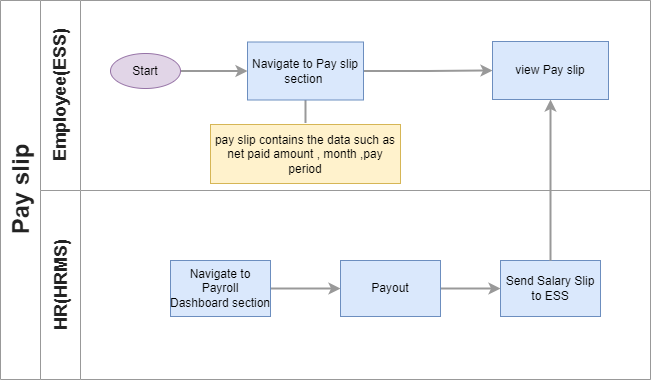
Process Flow:
How to Navigate:
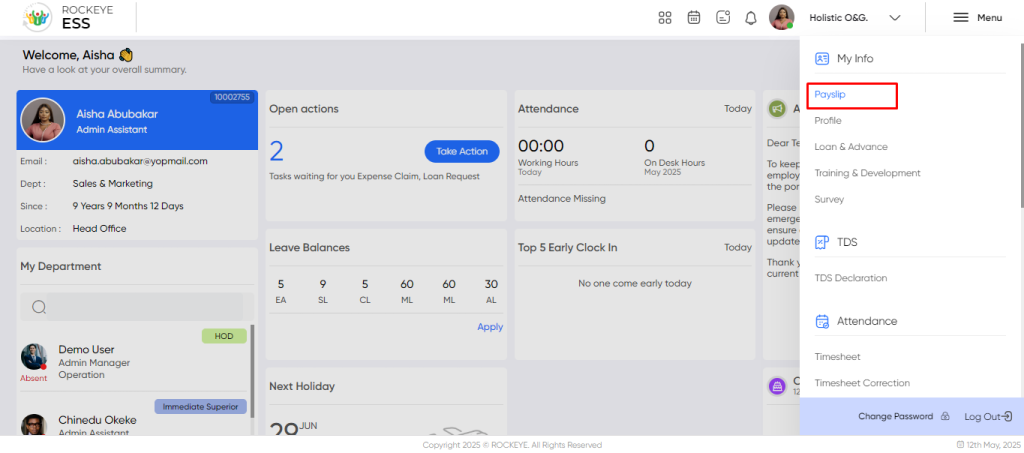
To access the Payslip section:
- Click the Menu icon at the top-right corner of the screen.
- Navigate to My Info > Payslip.
- The system will display a month-wise list of available payslips.
Within the Payslip section, employees can:
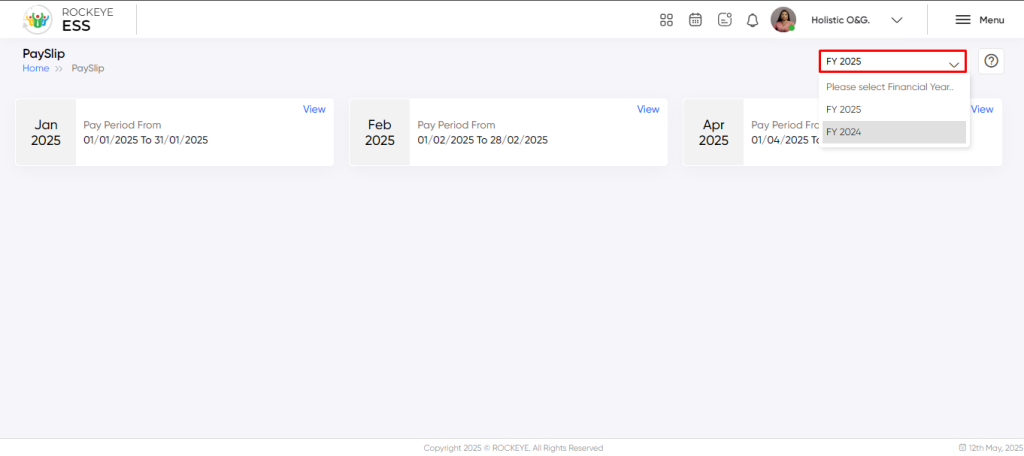
- Filter by Year: Use the dropdown to view payslips from a specific calendar year.
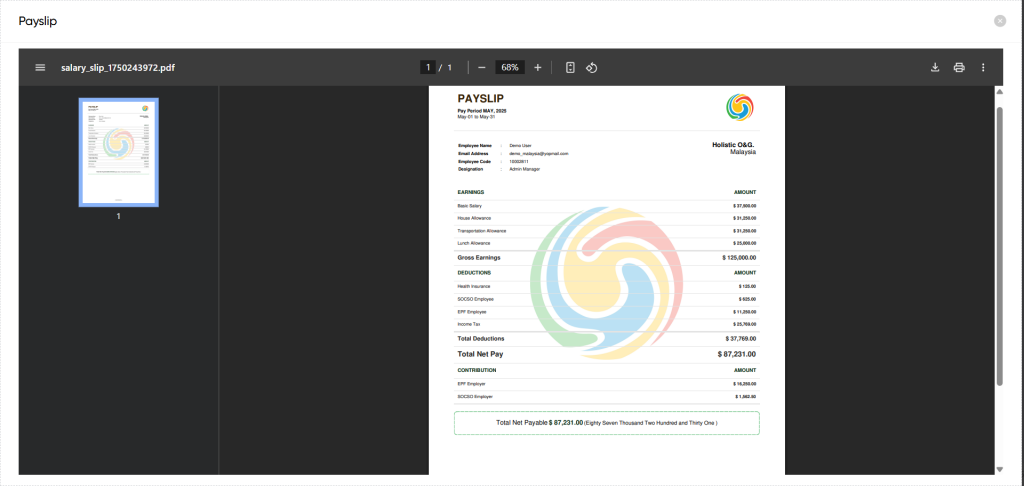
- View Payslip: Click the “View” button to display detailed information for a particular month’s salary.
- Download: Use the “Download” icon to save or print the payslip as a PDF.
Refrence Video Link

