Survey
Introduction/Purpose
The Survey module in Employee Self-Service (ESS) enables organizations to collect structured feedback, opinions, and suggestions directly from employees. By integrating surveys into the ESS portal, it provides a streamlined and accessible method for capturing employee sentiment on key topics such as engagement, training, policy updates, or workplace satisfaction.
The purpose of this feature is to facilitate data-driven decision-making by empowering employees to voice their perspectives through standardized survey forms.
Process Flow:
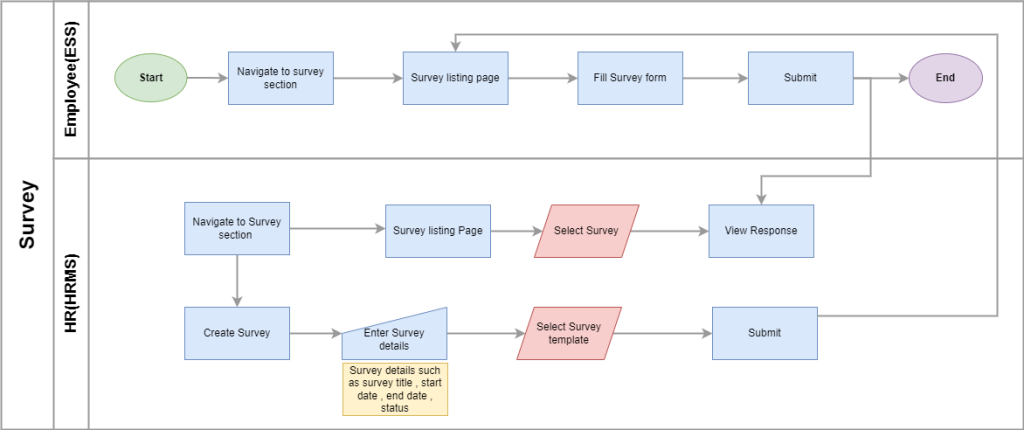
How to Navigate
To access the survey section:
- Click the Menu icon in the top-right corner of the screen.
- Navigate to My Info > Survey.
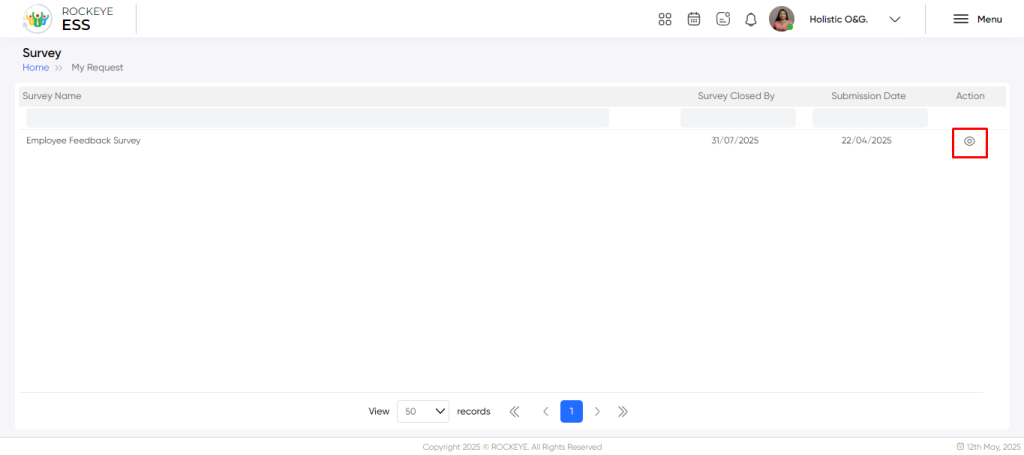
- A list of available and previously submitted surveys will be displayed.
Listing
The survey list allows employees to:
- Search and Filter: Surveys can be filtered by survey name, submitted/closed by, and submission date for easier navigation.
- View Status: Employees can identify which surveys are open, completed, or closed.
- Expiry Notification: Surveys must be submitted before the listed closing date.
Recording & Update
To respond to a survey:
- Click the View button next to the active survey.
- Fill out the survey form fields as required.
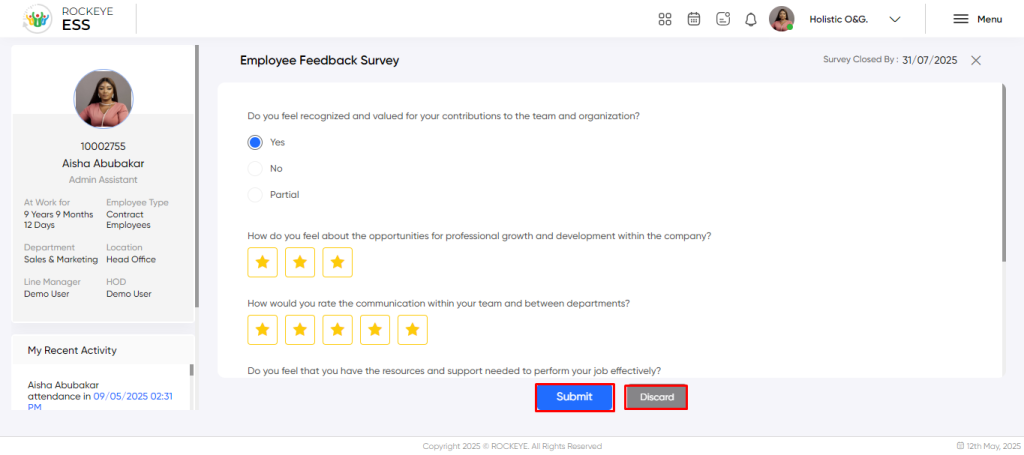
Available Actions:
- Submit: Submit responses (only available while the survey is open).
- Discard: Exit without saving any inputs.
Note: Some surveys may contain mandatory questions configured by the HR team.
Refrence Video Link

