Dashboard Overview
Purpose
The TMS Dashboard provides a consolidated view of transportation operations, trip performance, transporter activity, service levels, routes, and financial information. It enables users to monitor key transportation metrics and operational performance from a single screen.
Navigation
To access the TMS Dashboard:
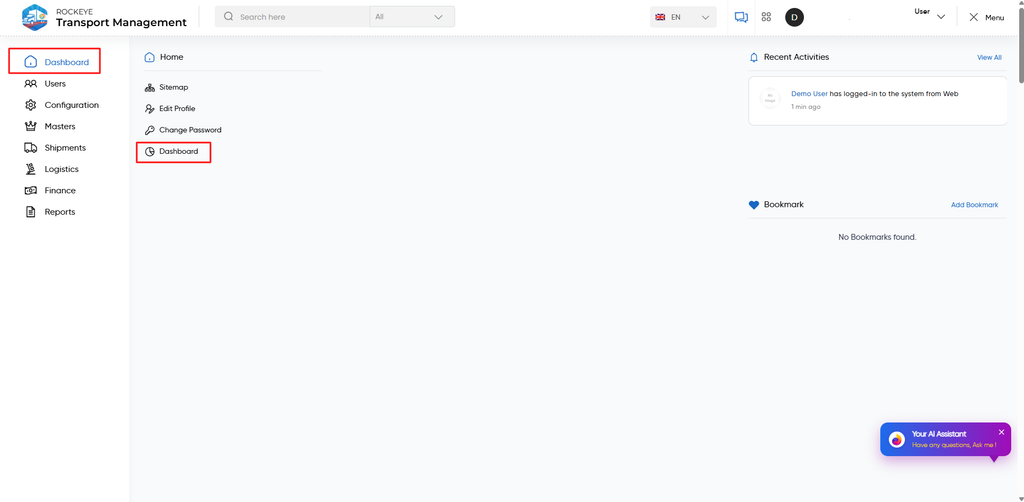
TMS → Overview
The Dashboard can be accessed from the Overview tab in the top navigation bar.
The top navigation provides access to:
- Overview – Displays the TMS Dashboard.
- Operations – Provides access to transportation operations.
- Fleet – Provides access to fleet-related information.
- Transporters – Provides access to transporter information.
- Finance – Provides access to financial information.
- Fuel – Provides access to fuel-related information.
- Risks & Alerts – Provides access to risks and alerts.
Dashboard Widgets
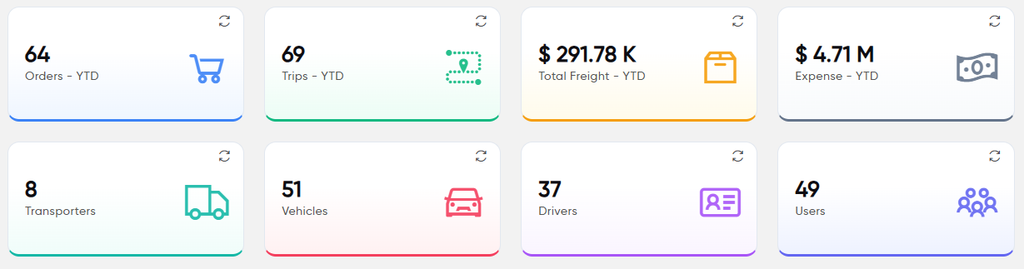
- Orders – YTD
- Displays the total number of orders created during the current year up to the current date.
- Trips–YTD
- Displays the total number of trips recorded during the current year up to the current date.
- Total Freight – YTD
- Displays the total freight amount recorded during the current year up to the current date.
- Expense – YTD
- Displays the total expense amount recorded during the current year up to the current date.
- Transporters
- Displays the total number of transporters available in the system.
- Vehicles
- Displays the total number of vehicles registered in the system.
- Drivers
- Displays the total number of drivers registered in the system.
- Users
- Displays the total number of users registered in the system.
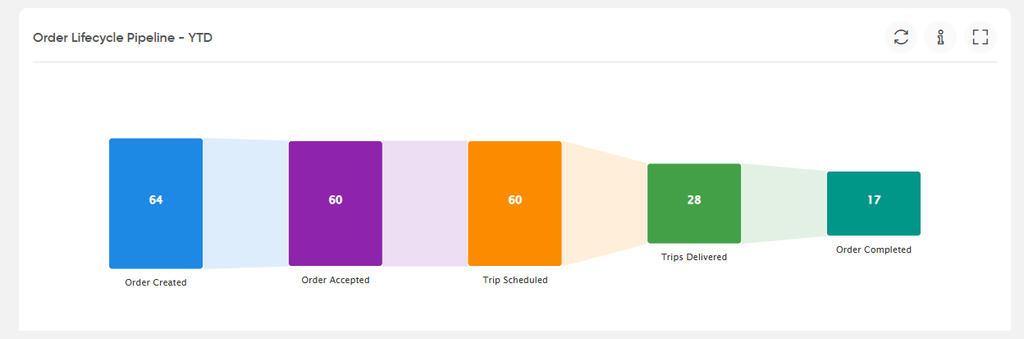
- Order Lifecycle Pipeline – YTD
- Displays the number of orders at each stage of the order lifecycle, from Order Created through Order Completed. It provides a view of order progression and the number of orders reaching each stage.
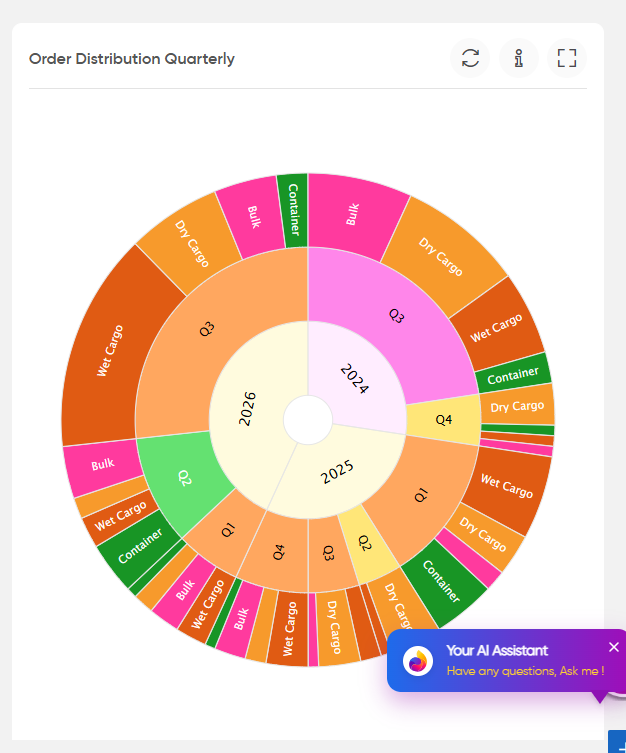
- Order Distribution Quarterly
- Displays the distribution of orders by year, quarter, and cargo type. Cargo types include Dry Cargo, Wet Cargo, Bulk, and Container.
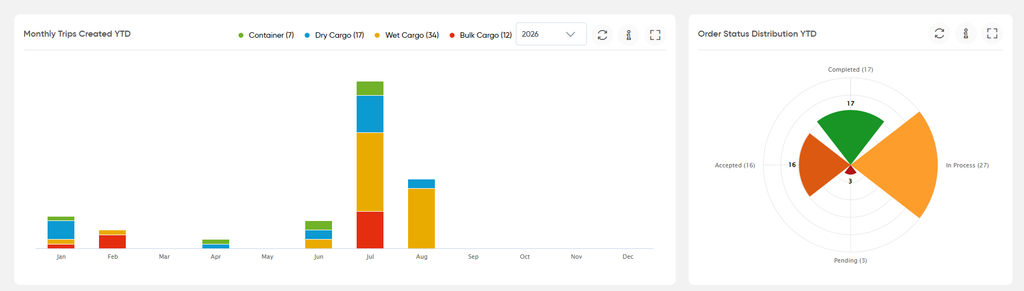
- Monthly Trips Created YTD
- Displays the number of trips created for each month of the selected year, with a breakdown by cargo type.
- Order Status Distribution YTD
- Displays the distribution of orders based on their current status, such as Pending, Accepted, In Process, and Completed.
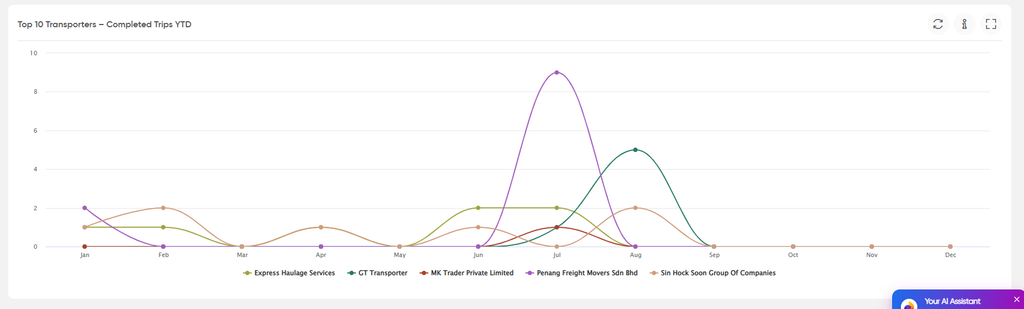
- Top 10 Transporters – Completed Trips YTD
- Displays the completed trips associated with the top transporters on a month-wise basis for the year-to-date period.
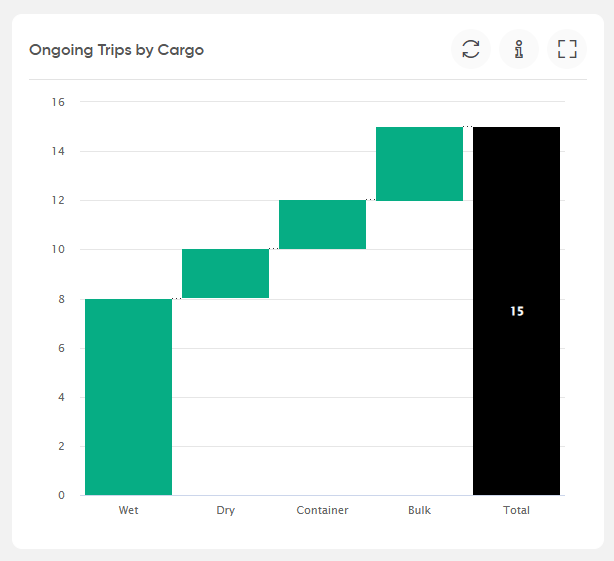
- Ongoing Trips by Cargo
- Displays the number of ongoing trips categorized by cargo type, along with the total number of ongoing trips.
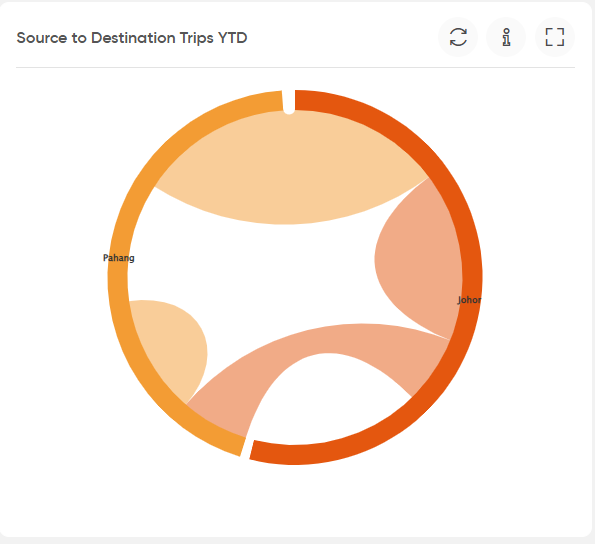
- Source to Destination Trips YTD
- Displays the trip movement between source and destination locations for the year-to-date period.
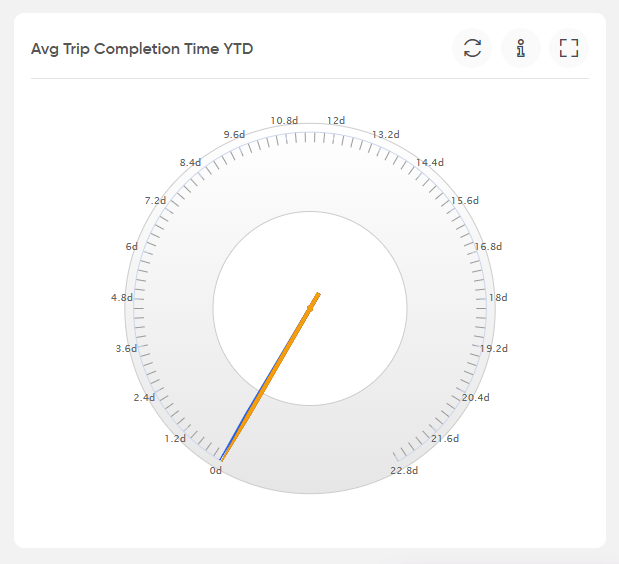
- Avg Trip Completion Time YTD
- Displays the average time taken to complete trips during the year-to-date period.
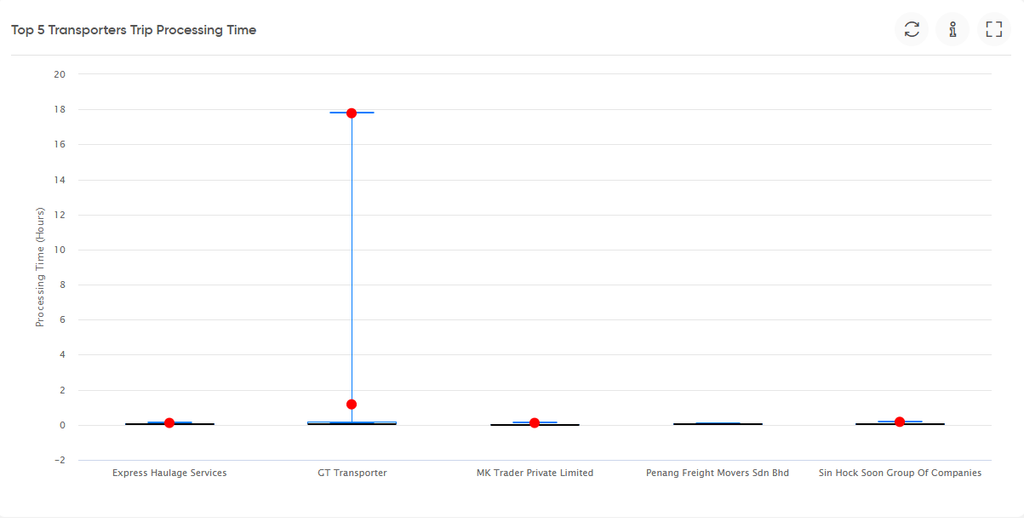
- Top 5 Transporters Trip Processing Time
- Displays the trip processing time for the top five transporters, allowing their processing-time ranges to be viewed and compared.
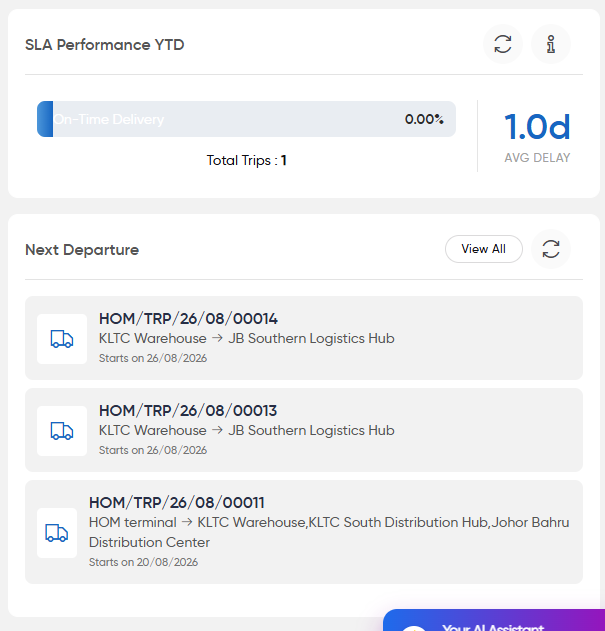
- SLA Performance YTD
- Displays year-to-date SLA performance based on On-Time Delivery, along with the total trips considered and the average delay.
- Next Departure
- Displays the upcoming trips scheduled for departure, including the trip reference, source and destination locations, and scheduled departure date.
- Weekly Delay Trend
- Displays the delay trend by day of the week and compares the delay information across the displayed weekly periods.
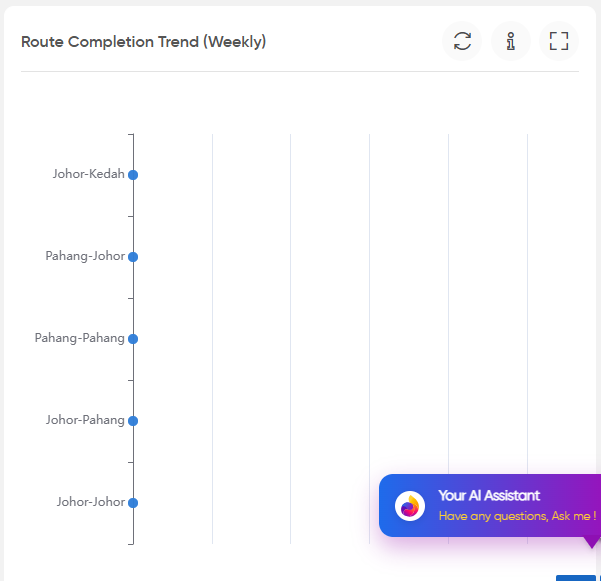
- Route Completion Trend (Weekly)
- Displays the number of completed trips across different routes on a weekly basis.
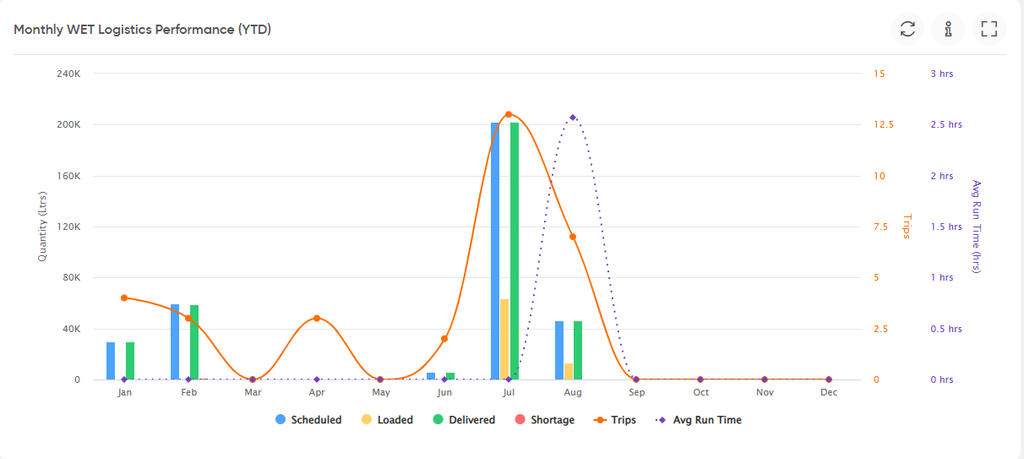
- Monthly WET Logistics Performance (YTD)
- Displays monthly WET logistics performance for the year-to-date period, including Scheduled, Loaded, Delivered, and Shortage quantities, along with the number of trips and average run time.
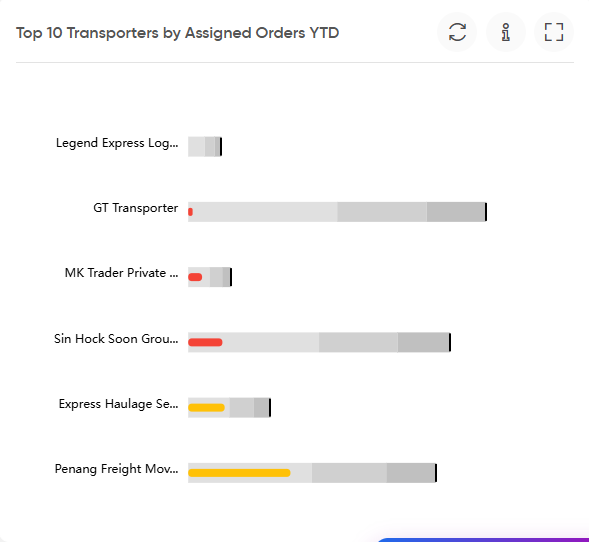
- Top 10 Transporters by Assigned Orders YTD
- Displays the top transporters based on the number of orders assigned to them during the year-to-date period.
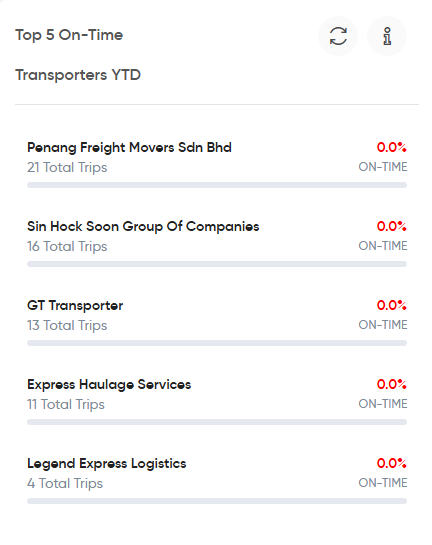
- Top 5 On-Time Transporters YTD
- Displays the top five transporters based on their on-time trip performance, along with their total trips and on-time percentage.
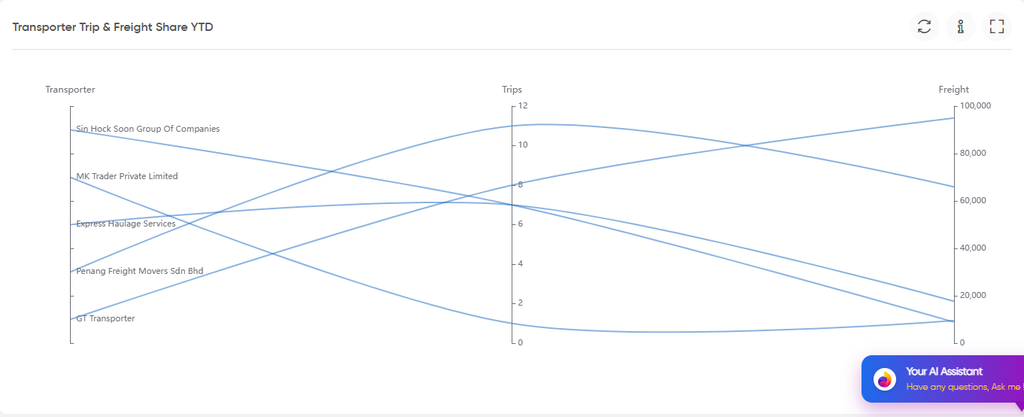
- Transporter Trip & Freight Share YTD
- Displays the share of trips and freight associated with the transporters during the year-to-date period.
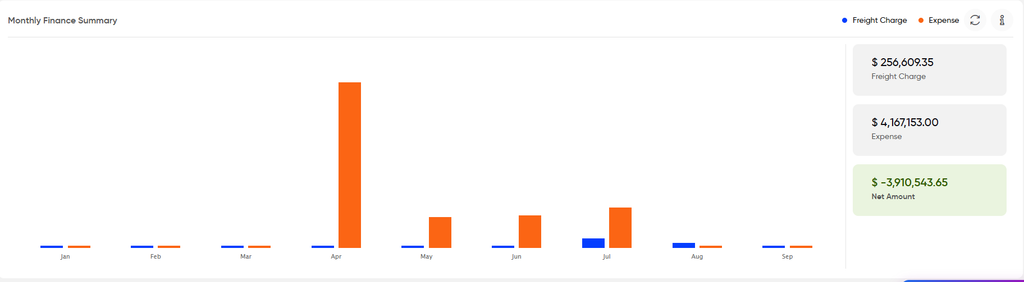
- Monthly Finance Summary
- Displays the month-wise Freight Charge and Expense amounts. It also provides the total Freight Charge, Expense, and Net Amount for the displayed period.
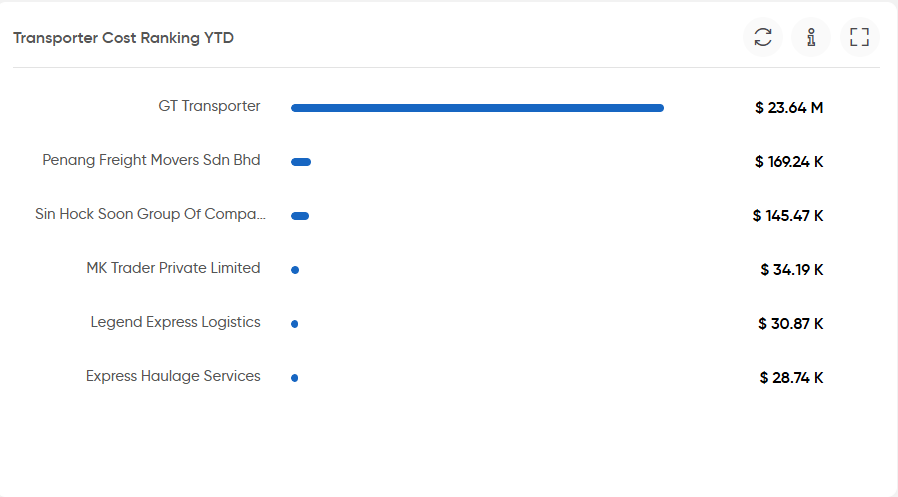
- Transporter Cost Ranking YTD
- Displays transporters ranked according to their transportation cost for the year-to-date period.
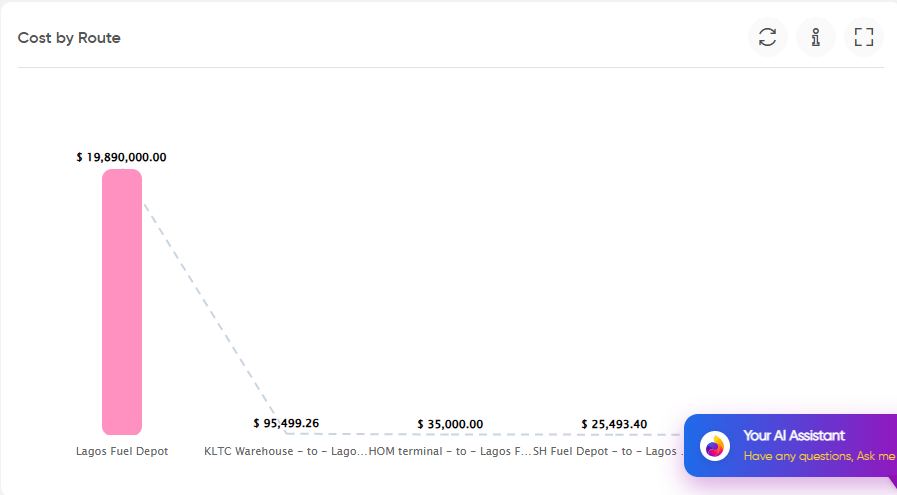
- Cost by Route
- Displays the cost associated with different transportation routes, allowing users to view and compare route-wise costs.
- Dashboard Widget Controls
- The dashboard widgets provide common controls where applicable:
- Refresh: Updates the widget with the latest available data.
- Information: Displays information about the respective widget.
- Expand: Opens the widget in an expanded view for easier analysis.
- Year Selector: Allows users to select the required year for widgets where year-wise data is available.
- The dashboard widgets provide common controls where applicable:

