datums AI
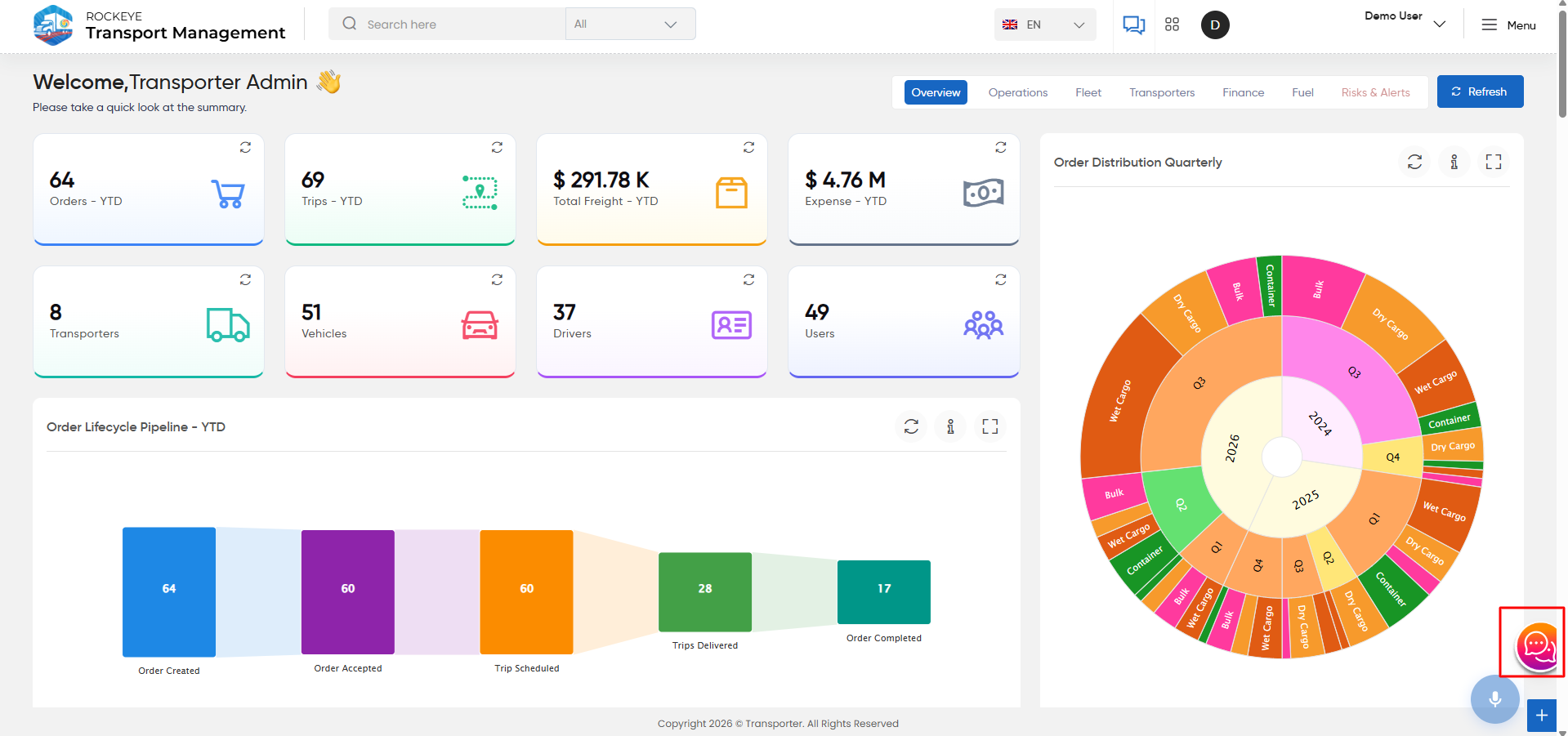
The DATUMS AI Assistant is integrated into the Transport Management System to allow users to interact with TMS data through a conversational interface.
Users can ask questions about transport operations, and the assistant provides answers based on the available TMS data.
Available Actions
Each response provides options to:
- Copy – Copies the assistant's response.
- Read Aloud – Reads the response aloud.
- Favourite – Marks the response as a favourite.
The assistant also provides a chat input field at the bottom where users can enter their questions. A microphone option is available for voice input.
datumsAI Chatbot Interface
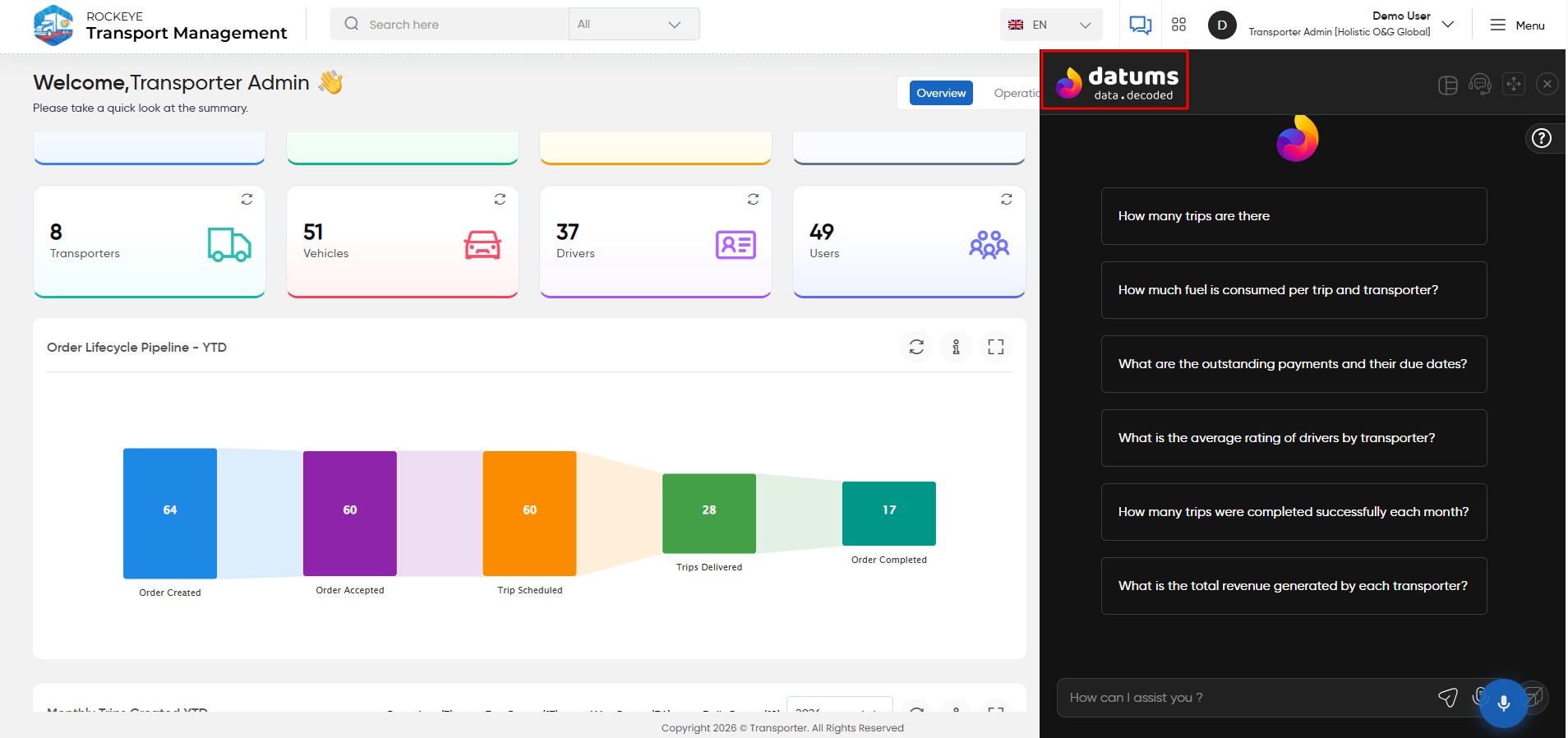
The datums AI Assistant is integrated into the Transport Management System to allow users to interact with TMS data through a conversational interface. The interface includes the Navigation Panel, Main Interface, and associated action buttons and tools.
Navigation Panel
- New Chat Option: Click New Chat to initiate a new conversation.
- Chat History:
- Today: Displays chat sessions from the current day.
- Older: Displays previous chat sessions, allowing users to revisit past interactions.
Main Interface
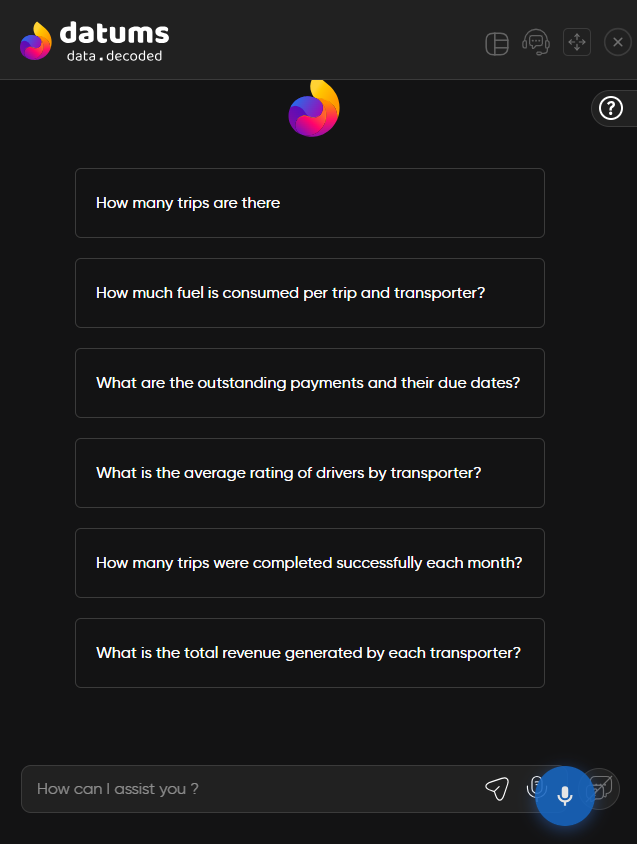
- Central Display: A grid of predefined questions is displayed when a new chat is started for the first time. These questions help users quickly access data insights.
- Sample Question Icon: Located near the predefined questions grid. Click this icon to view additional sample questions for quick insights.
- Custom Query Input: Use the text input field at the bottom of the interface to enter custom questions or commands.
- Action Buttons:
- Send Message Button: Click to submit your query.
- Search by Voice: Click the microphone icon to perform searches using voice input.
Additional Options
Users can perform the following actions on previous chat sessions:
- Rename: Change the title of a previous chat session to make it easier to identify or categorize.
- Delete: Remove a previous chat session if it is no longer required, helping maintain a clean and relevant chat history.
Chatbot Response
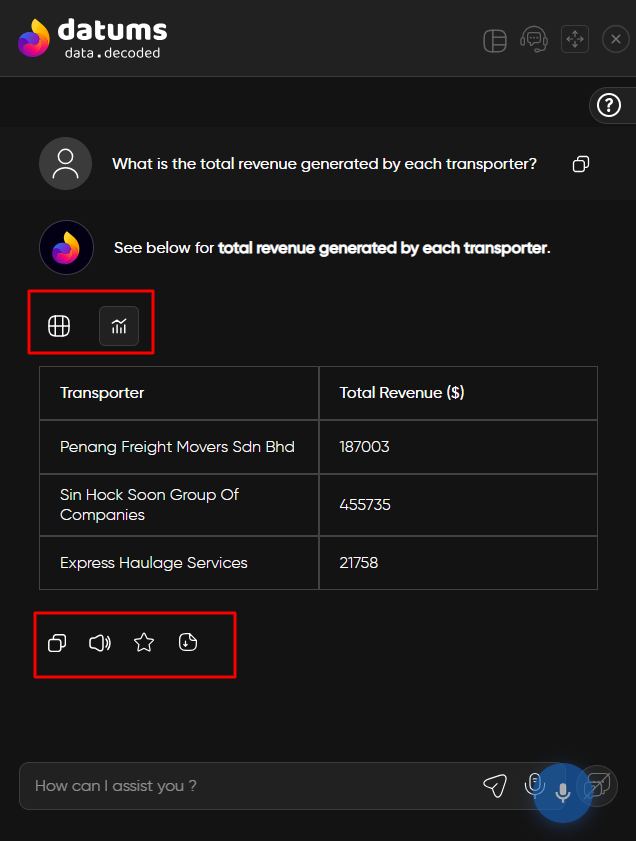
The chatbot enables users to interact with datumsAI using natural language and retrieve information from the available system data. Responses are presented in a structured format, such as tables or charts, based on the information requested.The chatbot response area provides the following options:
- Table: View the response data in tabular format for detailed information.
- Chart: View the response data in chart format for graphical representation.
- Read Aloud: Play the chatbot response as audio.
- Copy: Copy the chatbot response to the clipboard.
- Mark as Favourite: Save the response as a favourite for quick access.
- Download: Download the chatbot response for offline use or future reference.