Fuel Dashboard
Purpose
The Fuel Dashboard provides a consolidated view of fuel inventory, fuel vouchers, fuel consumption, and fuel-related stock transactions. It helps users monitor fuel availability, usage, depot activity, and fuel voucher status.
Navigation
To access the Fuel Dashboard:
TMS → Fuel
- Total Fuel Depots
- Displays the total number of fuel depots available in the system.
- Available Stock
- Displays the total fuel stock currently available across the fuel depots, along with the number of related stock records.
- Issued – YTD
- Displays the total value of fuel issued during the year-to-date period, along with the number of issued transactions.
- Consumed – YTD
- Displays the total value of fuel consumed during the year-to-date period, along with the number of consumption transactions.
- Expired – YTD
- Displays the total value of fuel that has expired during the year-to-date period, along with the number of expired transactions.

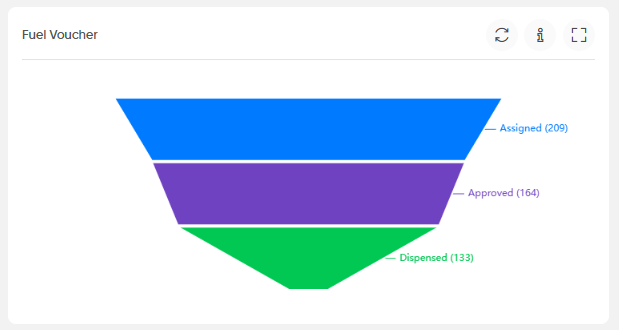
- Fuel Voucher
- Displays the progression of fuel vouchers through their main stages:
- Assigned
- Approved
- Dispensed
- The funnel provides a view of the number of vouchers at each stage.
- Displays the progression of fuel vouchers through their main stages:
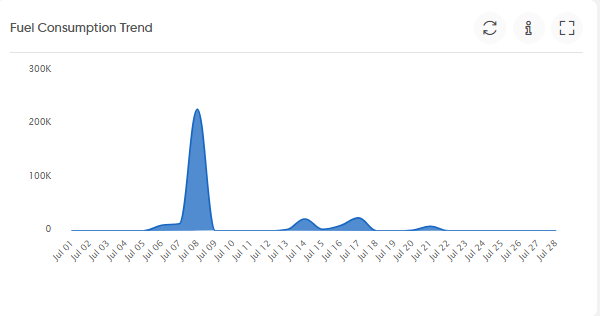
- Fuel Consumption Trend
- Displays the fuel consumption trend over time, allowing users to monitor changes in fuel consumption across the displayed dates.
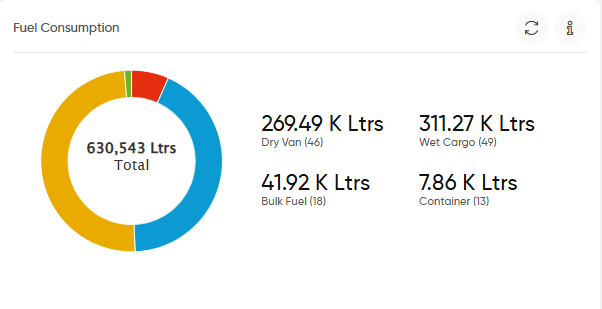
- Fuel Consumption
- Displays the total fuel consumption and its distribution by fuel or cargo category, including:
- Dry Van
- Wet Cargo
- Bulk Fuel
- Container
- The widget also displays the quantity for each category in litres.
- Displays the total fuel consumption and its distribution by fuel or cargo category, including:
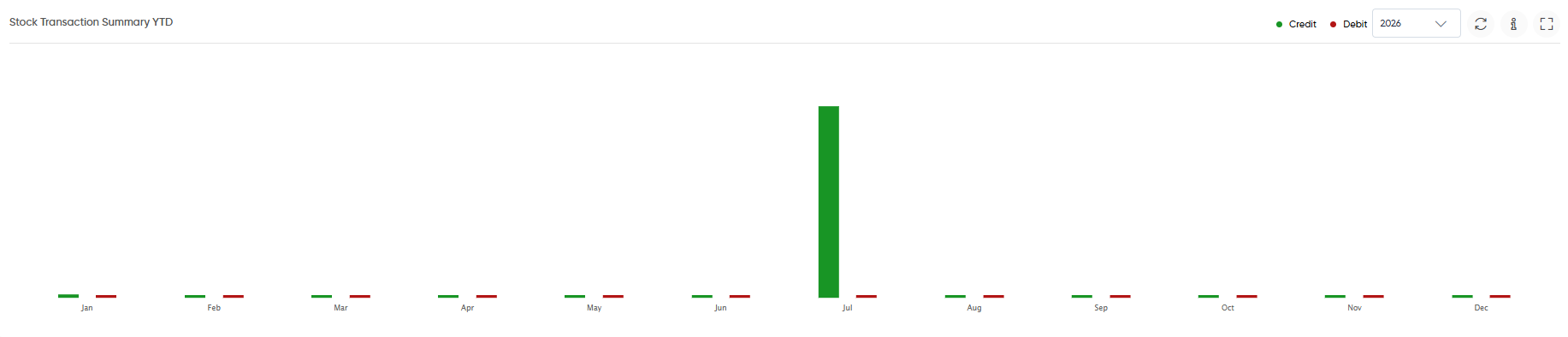
- Stock Transaction Summary YTD
- Displays the year-to-date stock transactions by month and distinguishes between:
- Credit
- Debit
- A year selector is available to view the transactions for the selected year.
- Displays the year-to-date stock transactions by month and distinguishes between:
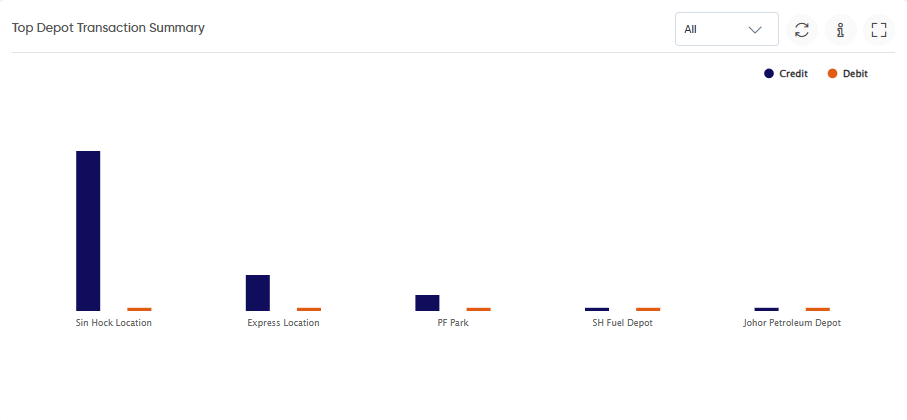
- Top Depot Transaction Summary
- Displays credit and debit stock transactions for the top fuel depots.
- Users can select a depot or view the available depots from the filter.
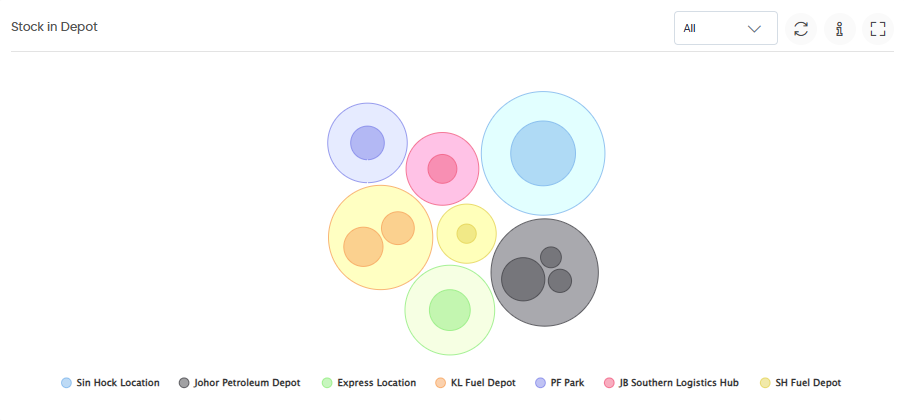
- Stock in Depot
- Displays the stock available across fuel depots.
- The depot selector allows users to view stock information for a specific depot or all depots.
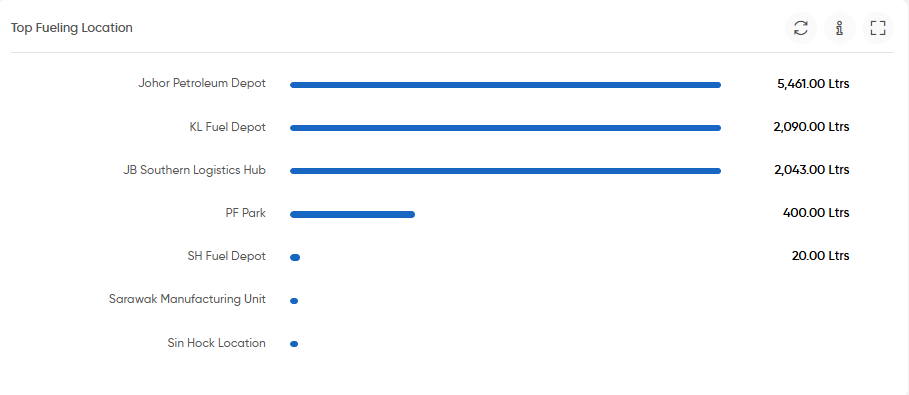
- Top Fueling Location
- Displays the fueling locations with the highest fuel quantities issued or consumed, along with the corresponding quantity in litres.
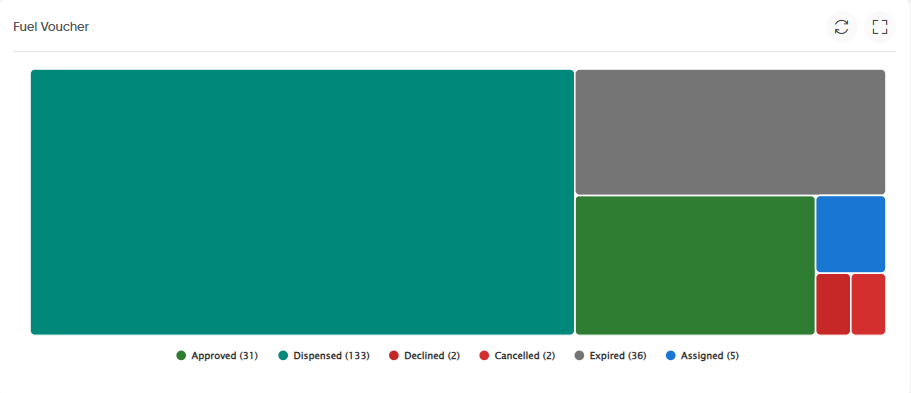
- Fuel Voucher
- Displays the distribution of fuel vouchers based on their current status, including:
- Approved
- Dispensed
- Declined
- Cancelled
- Expired
- Assigned
- Displays the distribution of fuel vouchers based on their current status, including:
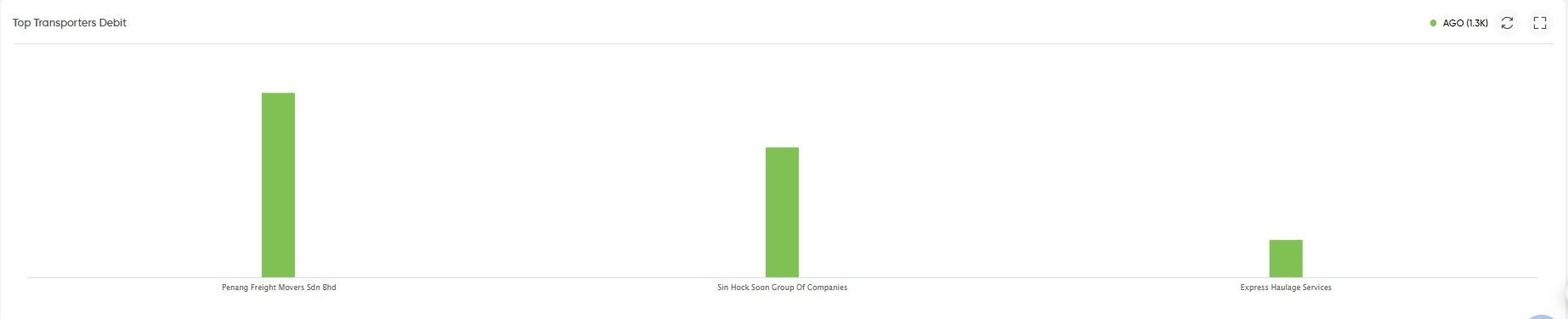
- Top Transporters Debit
- Displays the top transporters based on fuel-related debit transactions. The widget provides a comparison of debit amounts across transporters.
Widget Controls
- Information: Displays additional information about the widget.
- Expand: Opens the widget in an expanded view.
- Year Selector: Allows users to select the required year where applicable.
- Depot Selector: Allows users to select a specific fuel depot or view all depots.

