Finance Dashboard
Purpose
The Finance Dashboard provides a consolidated view of freight, expenses, payments, vouchers, and financial transactions related to transportation operations. It helps users monitor freight amounts, outstanding payments, transporter costs, and expense distribution.
- Navigation
- To access the Finance Dashboard:
- TMS → Finance
- To access the Finance Dashboard:
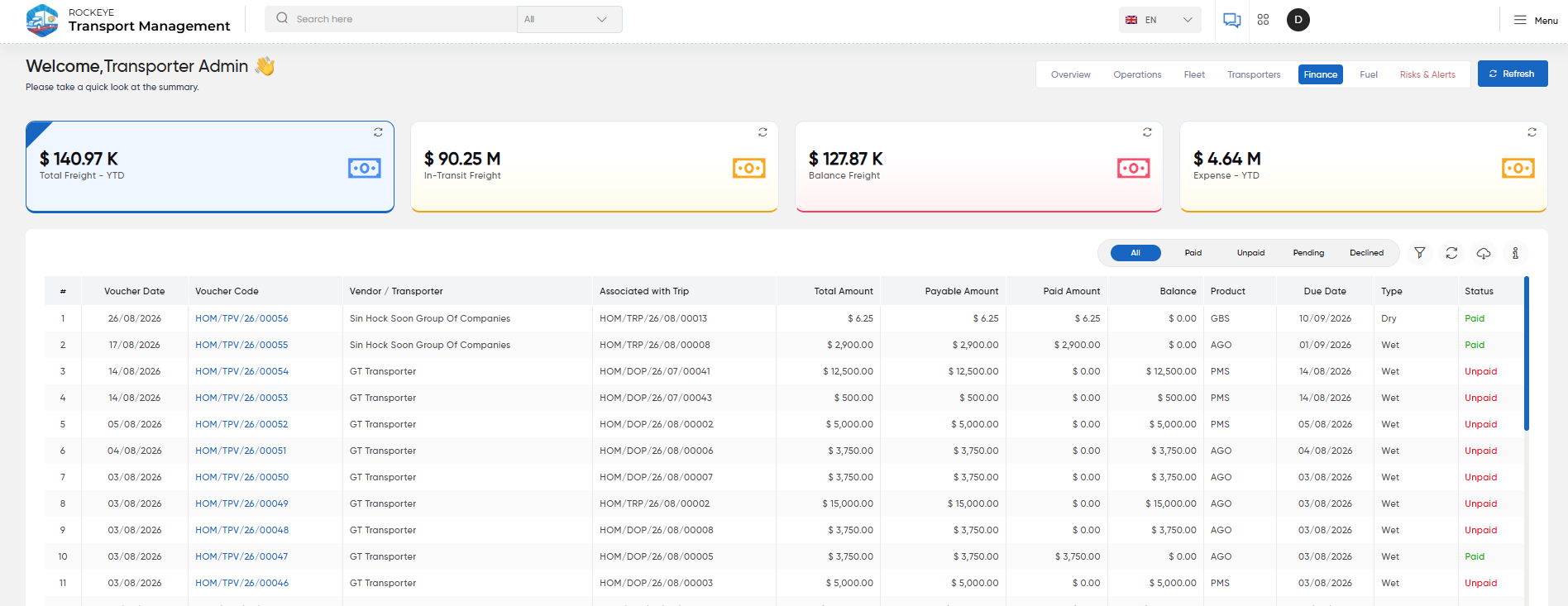
- Total Freight – YTD
- Displays the total freight amount recorded during the year-to-date period.
- In-Transit Freight
- Displays the freight amount associated with trips that are currently in transit.
- Balance Freight
- Displays the freight amount that remains outstanding or is yet to be settled.
- Expense – YTD
- Displays the total expense amount recorded during the year-to-date period.
- Finance Transactions
- Displays freight voucher transactions along with their payment status. Users can filter the transactions by:
- All
- Paid
- Unpaid
- Pending
- Declined
- The table provides details such as:
- Voucher Date
- Voucher Code
- Vendor / Transporter
- Associated Trip
- Total Amount
- Payable Amount
- Paid Amount
- Balance
- Product
- Due Date
- Type
- Status
- Displays freight voucher transactions along with their payment status. Users can filter the transactions by:
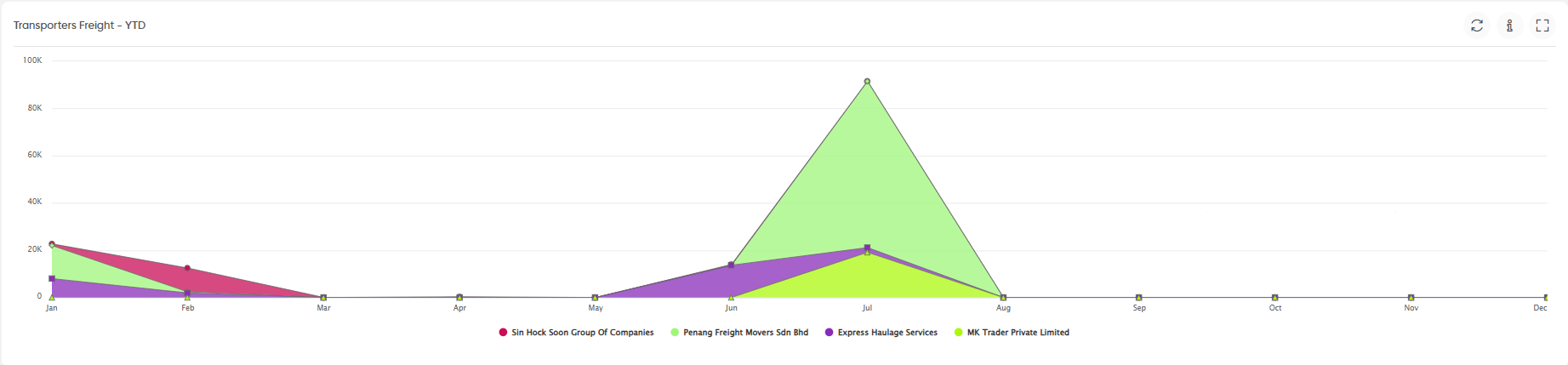
- Transporters Freight – YTD
- Displays the month-wise freight amount associated with transporters during the year-to-date period. The chart allows users to compare freight amounts across transporters over the year.
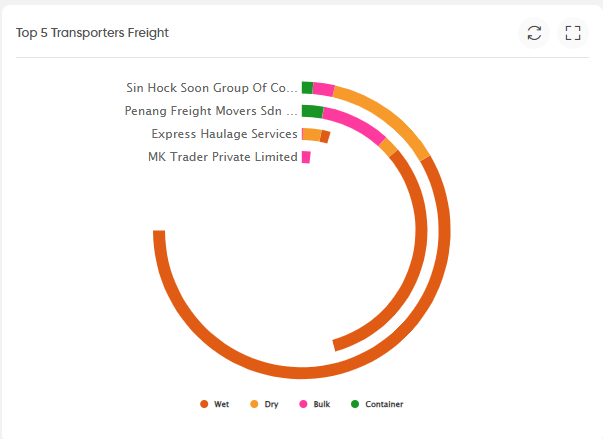
- Top 5 Transporters Freight
- Displays the freight distribution among the top five transporters, with a breakdown by cargo type:
- Wet
- Dry
- Bulk
- Container
- Displays the freight distribution among the top five transporters, with a breakdown by cargo type:
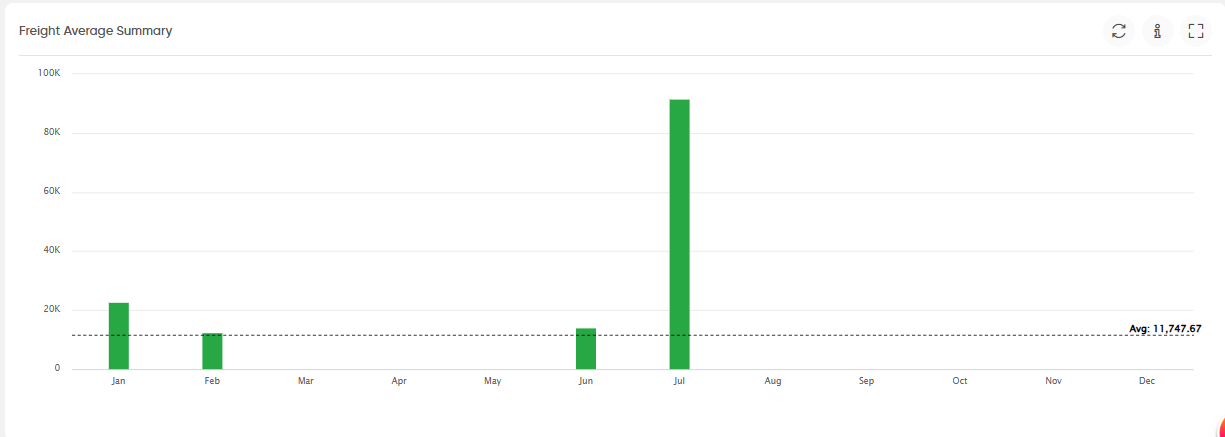
- Freight Average Summary
- Displays the monthly freight amount and compares it against the average freight value for the displayed period.
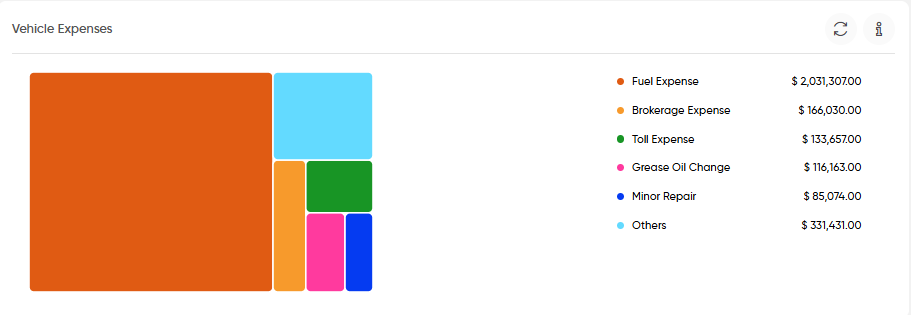
- Vehicle Expenses
- Displays the distribution of vehicle-related expenses by expense category, such as:
- Fuel Expense
- Brokerage Expense
- Toll Expense
- Grease Oil Change
- Minor Repair
- Others
- Displays the distribution of vehicle-related expenses by expense category, such as:
- Trip Expenses
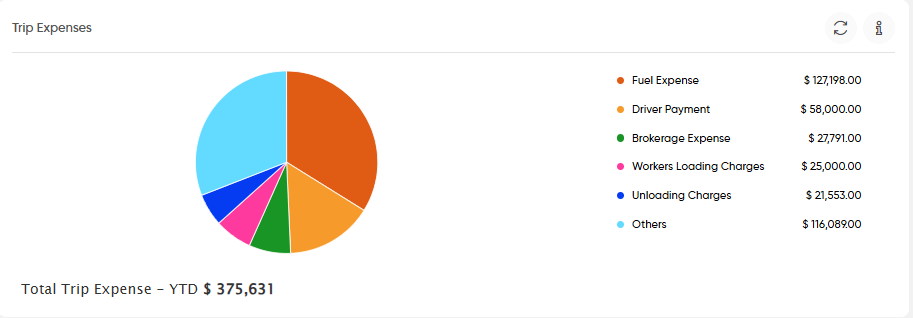
- Displays the distribution of trip-related expenses by category, including:
- Fuel Expense
- Driver Payment
- Brokerage Expense
- Workers Loading Charges
- Unloading Charges
- Others
- The widget also displays the total trip expense for the year-to-date period.
- Displays the distribution of trip-related expenses by category, including:
- Office Expenses
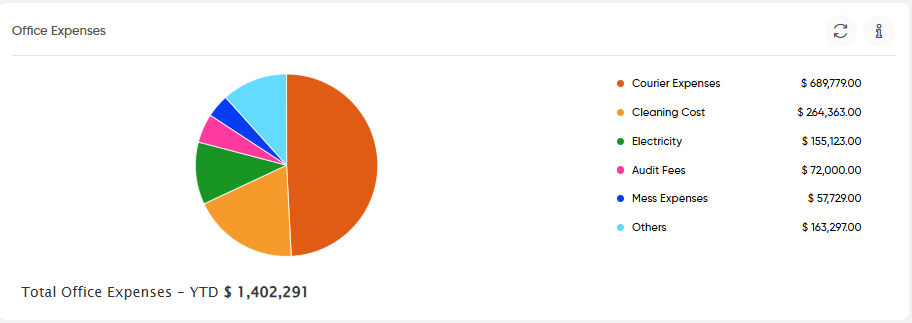
- Displays the distribution of office-related expenses by category, including:
- Courier Expenses
- Cleaning Cost
- Electricity
- Audit Fees
- Mess Expenses
- Others
- The widget also displays the total office expenses for the year-to-date period.
- Displays the distribution of office-related expenses by category, including:
- Fuel Expense
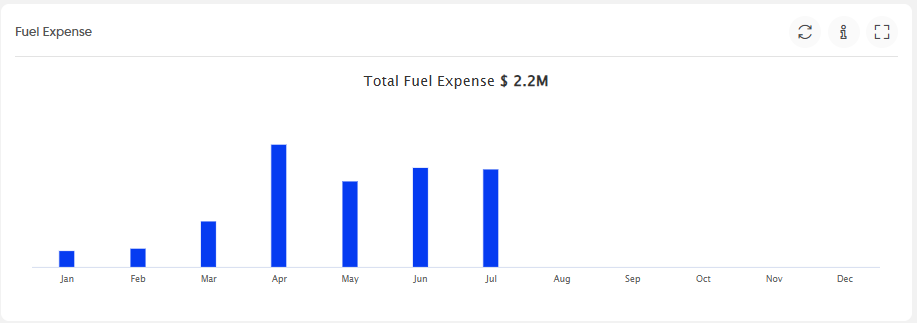
- Displays the monthly fuel expense for the selected year and provides the total fuel expense for the displayed period.
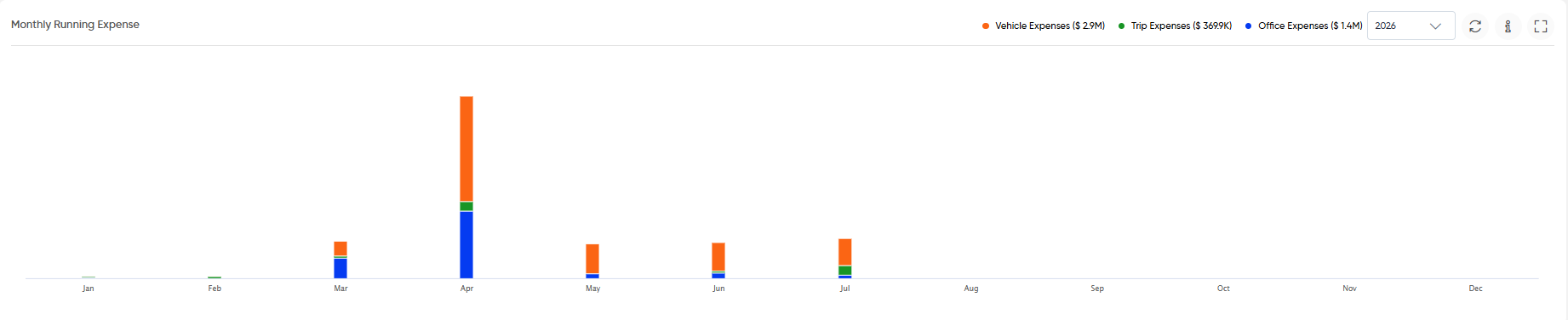
- Monthly Running Expense
- Displays monthly running expenses across the following categories:
- Vehicle Expenses
- Trip Expenses
- Office Expenses
- A year selector is available to view the expense data for the selected year.
- Displays monthly running expenses across the following categories:
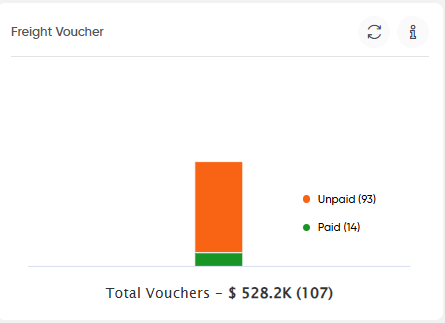
- Freight Voucher
- Displays the distribution of freight vouchers based on their payment status, including:
- Unpaid
- Paid
- The widget also displays the total number and value of freight vouchers.
- Displays the distribution of freight vouchers based on their payment status, including:
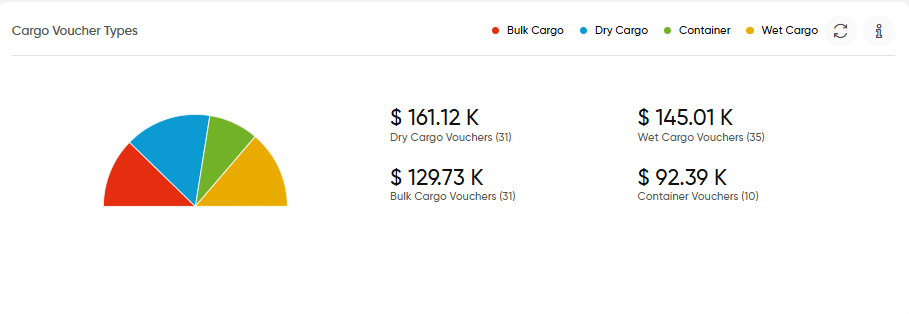
- Cargo Voucher Types
- Displays the freight voucher distribution by cargo type:
- Bulk Cargo
- Dry Cargo
- Container
- Wet Cargo
- It also displays the corresponding voucher amount and voucher count for each cargo type.
- Displays the freight voucher distribution by cargo type:
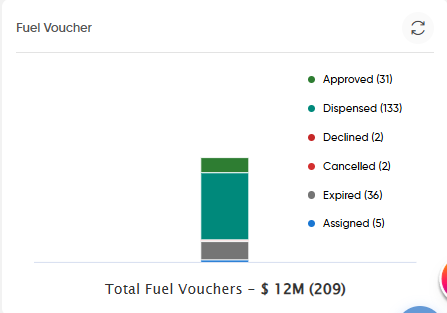
- Fuel Voucher
- Displays the distribution and status of fuel vouchers, including:
- Approved
- Dispensed
- Declined
- Cancelled
- Expired
- Assigned
- The widget also displays the total number and value of fuel vouchers.
- Displays the distribution and status of fuel vouchers, including:
Widget Controls
- Information: Displays additional information about the widget.
- Expand: Opens the widget in an expanded view.
- Year Selector: Allows users to select the required year where applicable.
- Status Filter: Filters finance transactions based on payment or transaction status.

