Transporters Dashboard
Purpose
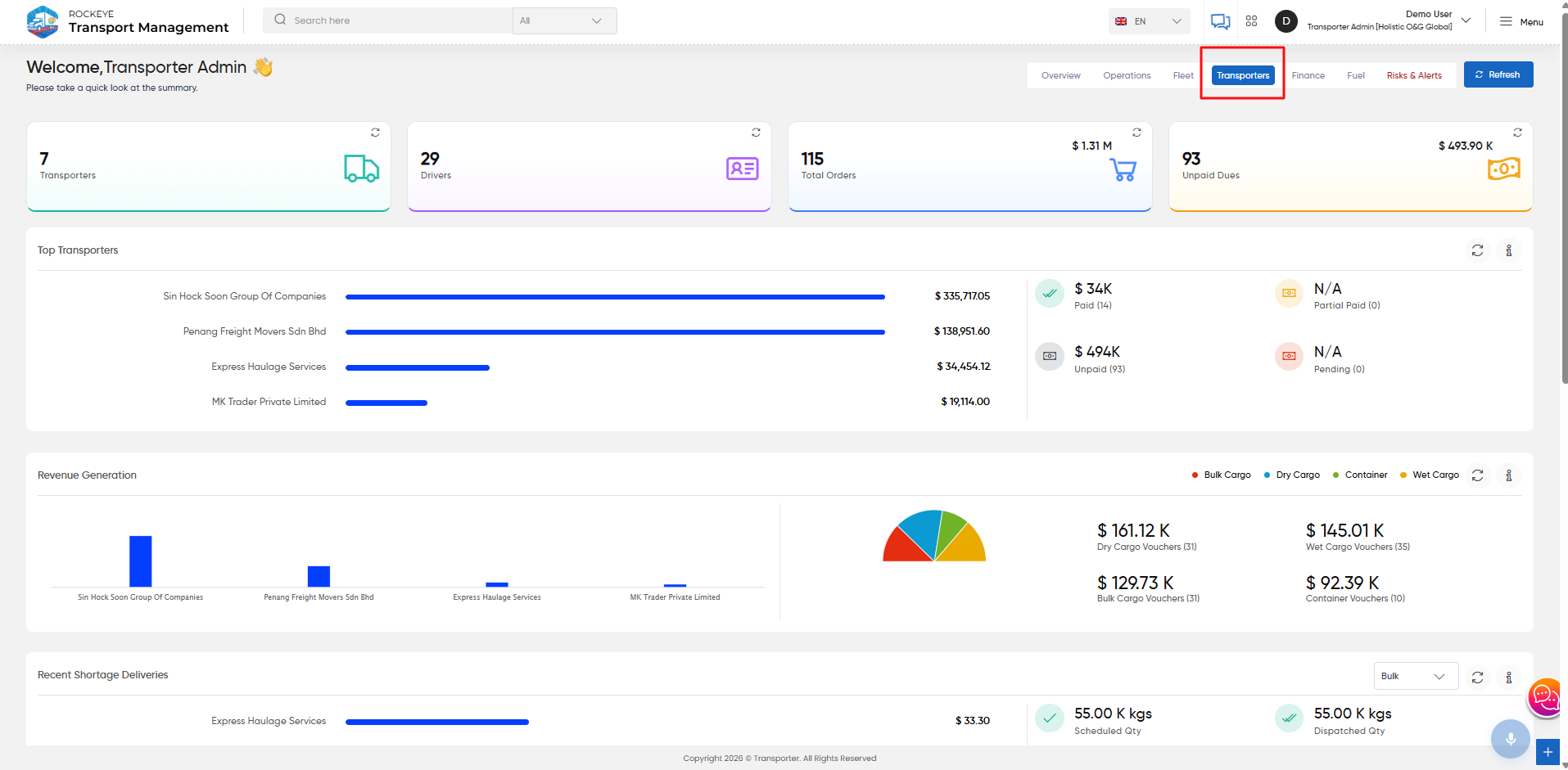
The Transporters Dashboard provides a consolidated view of transporter-related operations, including transporter and driver information, orders, payments, revenue, shortages, expenses, and fuel costs. It helps users monitor transporter activity and related financial and delivery performance.
Navigation
To access the Transporters Dashboard:
TMS → Transporters
Top Transporters
Displays transporter-wise order or financial performance. It provides a comparison of transporters along with their respective amounts and payment status, including:
- Paid
- Unpaid
- Partial Paid
- Pending

Revenue Generation
Displays revenue generated across transporters and cargo types.
The widget provides a cargo-wise breakdown for:
- Bulk Cargo
- Dry Cargo
- Container
- Wet Cargo
It also displays the corresponding voucher amounts and voucher counts.

Recent Shortage Deliveries
Displays recent deliveries where a shortage has been recorded.
Users can select the cargo type to view the relevant shortage information. The widget displays:
- Scheduled Quantity
- Dispatched Quantity
- Delivered Quantity
- Shortage Quantity

Monthly Running Expense
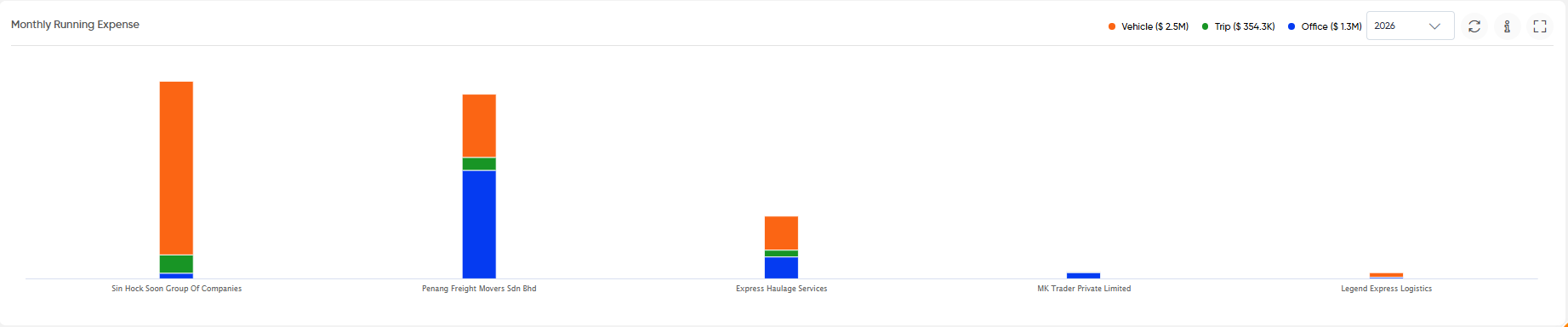
Displays the monthly running expenses associated with transporters.
Expenses are categorized into:
- Vehicle
- Trip
- Office
A year selector is available to view the expense data for the selected year.
Fuel Expense
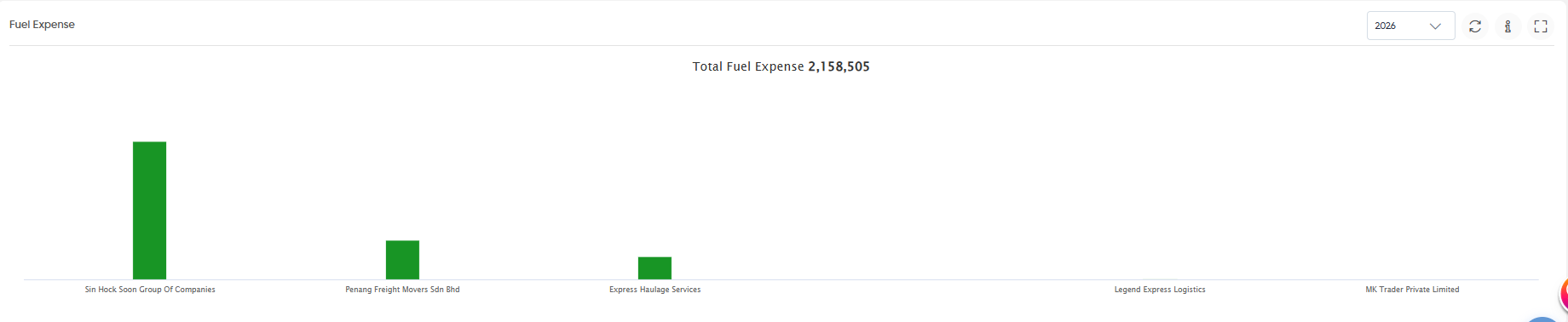
Displays fuel expenses associated with transporters for the selected year. The widget also displays the total fuel expense for the selected year.
Widget Controls
The dashboard provides common controls on applicable widgets:
- Refresh: Updates the widget with the latest available data.
- Information: Displays additional information about the widget.
- Expand: Opens the widget in an expanded view.
- Year Selector: Allows users to select the required year where applicable.
- Cargo Selector: Allows users to select the required cargo type where applicable.

