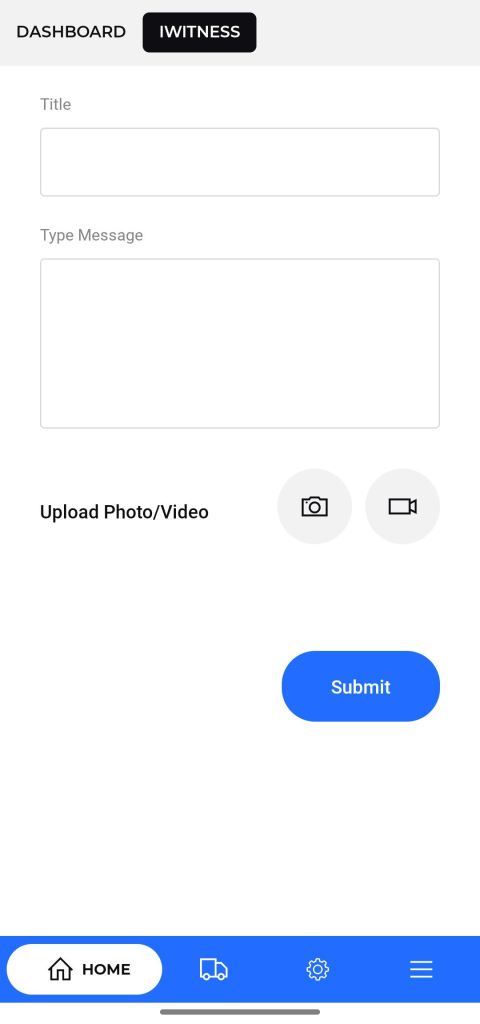
IWitness / Camera Capture Screen
Purpose:
To allow the transporter to take live pictures as part of the IWitness module to record visual evidence.
Navigation:
Accessed from the top navigation bar under the “IWitness” tab or through a quick action button on the dashboard.
Description:
- Title : This serves as the title or heading of the support request.
- Type Message : This is the main content area where the user describes the issue in detail.
- Upload Photo/Video : Displays the live camera view with a capture button.
- Allows users to click real-time images of the vehicle, delivery, or any relevant incident.
- Once captured, the image can be saved and synced to the system as visual proof for the trip or activity.
- Includes controls to retake or confirm the picture before submission.