Product Stock Transaction Type
The Product Stock Transaction Type Master is used to define and manage various types of stock movements such as stock in, stock out, adjustments, transfers, or returns. This setup helps categorize and track product inventory transactions throughout their lifecycle.
It ensures inventory accuracy, improves traceability, and supports operational efficiency across locations
How To Navigate
- From the main dashboard, click on “Master Module” in the left-hand navigation panel.
- Within the Master Module, select “Product Stock Transaction” from the submenu.
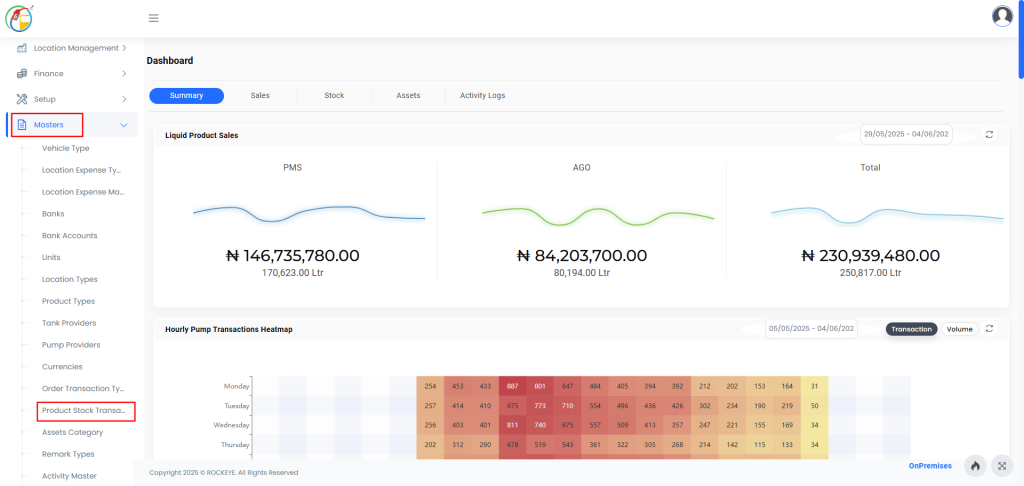
Listing
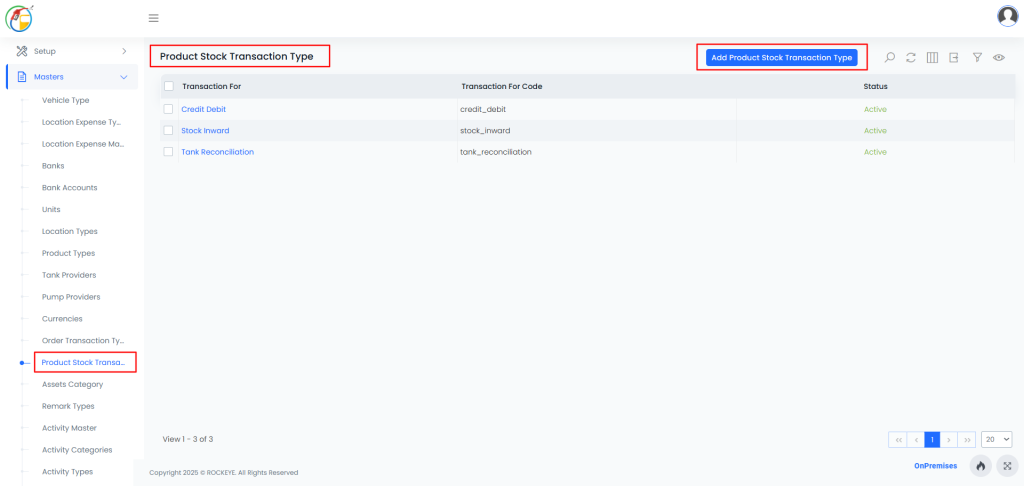
How To Add Product Stock Transaction Type
Look for an “Add New” button, usually located at the top right corner of the list view.
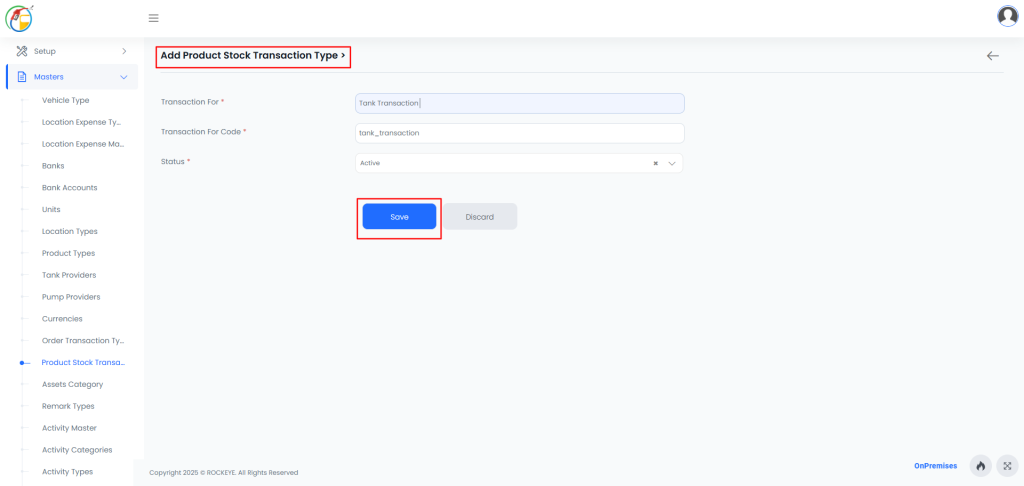
Transaction For: The descriptive name of the stock transaction type (e.g., Stock In, Stock Out, Return)
Transaction For Code: A unique identifier or code for the transaction type (e.g., SI001, SO002).
Status: Indicates whether the transaction type is currently Active or Inactive in the system.Save: After filling all the above details click on the save button.