LT Dispute Closure
1.0 Purpose
The main purpose of this process is to close the loading ticket dispute which is generated at the time of loading ticket delivery confirmation.
1.1 Who can close the dispute?
- MRS Admin
1.2 Different Applications Involved in Process
- Portal Web
- Portal Customer App
1.3 Navigation Path
Requests & Approvals > LT Dispute Requests
1.4 Generation of LT Dispute Request
When a loading ticket which is of charge on delivery is giving delivery confirmation by the customer/dealer with the quantity less than the waybilled quantity then a dispute request will be generated against the loading ticket.
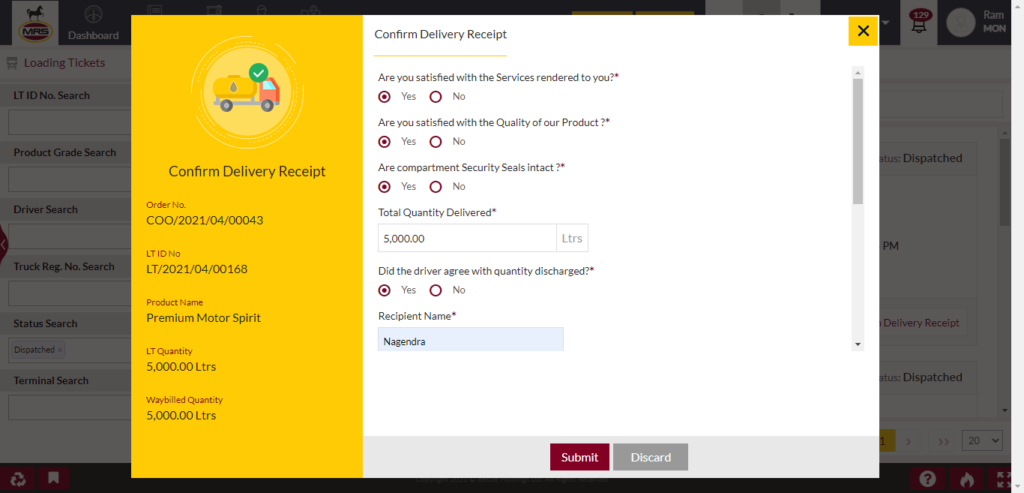
| Page/Screen | LT Delivery Confirmation |
| Application | Portal Web |
| Role | RORO Dealer, CORO Dealer, COCO Dealer, ID |
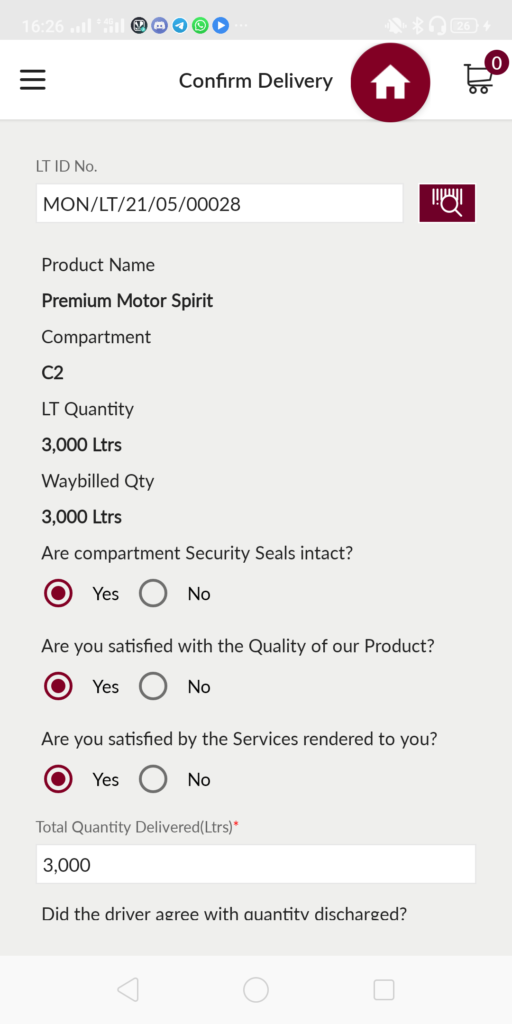
| Page/Screen | LT Delivery Confirmation |
| Application | Portal Customer App |
| Role | RORO Dealer, CORO Dealer, COCO Dealer, ID |
1.5 Close LT Dispute Request
The generated dispute requests will be displayed in the LT dispute requests module.
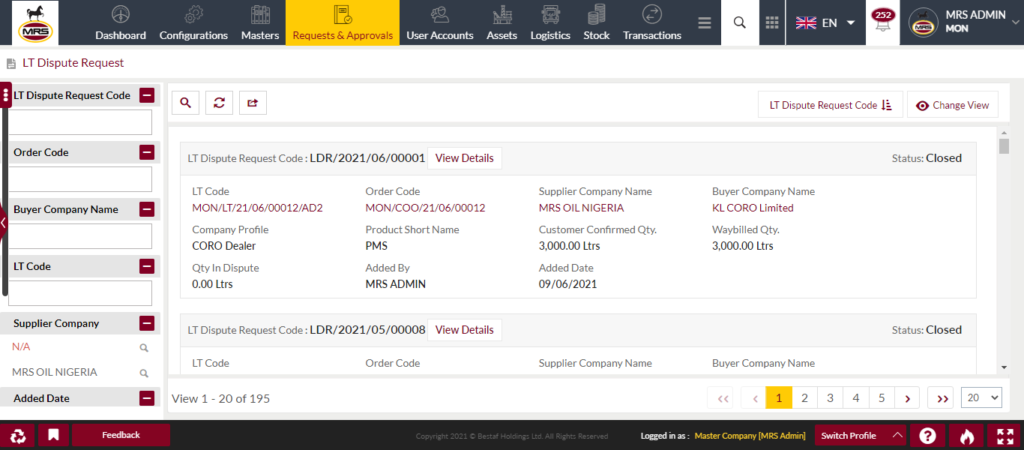
| Page/Screen | LT Dispute Requests |
| Application | Portal Web |
| Role | MRS Admin |
MRS Admin can see the dispute request details by clicking on the dispute request code. In dispute request detail page system shows all the details of LT quantity, Waybilled quantity and the delivery confirmed quantity and the dispute quantity.
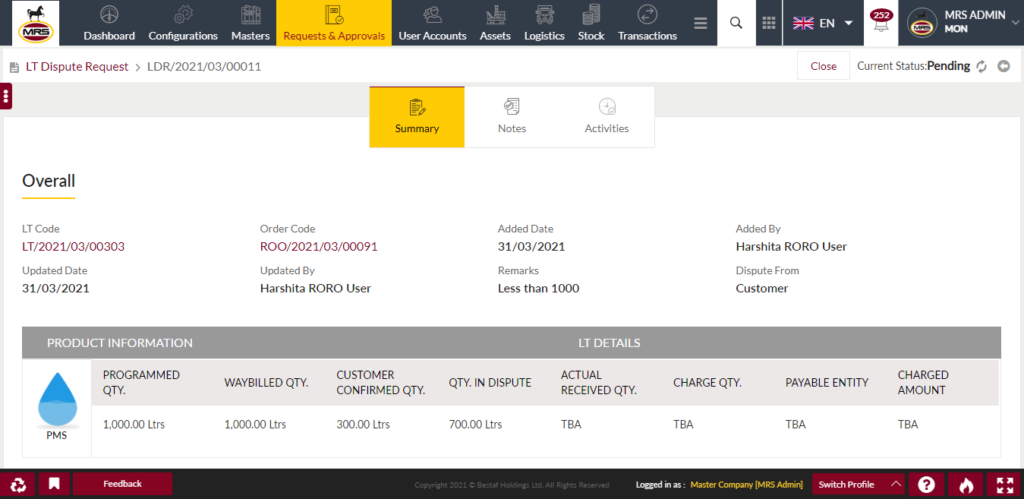
| Page/Screen | LT Dispute Request Details |
| Application | Portal Web |
| Role | MRS Admin |
System also shows the transporter details like transporter company, truck and driver.
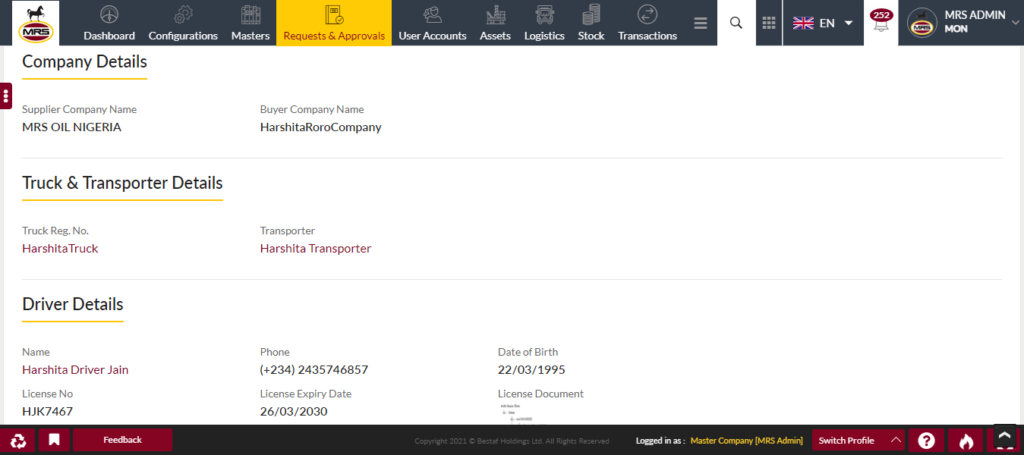
| Page/Screen | LT Dispute Request Details |
| Application | Portal Web |
| Role | MRS Admin |
By clicking on the close button system shows the close LT dispute popup with the following fields
- Customer Confirmed Qty
- Actual Received Qty
- Qty in Dispute
- Payable Entity
- Current Product Price
- Charge Amount
- Attachment
- Remarks
- Close Remarks
MRS Admin enters the actual received quantity after verification about the dispute. If there is any issue with the transporter delivery then MRS admin will charges the transporter by selecting the payable entity as "Charge Transporter" otherwise user select the payable entity as "Charge Supplier". Based on the entered actual received quantity if the value is greater than the dealers confirmed quantity then the difference quantity will be credited into the dealers stock account.
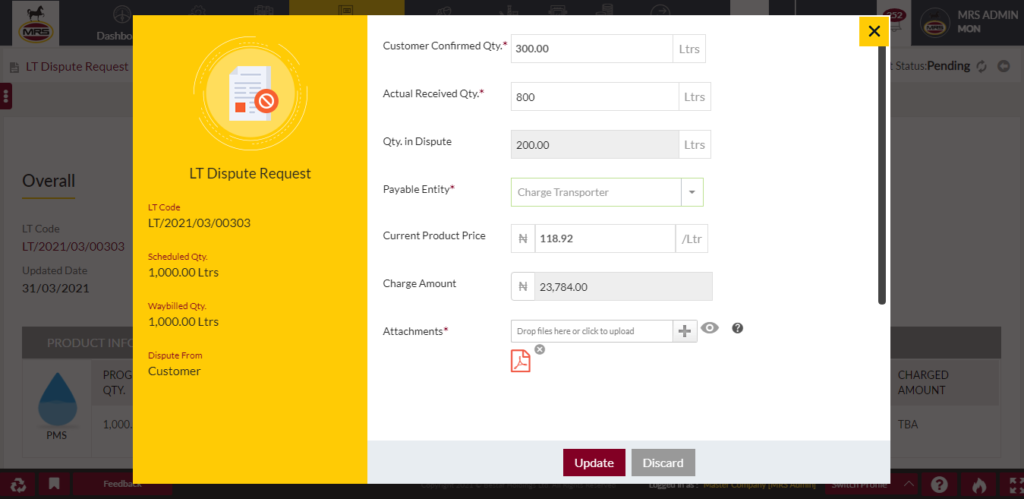
| Page/Screen | Close LT Dispute Request |
| Application | Portal Web |
| Role | MRS Admin |
If user selects the charge transporter then the charge amount value will be debited from the transporter wallet.
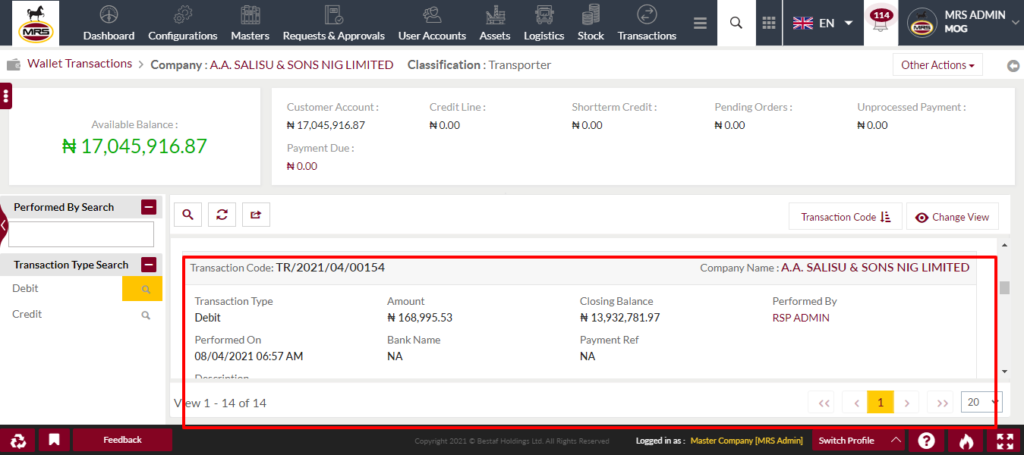
| Page/Screen | Transporter Wallet Transactions |
| Application | Portal Web |
| Role | Transporter, MRS Admin |
If user selects the charge supplier then the charge amount value will be debited from the product owner's logistics wallet.
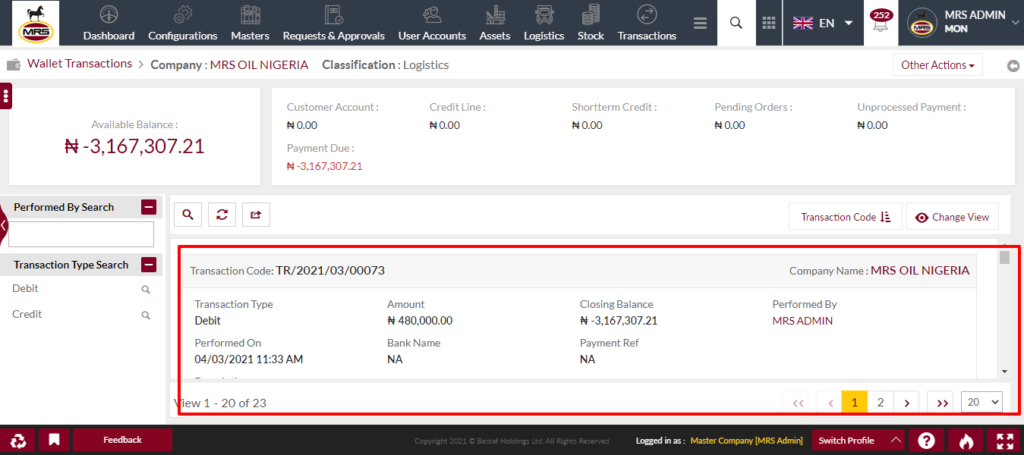
| Page/Screen | Supplier Logistics Wallet Transactions |
| Application | Portal Web |
| Role | Supplier, MRS Admin |

