Add Delivery Site
1.0 Purpose
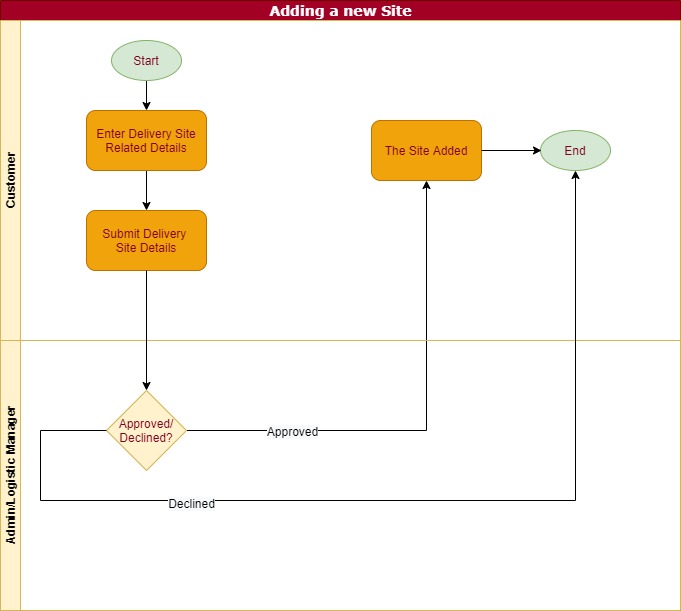
The main purpose of this process is to add the C&I delivery sites for the C&I Admins to provide product delivery
1.1 Who can perform this?
- C&I Admin
- Logistic Manager
- Data Manager
- CC Team
- MRS Admin
1.2 Navigation Path for C&I Admin
- Accounts > Delivery Sites [ Web ]
- Home > Delivery Sites [ Mobile ]
1.3 Different Applications Involved
- Web Portal
- Portal Customer App
- Portal Operations App
1.4 Add Delivery Site
C&I can add delivery site from the delivery sites module in both web and mobile. By clicking on the Add Delivery Site button user navigates to the add delivery site page.
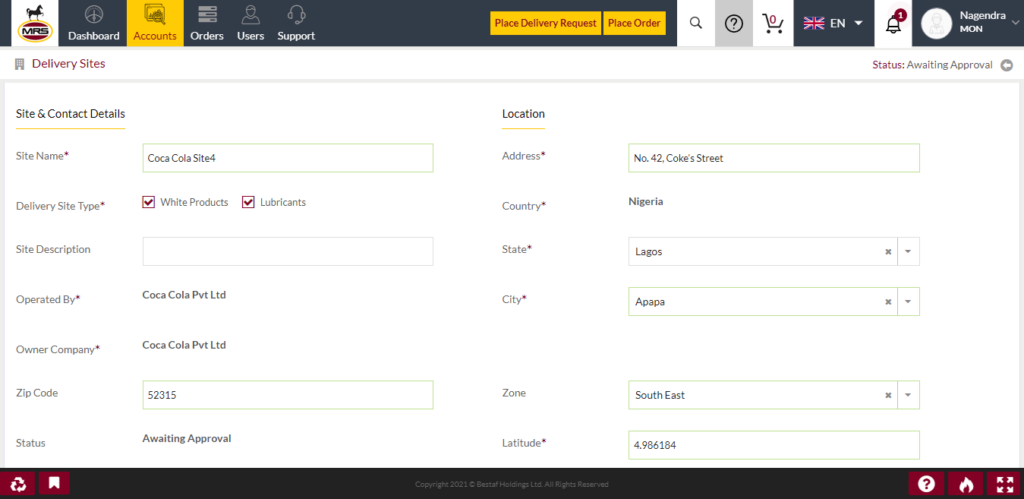
| Page/Screen | Add Delivery Site |
| Application | Portal Web |
| Role | C&I Admin |
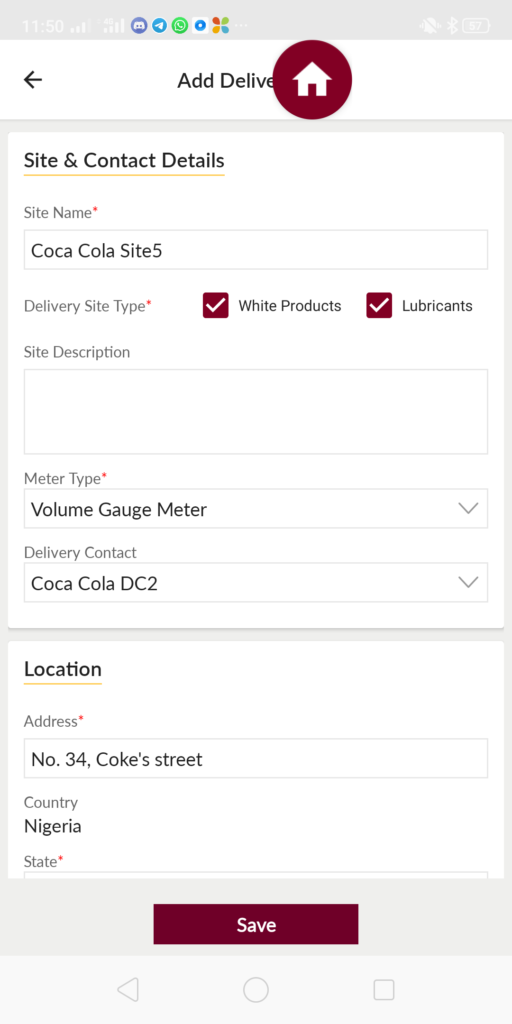
| Page/Screen | Add Delivery Site |
| Application | Portal Customer App |
| Role | C&I Admin |
In add delivery site user can select the the delivery site type options. If the site is consuming both the white products and the lubricant products then user will select both the types. Otherwise user will select the required site type only.
And also user can select the meter type at the delivery site. If the delivery site is operating with the Flow Meter then user will select flow meter and if site using the volume gauge meter then user will select the volume gauge meter type.
If the delivery site is consuming the white products then user need to provide the product tank details also.
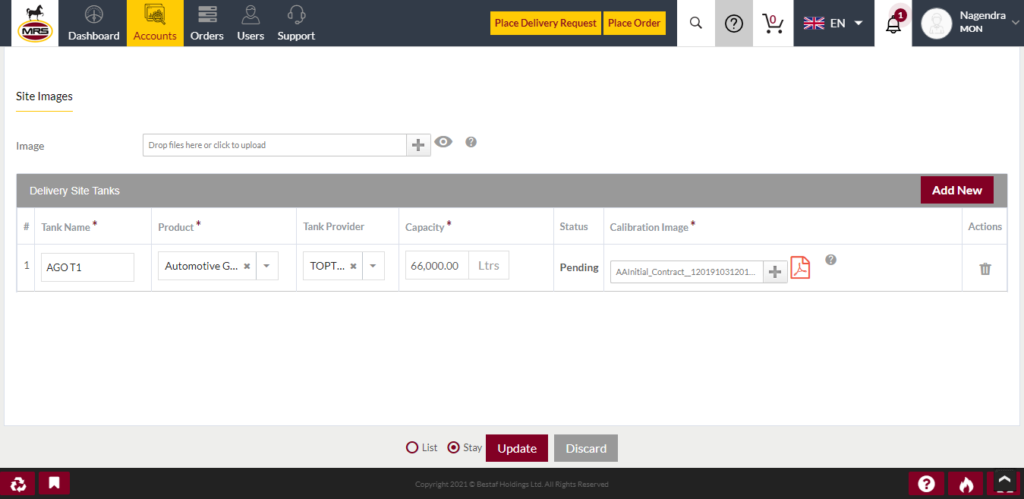
| Page/Screen | Add Delivery Site Tanks |
| Application | Portal Web |
| Role | C&I Admin |
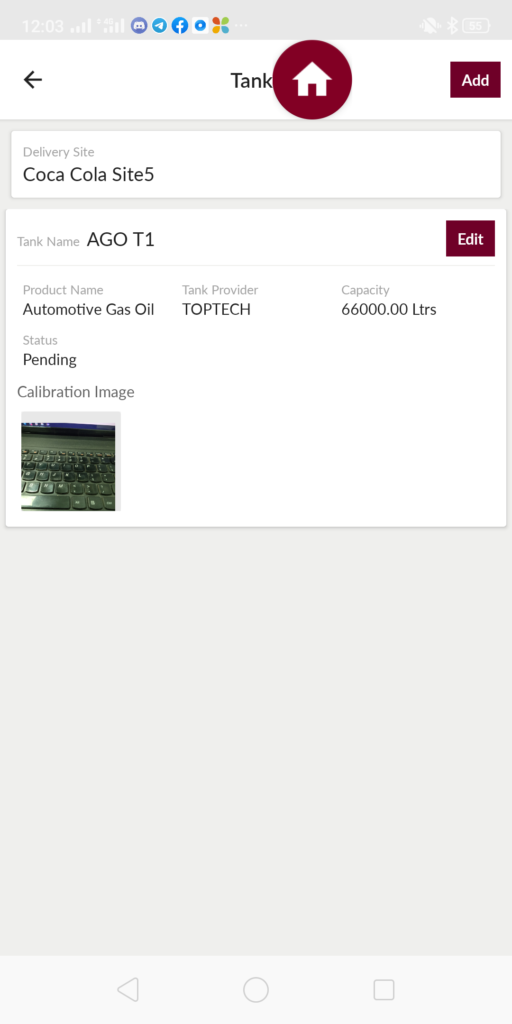
| Page/Screen | Add Delivery Site Tanks |
| Application | Portal Customer App |
| Role | C&I Admin |
1.5 Confirm/Decline Delivery Site
CC Mngr [ C&I ] or Logistic Manager or MRS Admin can confirm/decline the delivery request after submission by the C&I Admins. If the delivery site details are clear and able to provide the service then users can confirm the delivery site otherwise they will decline the delivery site.
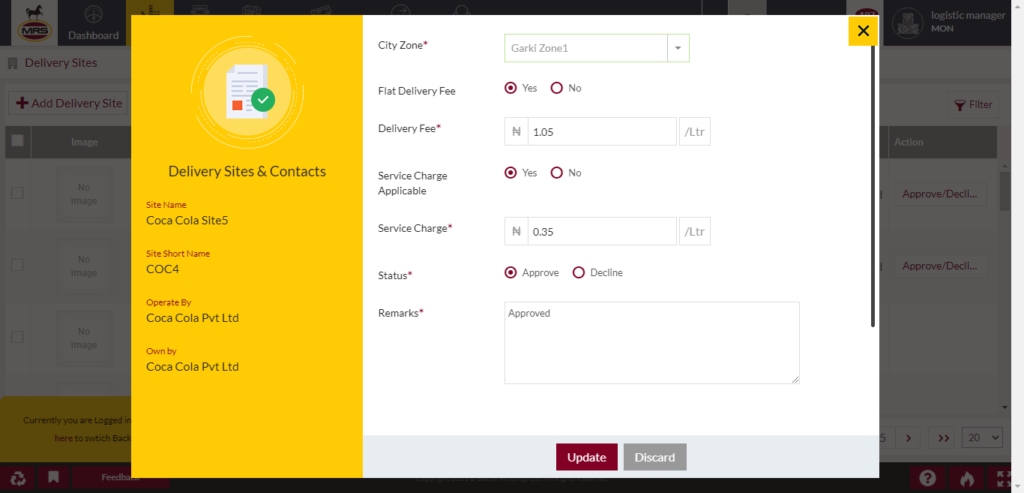
| Page/Screen | Delivery Sites |
| Application | Portal Web |
| Role | CC Mngr [ C&I ], Logistic Manager |
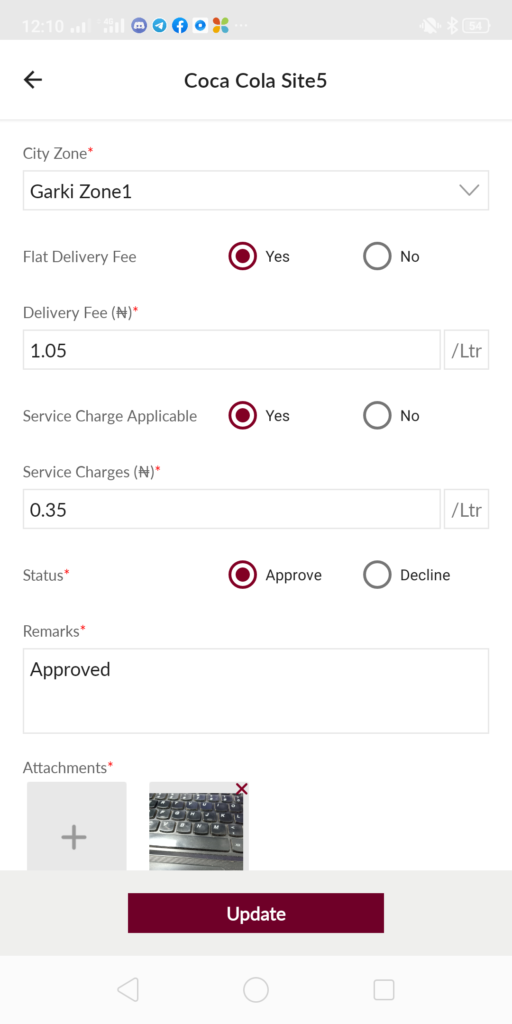
| Page/Screen | Delivery Sites Confirm/Decline |
| Application | Portal Web |
| Role | CC Mngr [ C&I ] |
While confirming the delivery site user need to select the applicable city zone for the delivery site. If the delivery site requires the specific site delivery fee then user chooses the delivery fee option as "Yes" and provides the delivery fee per liter. If user did not choose the specific site delivery fee then the city zone delivery fee will be applicable.
If the delivery site requires the specific site service charge then user chooses the service charge option as "Yes" and provides the service charges per liter. If the site is not applicable any service charge then user selects the "No" then no service charge will be applied to that site.
If the delivery site is approved then that site will be available for placing delivery requests or the place the lubricant orders based the site type selection. If the delivery site is declined then that site will not be available for placing delivery requests or the place the lubricant orders based the site type selection.

