Quotation Response
Introduction
The Quotation Response sub-module allows users to view, track, and manage supplier responses to submitted Requests for Quotation (RFQs). This feature consolidates all quotation submissions from vendors, enabling easy comparison of proposed prices, suppliers, and status updates for better procurement decision-making.
How To Navigate
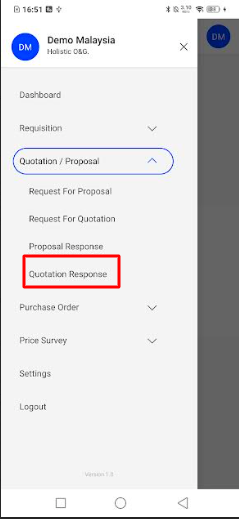
- Open the left menu.
- Go to Quotation / Proposal.
- Tap Quotation Response.
Listing
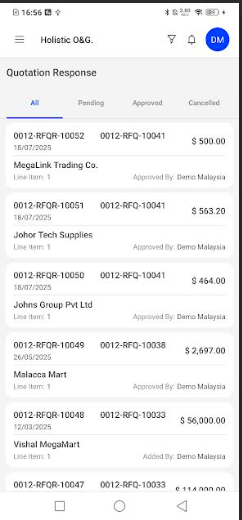
- Tabs: All, Pending, Approved, Cancelled.
- Each card shows Response No., RFQ No., supplier, date, line items, amount, and approval info.
Filtering
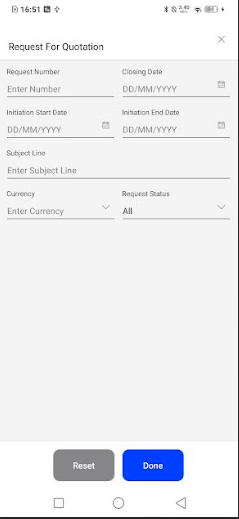
- Tap the funnel icon to open the filter panel.
- Set any of these fields, then tap Done (or Reset to clear):
- Request Number
- Initiation Start Date / Initiation End Date
- Closing Date
- Subject Line
- Currency
- Request Status (All/Pending/Approved/Cancelled)

