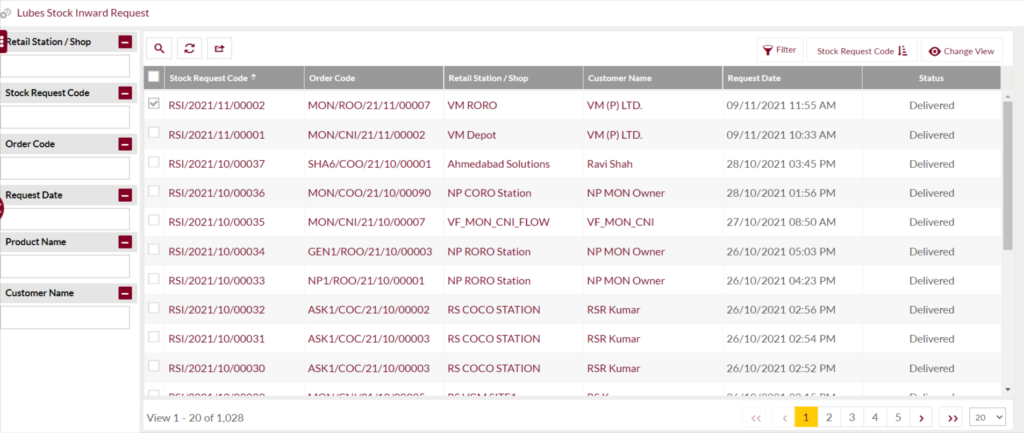
The main purpose of this page is to maintain the synchronization of all the lube product orders completed by the dealers. The same report is available in the dealers login also.
1.1 Who can view lubes stock inward requests
RORO Dealers
CORO Dealers
COCO Dealers
Independent Dealers
Distributor and Resellers
C&I Customers/Admins
CC Team on behalf of Customers
MRS Admin on behalf of Customers
1.2 Navigation Path for Customers
Products Menu > Lubes Stock Inward Request
1.3 Different Applications Involved in Process
Portal Web
Portal Customer App
Inventory Web
Inventory Mobile App
1.4 Listing Screen
Below are the screen details:-
Stock Request code is the unique alpha numeric code assigned to each lube inward request generated. This code is also treated as the reference no. for future purpose.
Order code is the unique alpha numeric code assigned to each order placed by customer.
Retail Shop is the name of the retail station for which the stock inward request was generated.
Customer Name is the dealer company who has placed the order.
Request date is the day and time when the order was placed by the customer.
Status is the order status whether it is pending, delivered or reversed.