Tank Providers
1.0 Purpose
The main purpose of this page is to add new liquid products tank owner companies in the system. These tanks are utilized by the retail service companies for storage of the products.
1.1 Who can perform this?
- Managing Director
- Customer Care Administrator
- MRS Admin
1.2 Navigation Path
Path: Masters > Tank Providers
1.3 Listing Screen
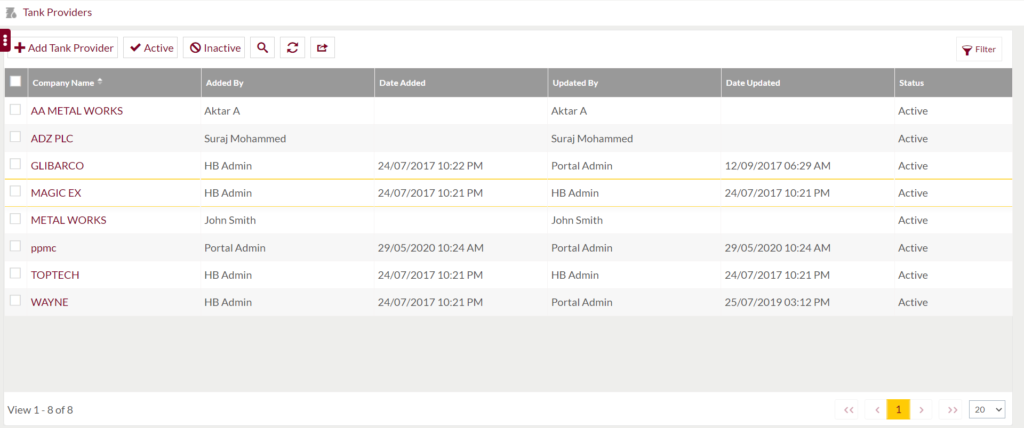
Below are the screen details:-
- Company Name is the name of the tank providing company.
- Added by is the entity who has added the company details in the system.
- Date Added is the day and time when the company details were added in the system.
- Updated by is the entity who has updated the company details in the system.
- Date Updated is the day and time when the company details were updated in the system.
- Status is the current status of the company either active or inactive in the system.
1.4 Add New Tank Provider Company

Add Tank Provider button will redirect to below screen:-
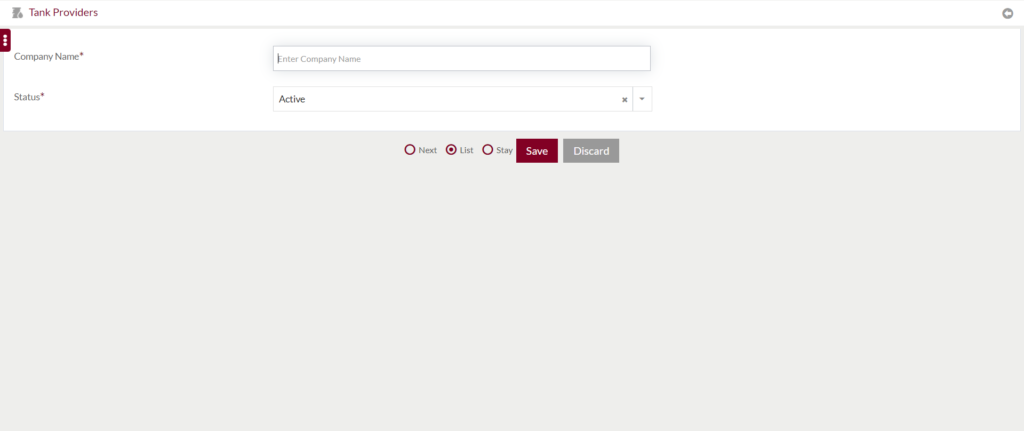
Below are the screen details:-
- Company Name is the name of the tank providing company.
- Status is the current status of the company either active or inactive in the system.
- Save button will submit the entered details.
- Discard will redirect user to the listing page.
1.5 Edit Tank Provider Details
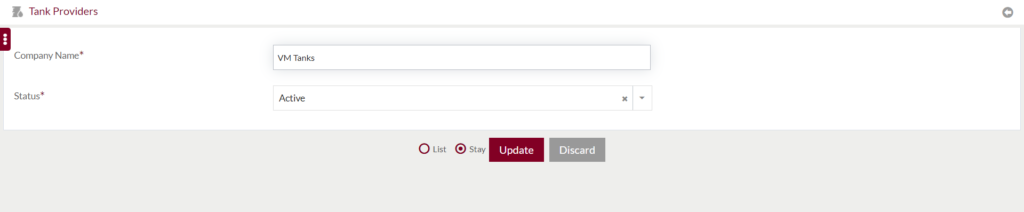
- Clicking on Company name in the listing page will open the provider company details.
- User can edit and update the entered information on the above screen.
- Update button will store the edited details.
- Discard will redirect user to listing page.

