Transport Management
Parking Management
Purpose :
Provides a real-time log of vehicles that are checked into or have recently departed from designated parking locations.
Navigation: Trips > PARKING
Description
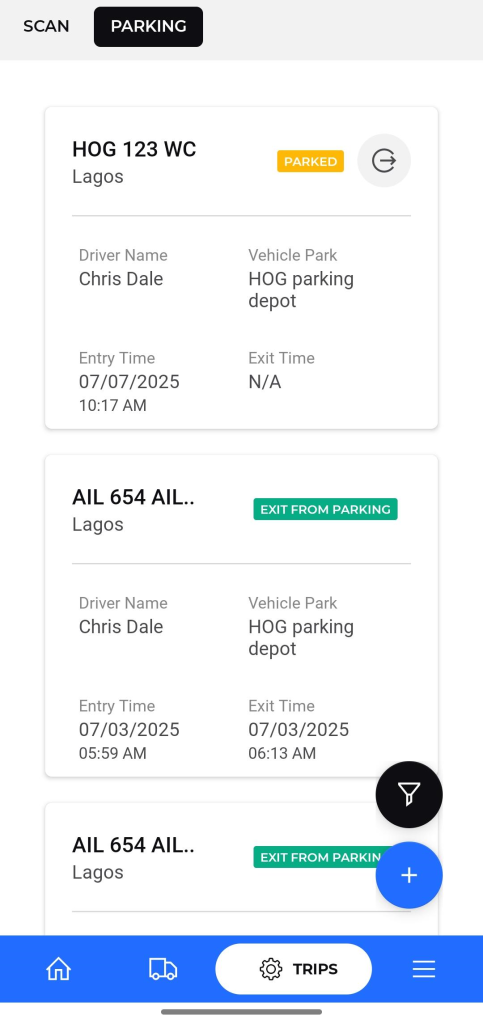
- Parking Status Cards: Each entry is displayed on a card that shows the key details needed to monitor parking activity.
Key fields on each parking card :
- Vehicle ID: The vehicle registration number.
- Status: The current parking state.
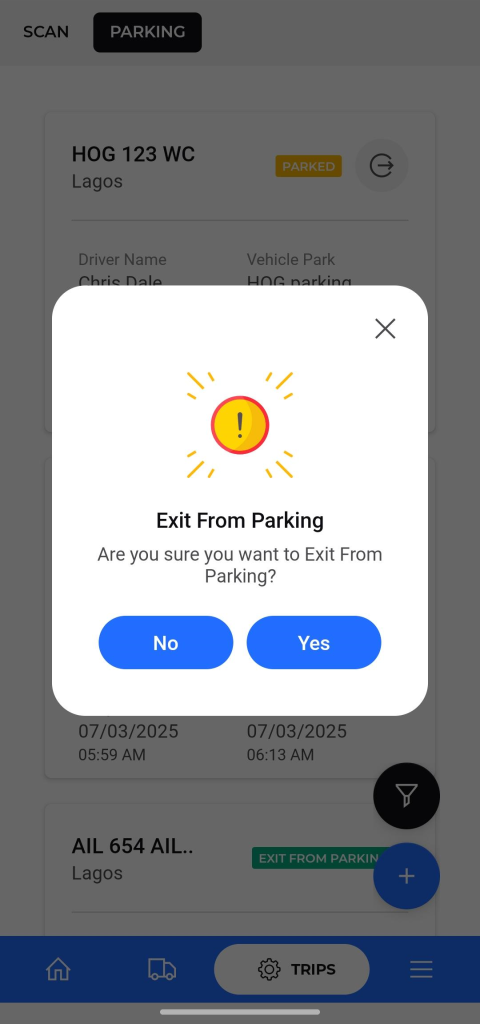
- PARKED: The vehicle is currently inside a designated parking area.User will be able to change the status from parked to exit from parking by clicking on the option beside the parked status.
- EXIT FROM PARKING: The vehicle has recently been checked out of the parking area.
- Driver Name: The name of the driver operating the vehicle.
- Vehicle Park: The name of the specific parking depot.
- Entry Time: The exact date and time the vehicle was checked into the parking location.
- Exit Time: The date and time the vehicle was checked out.
Add New Vehicle Parking:
To create a new vehicle parking log, the user needs to provide the following details:
- Vehicle Park – Select the location of the vehicle park from the available list.
- Entry Time – Specify the time the vehicle entered the parking area.
- Vehicle Registration Number – Enter or scan the vehicle’s registration number.
- Driver Name – Enter the name of the driver.
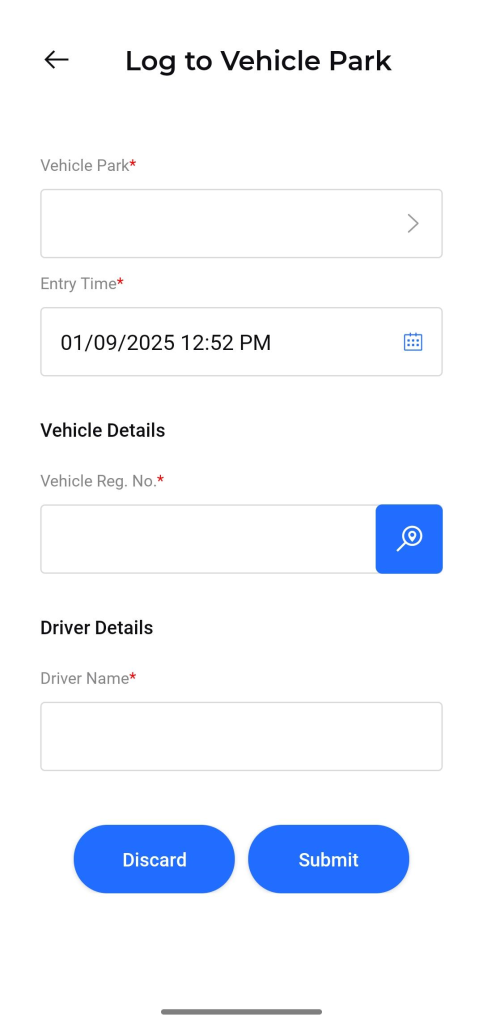
Action Buttons:
- Discard – Cancel the entry without saving.
- Submit – Save the new parking log.