Transport Management
Fuel Section
Purpose :
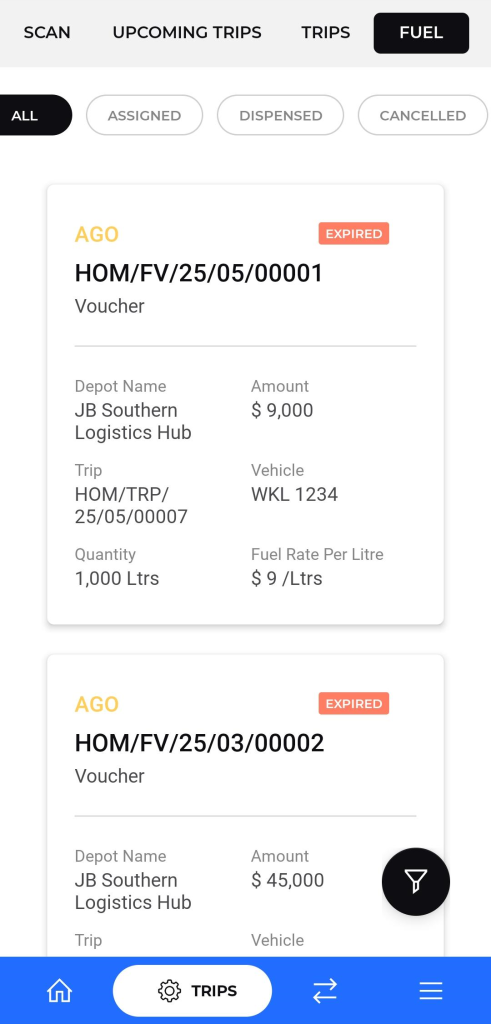
The Fuel screen in the mobile application allows drivers and fleet managers to view and track all fuel vouchers assigned for trips. This guide will walk you through the features of the Fuel screen and explain the information displayed on each fuel voucher.
Navigation :
To navigate to the Fuel screen:
- Open and log in to the application.
- From the top navigation menu, tap on the FUEL tab.
Description :
- Status Filters: Tabs to categorize trips by their current status (e.g., schedule, dispensed, cancelled).
- Trip Entries: Each entry includes:
- Fuel type and voucher number.
- Depot name and location.
- Unique trip identifier.
- Quantity of goods/fuel (if applicable).
- Financial details (amount, rate per unit).
- Vehicle information (license plate/number).
- Provides a summarized view of trips that can be expanded for full details.
- Designed for drivers to quickly review upcoming assignments and their critical parameters.