Transport Management
Freight Screen
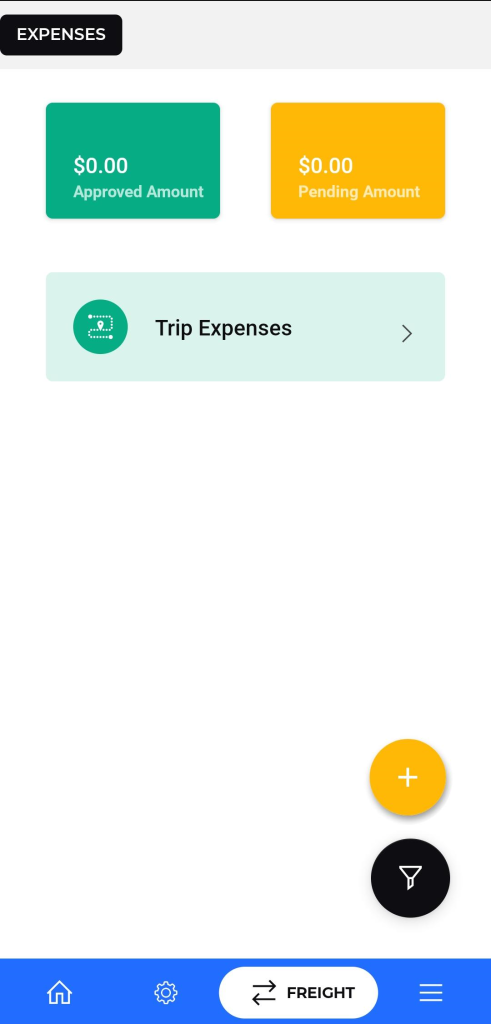
- Purpose: To manage and track trip expenses for drivers.
- Navigation: Accessible from the main menu or navigation bar.
- Description:
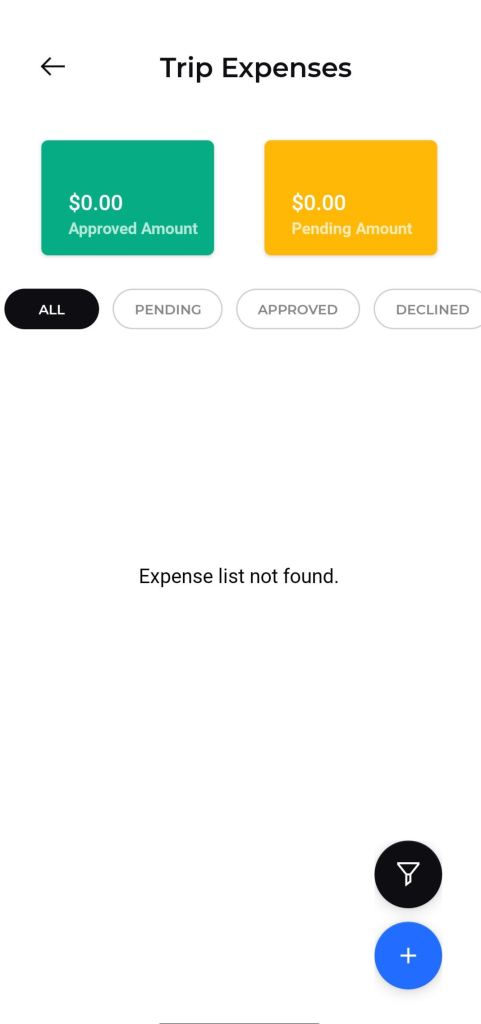
- Displays a list of trip expenses.
- Shows approved and pending amounts.
- Allows filtering by status: ALL, PENDING, AP
ADD TRIP EXPENSE Form
Purpose: Allows drivers to submit new expenses incurred during trips.
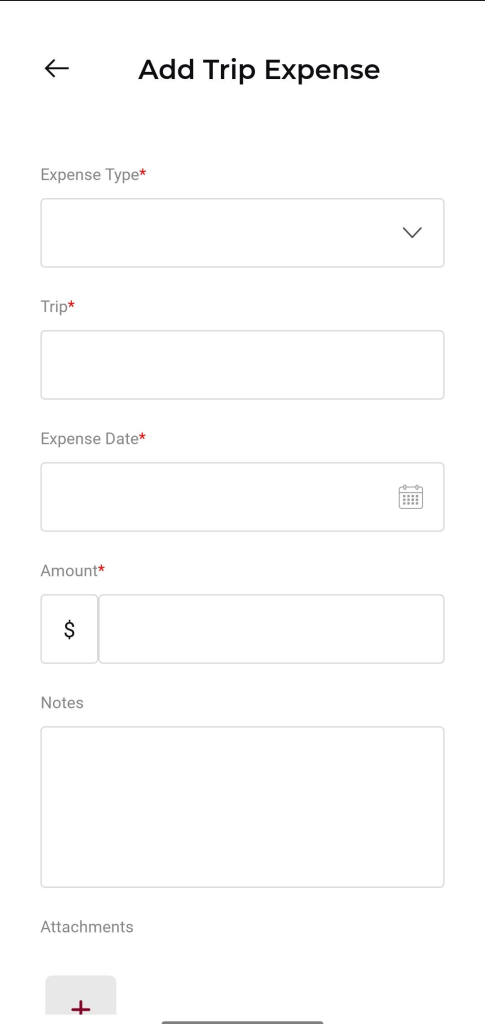
Add Trip Expense Form:
- Expense Type: Dropdown selection for the type of expense.
- Trip: Text input for the trip details.
- Expense Date: Calendar input for the date of the expense.
- Amount: Input field for the expense amount.
- Notes: Text area for additional notes.
- Attachments: Option to add attachments with a “+” button.
Action Button :
- Submit: Button to save the new trip expense.
- Cancel: Button to discard the new trip expense and return to the list.
Add Trip Expense Form:
- Expense Type: Dropdown selection for the type of expense.
- Trip: Text input for the trip details.
- Expense Date: Calendar input for the date of the expense.
- Amount: Input field for the expense amount.
- Notes: Text area for additional notes.
- Attachments: Option to add attachments with a “+” button.
Action Button :
- Submit: Button to save the new trip expense.
- Cancel: Button to discard the new trip expense and return to the list.